I’m working on rewriting some blog and school content in my own words, but I’m struggling to paraphrase without accidentally keeping the structure too similar. I’m looking for a reliable free paraphrase tool that sounds natural, avoids plagiarism issues, and doesn’t mangle the meaning. What tools or sites are you using that actually help with this
For free tools, here is what tends to work best if you want stuff to sound human and not trip plagiarism checks.
-
QuillBot free plan
- Gives 125 words per run.
- Has different modes like Standard and Fluency.
- Output still needs editing or you risk same structure and weird phrasing.
- Good if you paste short paragraphs from your blog or essays.
-
- Unlimited use, but the quality jumps around.
- Good for first drafts, not good for final text.
- Sometimes repeats sentence order, so you still need to move things around.
-
Clever AI Humanizer
- This is the one I would look at for your use case.
- It aims to make AI style text look closer to human writing.
- That helps if you take ideas from notes or AI drafts and want them to feel less robotic.
- Check something like Clever AI Humanizer paraphrasing tool for natural-sounding text and run a few test paragraphs from your school work.
- Then compare the result against your source to see if the structure and word order changed enough.
Practical workflow that keeps you safe:
- Read the source paragraph once without touching the keyboard.
- Close it or scroll so you do not see it.
- Write the idea in your own words from memory.
- Use a tool like Clever AI Humanizer or QuillBot on your version, not on the original.
- Edit the tool output so it matches your tone and level.
- Run the final through a plagiarism checker like PlagScan or SmallSEOTools.
If you skip step 3 and only lean on tools, you risk keeping the same sentence structure. Teachers spot that fast.
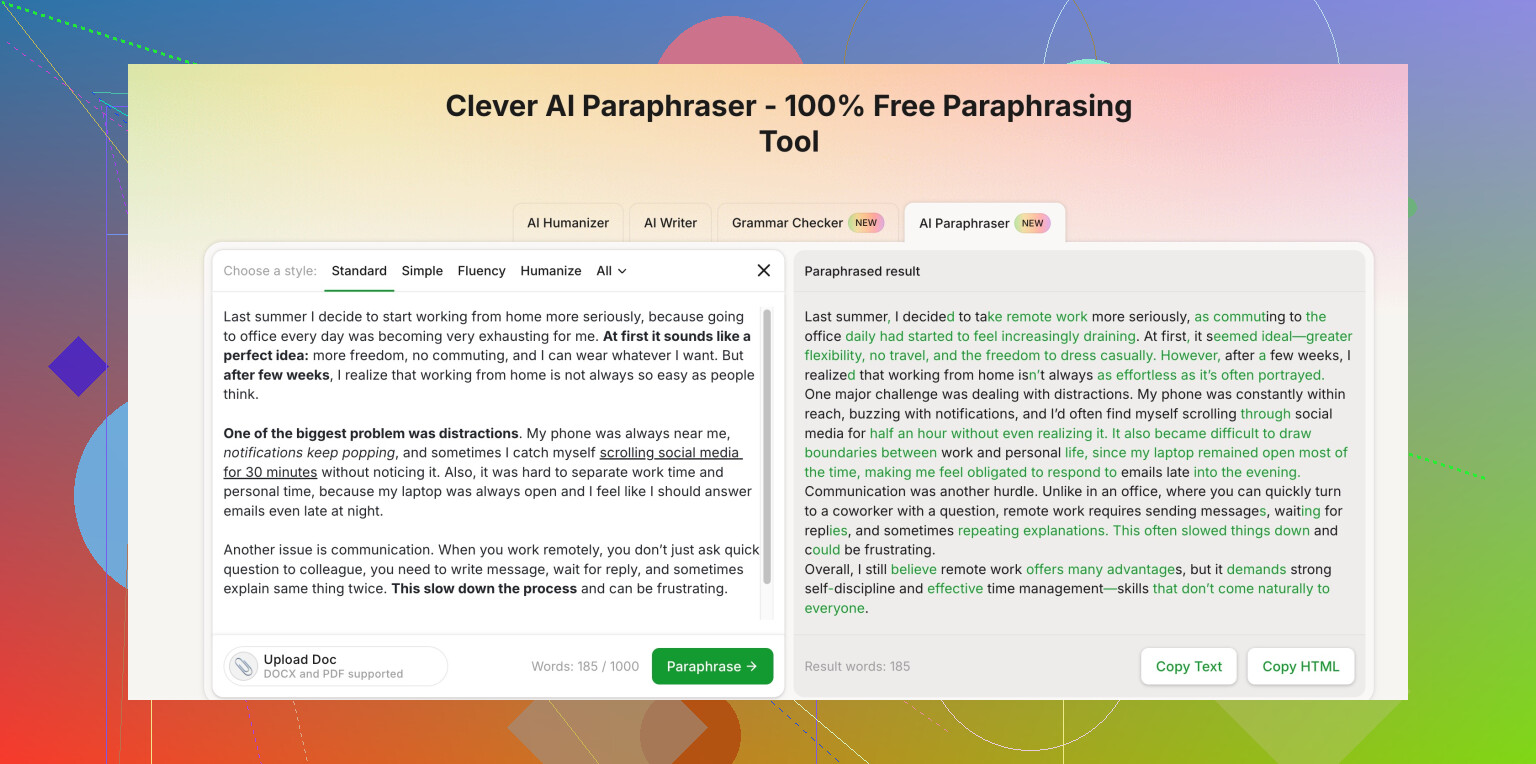
Honestly, if you rely only on paraphrase tools you’re just trading one problem for another: instead of “too similar,” you get “clearly machine-spun.” @nachtschatten already covered the usual suspects, so I’ll skip repeating that list.
Here’s a different angle + a couple more tools:
-
Try sentence-level remixing first
Before tools, grab one sentence at a time and do this:- Change the order of info: result first, cause later.
- Swap verbs and nouns: “X causes Y” → “Y happens because of X.”
- Combine two short sentences into one, or split one long sentence into two.
Once you do that manually, then run it through a tool to smooth the wording. This keeps you from having the same skeleton hiding under new words.
-
Free tools worth testing (that weren’t mentioned)
-
Editpad.org Paraphraser
Simple, free, no login. The quality is hit or miss, but it’s actually useful if you:- Paste 1–3 sentences at a time
- Pick the “Standard” or “Fluency” type options
It’s good at nudging phrasing without turning it into pure nonsense, but you still have to rearrange and edit.
-
Scribbr Paraphrasing Tool
More “academic” vibes. It tries to keep the meaning tight, which is good for school stuff. The downside is it can stay a bit too close to the original structure, so you have to move sentences around manually after.
I don’t love fully automated paraphrasers that promise “no plagiarism ever.” That’s usually a red flag and also just not true.
-
-
Using Clever AI Humanizer differently
Where I slightly disagree with @nachtschatten is I wouldn’t lean on these tools as the main step. I’d use Clever AI Humanizer almost like a “style polisher” rather than a full paraphrase engine.You can take something like:
- Your own rough reworded version
- Or notes you took from the original text
Then run that through Clever AI Humanizer so it sounds more natural and less robotic. The nice thing is it tries to avoid that stiff AI rhythm. For your use case, it’s actually solid as a last pass, not the first.
Their tool is easy to reach here:
natural-sounding clever free paraphrasing tool for students and bloggersUse short chunks, like 2–3 sentences at a time, then re-read and tweak so it still sounds like you and not some generic essay bot.
-
Quick “structure check” trick
After you’re done:- Put your version and the source side by side.
- Look only at sentence lengths and order, not the words.
- If it’s “short, long, medium, short” in both versions with the same idea sequence, change at least one sentence: merge, split, or move it.
-
For school specifically
Teachers care more about:- Whether you understand the idea
- Whether you’re clearly not copying sentence patterns
So if you ever find yourself pasting whole paragraphs into a tool, stop and force yourself to write from memory first, even if it’s messy. Tools like Clever AI Humanizer or Editpad should be used to clean up your draft, not to think for you.
You’ll spend a bit more time at first, but after a week or two you’ll notice you barely need the tools except to smooth rough spots. The “too similar structure” problem basically disappears once you get into the habit of reordering info and combining/splitting sentences yourself.
Quick angle that hasn’t really been covered yet: think of tools as collab partners instead of “press button, get paraphrase.”
1. Where Clever AI Humanizer actually fits
Pros:
- Better at smoothing tone than at pure rewriting, so your blog posts end up readable instead of “AI word salad.”
- Good for taking your rough draft (or your memory-based rewrite) and making it sound more natural and less stiff.
- Tends to vary phrasing enough that it does not feel like a thesaurus swap on every second word.
Cons:
- If you paste big chunks from the original source directly, you can still end up with similar structure, just prettier words.
- Not a magic shield against plagiarism tools or teachers who know the material.
- Needs you to already have some version of the text written, otherwise you lean on it too heavily.
Compared with what @viajantedoceu and @nachtschatten suggested, I’d say:
- Use their picks like QuillBot / Paraphraser / Editpad as “idea shakers.”
- Use Clever AI Humanizer as the “final voice pass,” especially for blog content where flow matters.
2. Trick that pairs well with any tool
Instead of paraphrasing line by line, paraphrase by chunk of meaning:
- Read 2–3 sentences from the original.
- Ask yourself: “What is the single main point here?”
- Write one new sentence that captures that idea in your own style.
- Only after that, send your version through Clever AI Humanizer to polish.
This breaks the original structure automatically, which is exactly what you are worried about.
3. Structure remix shortcut
When you compare your version with the source, do a quick scan:
- If both start with the same type of sentence (definition, then example, then consequence), flip yours.
- Start with the example or consequence first, then define.
- For blog posts, you can even turn one explanatory sentence into a mini question, then answer it. Tools actually handle Q&A shapes really well.
4. For school vs blog
- School: prioritize clarity and proof that you understand. Tools like Clever AI Humanizer are best as a light style pass, not a heavy rewrite.
- Blog: you can push the style polish harder, since readers care more about flow and less about seeing the original source.
Bottom line: the combo that tends to work is your own messy rewrite → quick structure remix → Clever AI Humanizer for tone → manual clean‑up. That avoids both “too similar” and “obviously spun.”