I lost my TV remote and can’t change the input or connect to Wi-Fi, so I’m trying to figure out how to control my TV with my phone without a remote. I need help finding the easiest way to pair my phone, use a TV remote app, or access basic TV settings.
Yes — you can control your TV with your phone, especially if it supports Wi-Fi or Bluetooth. The main issue is pairing: many TVs still need a remote once to connect to Wi-Fi or confirm the first connection. Annoying, but that’s how most TVs are built.
Best path to try:
Start with a proper remote app — like TVRem.
If your TV is already connected to Wi-Fi, apps like TVRem can quickly detect it and let you control volume, navigation, playback, and even type using your phone keyboard. It works with many Smart TVs and is often the easiest long-term solution if you’ve lost the original remote.
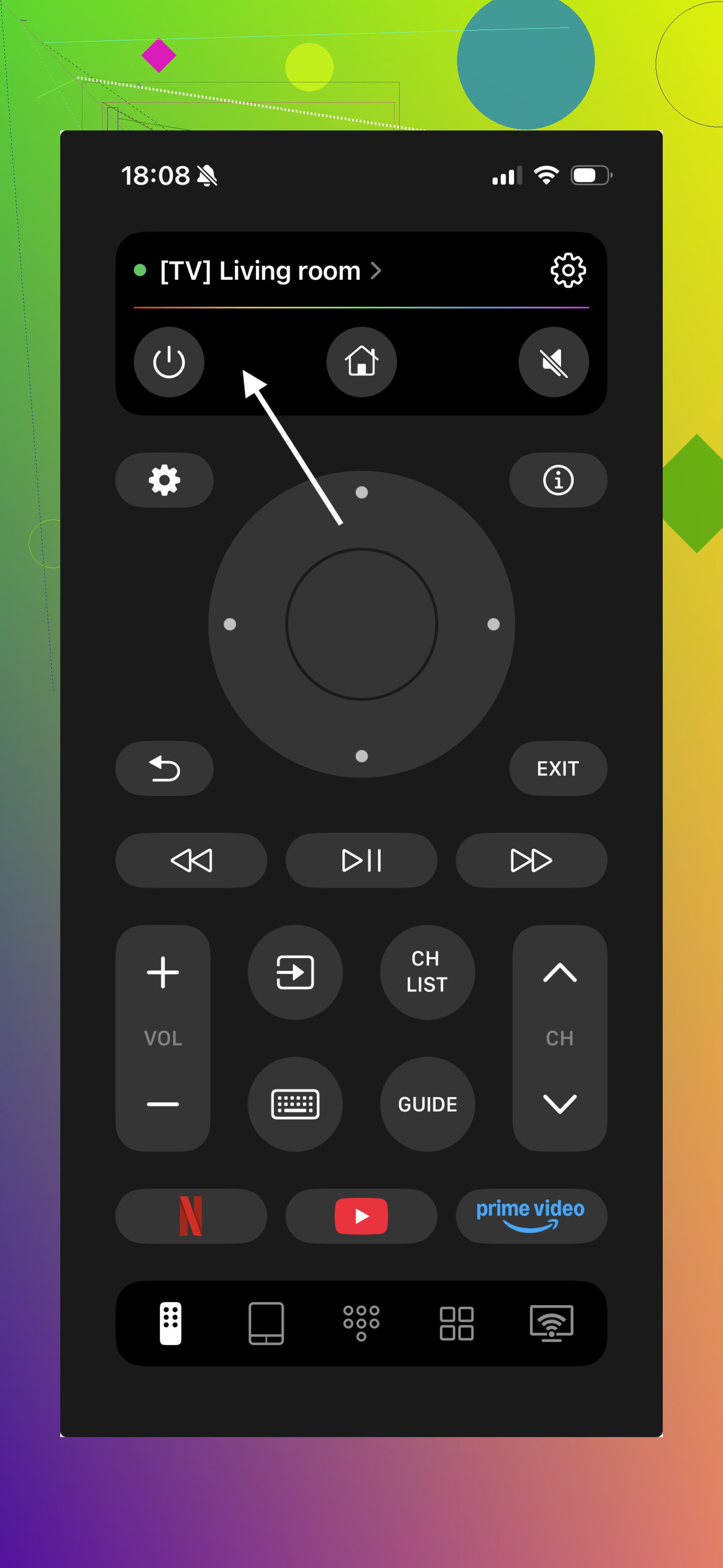
If the TV isn’t connected yet, try the physical buttons.
Look on the back, bottom edge, or side — many TVs have a joystick or single-button menu. You can use it to open settings, change input, and connect to Wi-Fi so apps like TVRem can find your TV.
Make sure your phone and TV are on the same Wi-Fi.
Most remote apps (including TVRem) require both devices to be on the same network. If the TV is offline, the app usually won’t detect it.
Brand apps can work too, but they’re limited.
Official apps sometimes support only one brand, while universal apps like TVRem are more flexible if you have multiple TVs.
Try HDMI-CEC if you have other devices connected.
If you use a console, streaming stick, or Blu-ray player, turning it on may switch the TV input automatically, giving you indirect control.
As a fallback — use a cheap universal remote.
Sometimes this is the fastest fix if the TV isn’t connected to Wi-Fi yet.
Short version:
If your TV is already on Wi-Fi, using an iPhone app like TVRem is usually the easiest way to replace a lost remote. If it’s not connected yet, you’ll likely need the TV’s physical buttons or a temporary remote to set it up first.
Yep, sometimes. But the annoying part is not the phone, it’s the TV setup state.
I mostly agree with @mike34, except I’d put this a little differently: if the TV was already paired to your app or already on your home network, your phone can usually take over fast. If it was never connected, the phone is kinda useless until you get some form of initial control.
A couple things that weren’t mentioned:
- Check if your router has the old Wi-Fi name/password saved. If the TV used to be on that network, setting your current router or hotspot to the exact same SSID/password can make the TV reconnect automatically.
- Some TVs support USB keyboard or mouse control. Sounds weird, but plugging one in can let you move around menus, change input, or enter Wi-Fi details.
- If you have a cable box or streaming stick, sometimes its own mobile app can control playback even if the TV itself can’t. Not a full fix, but enough to get by.
- Hotel mode / lock mode can block app control on some sets, so if nothing works, that may be why.
Shortest answer: phone control works best after the TV is already set up. If not, a cheap universal remote is usually less hassle than fighting with apps for 2 hours lol.