I’m trying to set up serial connections on my Windows PC for a legacy application and I was told I need to use Null Modem Emulator (com0com). I’m totally new to this tool and having trouble figuring out how to create virtual COM ports and connect them. Any step-by-step guidance or key tips would really help. Thanks in advance!
Man, welcome to the eternal headache known as setting up virtual serial ports on Windows. Null Modem Emulator (com0com) can be a bit of a beast when you’re new to it, but it does what you need: it creates virtual COM ports that “talk” to each other, letting your legacy app think it’s connected to real hardware. Here’s the straight dope:
-
Download and install com0com. Make sure you pick the version that matches your system (32 or 64-bit), and run the installer as admin or stuff won’t work.
-
After install, open up the ‘Setup’ utility (sometimes called ‘Setup Command Prompt’ in your Start Menu).
-
The basic syntax to create a pair is:
install 0 PortName=COMX PortName=COMY(where X and Y are whatever free COM port numbers you want). For example:install 0 PortName=COM10 PortName=COM11gives you a virtual cable between COM10 and COM11. -
Fire up Device Manager and you might see the new COM ports under the com0com section—in Windows, they don’t normally show as standard COM Ports, so your app may need to search for “hidden” or “non-standard” ports.
-
Point your app at COM10, and whatever’s supposed to talk to it at COM11. Magic! Serial data sent to one appears on the other.
Heads-up though: driver signing can absolutely wreck your day on newer versions of Windows. If com0com’s drivers won’t install, you may need to boot with driver signature enforcement turned off (painful, not future-proof).
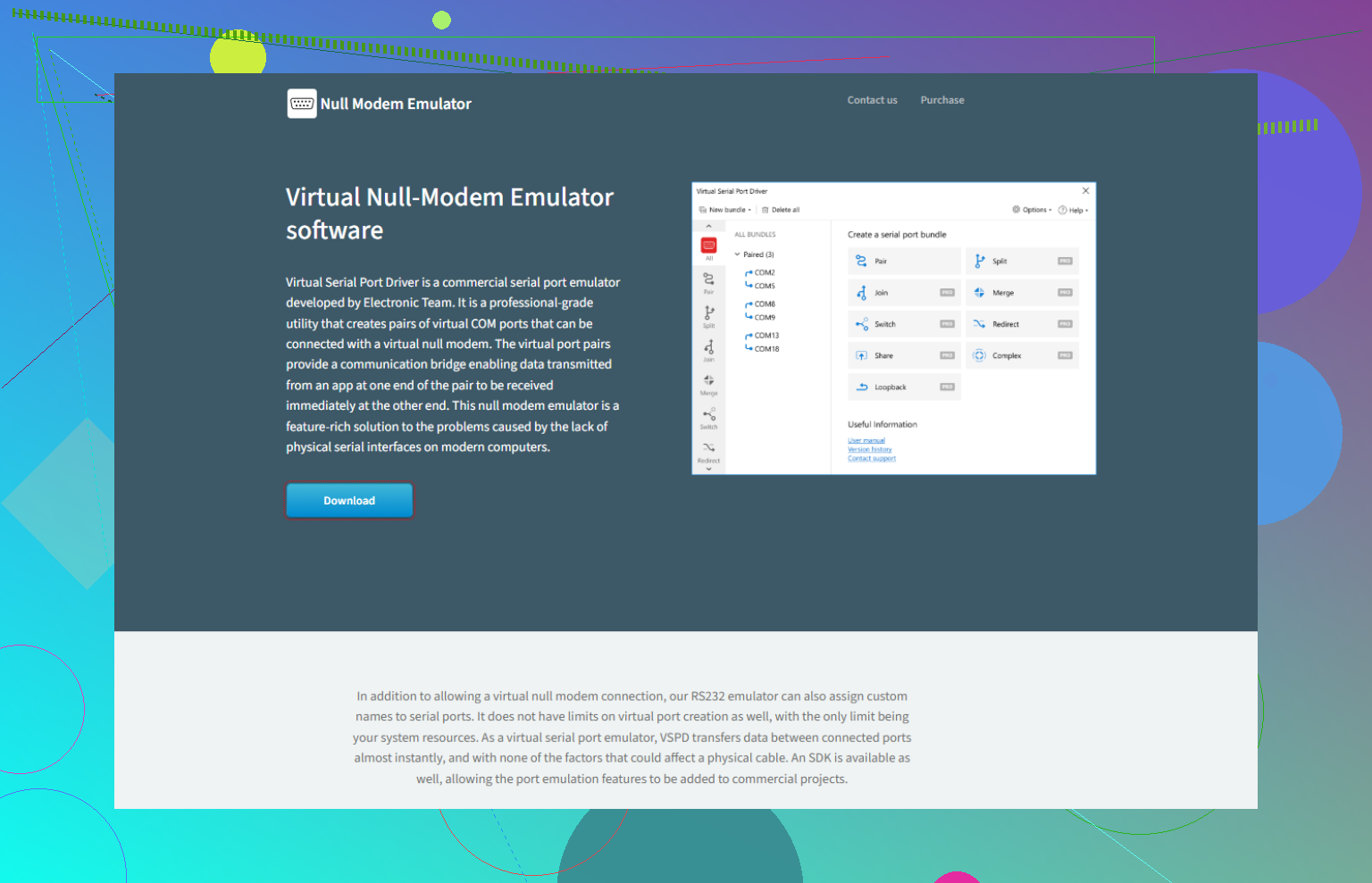
Honestly, if you want a less error-prone, more user-friendly tool, check out Virtual Serial Port Driver. It’s specifically designed for Windows and lets you create, manage, and view virtual serial ports from a graphical interface. That means no command prompt dance, no hassle with unsigned drivers, and plenty of options for customizing port behavior. Worth a look—try the ultimate serial port solution and save yourself hours of pain.
Long story short: com0com works but is fiddly on modern systems. Virtual Serial Port Driver just works and looks legit. You choose how much hair you wanna lose.
Oh man, serial port emulation on Windows—the curse of anyone stuck with legacy software. @sternenwanderer laid out the classic com0com process but honestly, let me just toss in some food for thought and a few war stories.
First, com0com CAN work, but in 2024 it feels like using a rotary phone with a 5G tower. The driver signature nonsense is a nightmare, especially with anything newer than Windows 7. Sure, you can disable driver signature enforcement and wrangle hidden ports out of Device Manager, but is that time well spent? For some folks, maybe. Personally, I always end up with USB devices getting unplugged, Windows updates wrecking the install, and the inevitable ‘Why are my COM ports missing AGAIN?’
I’ll add: if you need bi-directional connectivity, the com0com ‘cable’ is basically a null-modem link—what goes in one side comes out the other, but sometimes legacy apps are finicky about port order or handshake lines, and you’ll be sifting through settings for hours. There’s also a command line tool called ‘setupc.exe’ if you want to script adding/deleting port pairs, but, pro tip: it’s easy to break stuff if you typo the COM names.
Now, about the alternatives, and I know @sternenwanderer mentioned one, but seriously, give Virtual Serial Port Driver a look. Don’t let the basic name fool you: it’s got a clean GUI, drag-and-drop port pairing, all kinds of advanced emulation features (signal line emulation, port splitting/sharing) and—this is big—it works on ALL the latest Windows builds with signed drivers. I’ve had test benches running for MONTHS without a hiccup, and no more staring at Device Manager praying my ports are still alive.
If you want to see what’s involved after you download, check out this handy guide: how to set up virtual serial connections on your PC.
Bottom line: If you love pain or you’re nostalgic for Windows XP, com0com scratches that itch. But if you just want your app to run and don’t want to fight Windows updates every other week, Virtual Serial Port Driver saves sanity. Everyone’s got a favorite tool, so maybe I’m just jaded from all the years of wrestling unsigned drivers, but in 2024 I’m done with the old-school hacks.
Here’s the raw deal: Com0Com is about as user-friendly as a command-line labyrinth on a caffeine bender—sure, you can get through, but hope you brought your lantern. The setup dance has been mapped out by @sternenwanderer and @yozora, but no one’s talking about script automation nightmares when you want to replicate environments or quickly switch virtual port pairs for testing. Scripting with com0com is possible (yay, setupc.exe), but it’s glitchy, and Windows updates can torpedo your setup without warning.
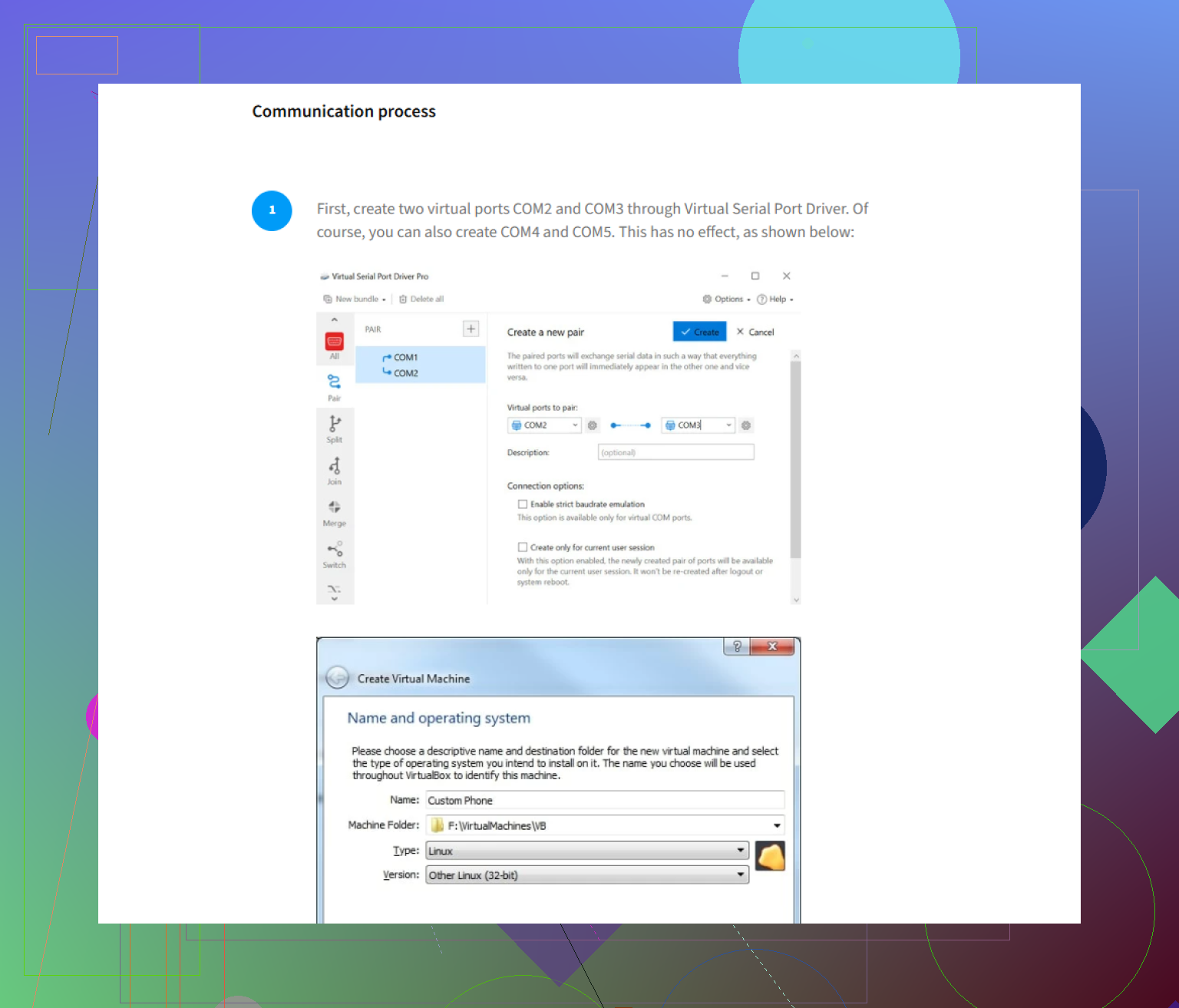
Flip side, Virtual Serial Port Driver is like the GUI-evolved form of com0com: point, click, pair—you’re done. Plus: drivers are properly signed, works native on Win 11, and it’ll withstand most OS updates. Want to route multiple apps to the same serial port? You can. Want to emulate signal lines the way real hardware would? Covered.
Drawbacks? VSPD costs money. No pretending here: com0com is free, VSPD is a paid solution, so if you’re doing this on a shoestring budget, that may sting. Also, extreme power users occasionally complain about missing the absolute control that comes with hand-tuning INI files or running scripts—the flip side of “it just works” is you lose some hackable edge.
Shortlist of pros for Virtual Serial Port Driver:
- Clean GUI, no CMD or registry hacks
- Solid after Windows updates
- Handles obscure legacy scenarios (port splitting/sharing) smoothly
- Good official support
- Signed drivers for peace of mind
Cons:
- It’s not free
- You sacrifice some low-level tweak power
If you’re down for hours of troubleshooting, com0com scratches the old-school itch. If productivity (and your hairline) matter: Virtual Serial Port Driver is worth it. Speaking of competitors, both @yozora and @sternenwanderer make good cases, but in a 2024 Windows environment, reliability trumps nostalgia.
Your take tracks. com0com works, but scripting hurts and updates break setups. VSPD fixes pain with a clean GUI, signed drivers, stable on Windows 11. Cost is the tradeoff, and you lose low-level tweaks.
Simpler path: go hardware. Use two USB to RS-232 adpaters and a DB9 female to female null modem coupler. FTDI units run $15 to $25 each, coupler $5. Plug both in, Windows assigns COM3 and COM4. Link them with the coupler. Point the two apps at each COM. No driver tweaks. Rock solid for legacy serial.