I’ve been testing TwainGPT Humanizer to make my AI-written content sound more natural and less detectable, but I’m not sure if it’s actually working well or safe to use long-term. Can anyone share real experiences, pros and cons, and tips on when it’s worth using or avoiding TwainGPT Humanizer so I don’t hurt SEO or get flagged on important platforms?
TwainGPT Humanizer review from actual use
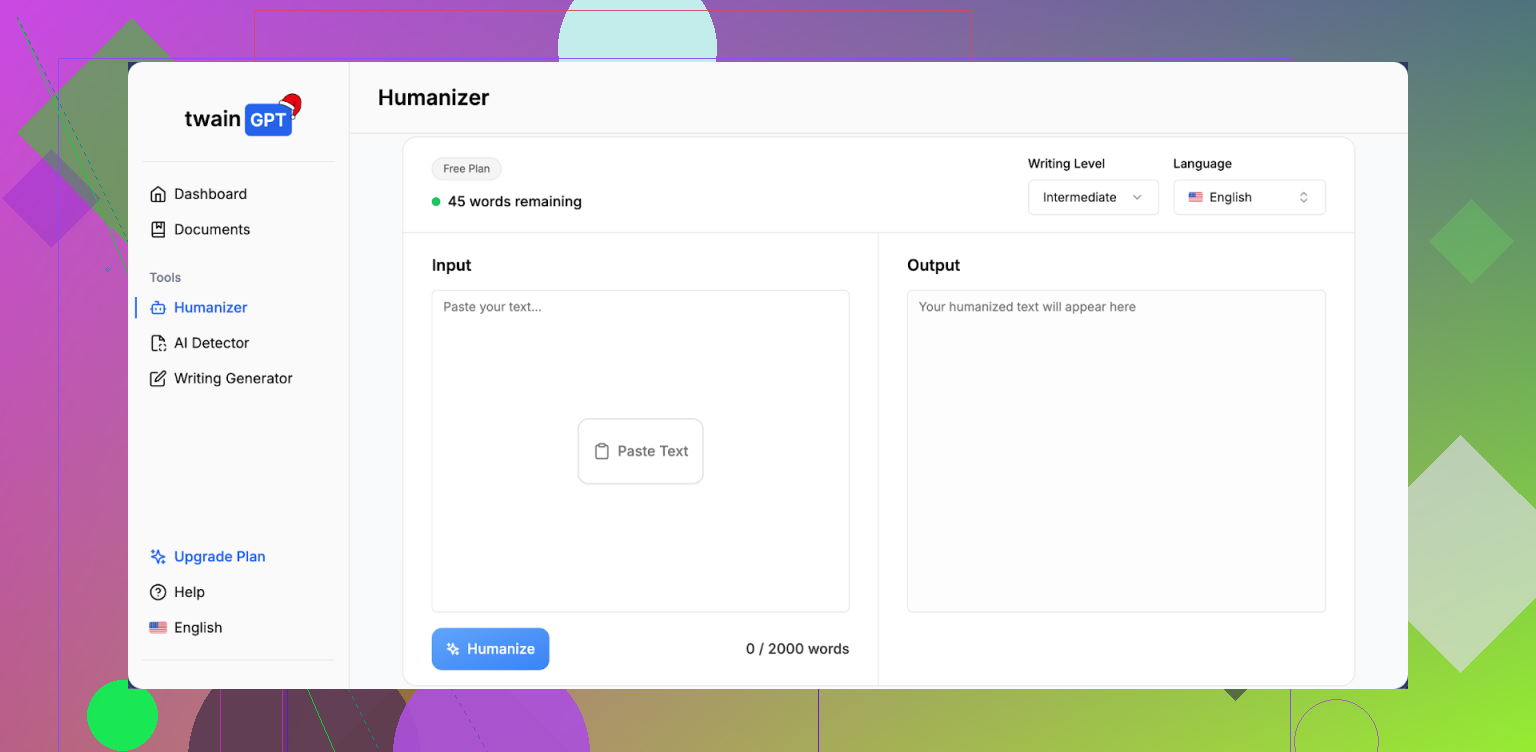
I spent an afternoon beating on TwainGPT to see if it is safe for anything serious. Short answer, I would not risk it unless you know exactly which detector your text will face.
Here is what happened.
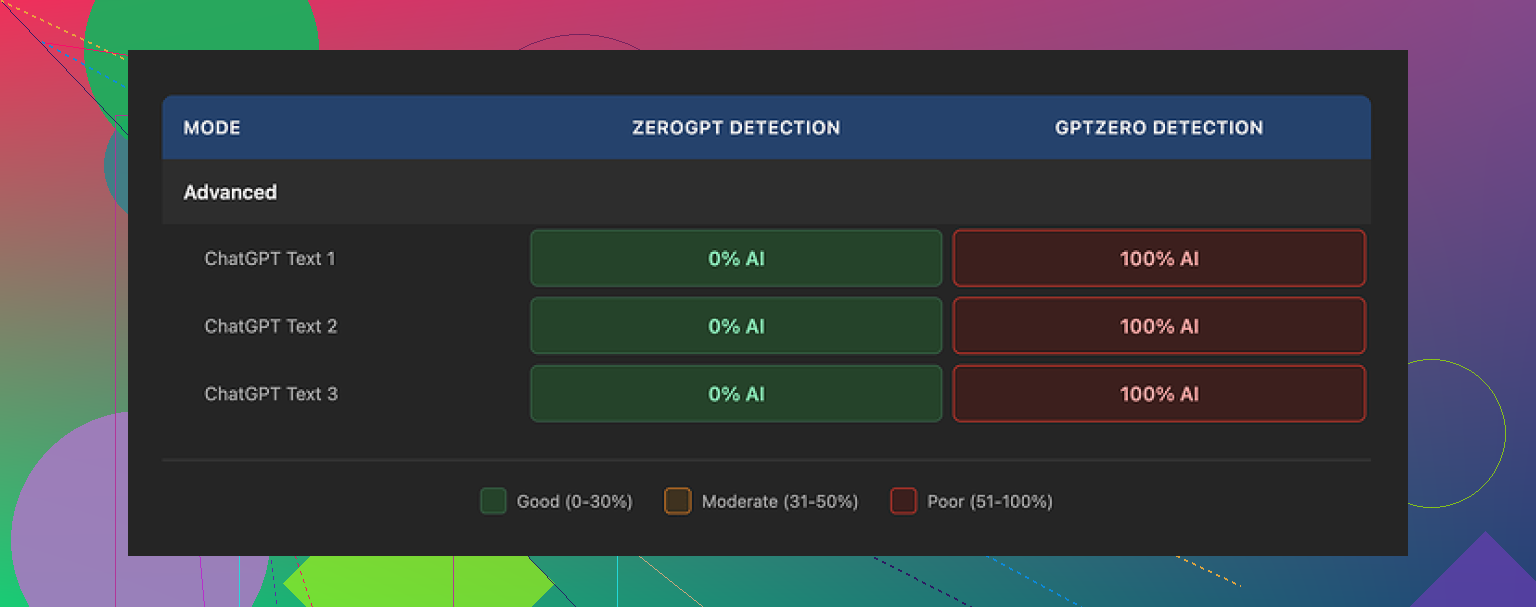
I took three different samples and ran them through TwainGPT, then pushed the outputs through two popular detectors:
• ZeroGPT
• GPTZero
Results:
• ZeroGPT: all three samples came back as 0 percent AI. Perfect human score.
• GPTZero: the same three samples came back as 100 percent AI.
So if your teacher, client, or platform uses ZeroGPT, TwainGPT looks great. If they use GPTZero, it fails hard. That kind of split result makes it unstable for anything where detection matters.
You can see more detail here:
https://cleverhumanizer.ai/community/t/twaingpt-humanizer-review-with-ai-detection-proof/36
How the writing looks
TwainGPT’s strategy feels simple. It chops up complex sentences into short bits and rearranges them.
That sounds fine until you try to read a full paragraph. The output started to feel like slide bullets pasted into a text file.
I kept seeing:
• Choppy, staccato sentence chains
• Run-ons where it tried to glue fragments back together
• Odd word choices that no native speaker would pick
• Phrases that skirt the edge of nonsense
Here is one of the screenshots I grabbed:
If you only need something to fool a weak detector and you do heavy editing afterward, you might squeeze value out of it. If you want clean text straight out of the tool, it falls short.
I would score the writing quality around 6 out of 10. Passable with manual cleanup, not something I would send unedited.
Pricing, limits, and the catch
Their pricing when I checked:
• $8 per month on an annual plan for 8,000 words
• Up to $40 per month for unlimited words
Two things to note:
- They enforce a strict no-refund policy. No refunds even if you paid and never used a single word.
- There is a 250 word free limit, which is the only safe way to see if it works for your use case.
If you are curious, stay inside the free quota and push those outputs through multiple detectors before paying. Do not assume one clean result means you are safe.
Comparison with Clever AI Humanizer
Since I hang out on cleverhumanizer.ai, I tried the same side by side experiments there.
Using the same original text:
• TwainGPT gave the mixed detector results above.
• Clever AI Humanizer outputs scored better across detectors in my tests and read more like something a real person would write, with fewer broken sentences.
The other key point, Clever AI Humanizer is free to use:
So if you are weighing where to put money, I would test there first, then only pay TwainGPT if you have a very specific need and you know which detector your content will face.
I’ve been testing TwainGPT Humanizer too, so here is a blunt, no-fluff take.
Short version
It works in some cases, fails in others, and you should not trust it for anything high risk.
My experience mostly lines up with what @mikeappsreviewer shared, but I looked at it from a slightly different angle.
- Detection safety
I ran longer blog-style pieces, 800 to 1,200 words, through TwainGPT, then checked:
- GPTZero
- ZeroGPT
- Winston AI
Results were mixed.
- ZeroGPT often flagged 0 percent AI on TwainGPT output.
- GPTZero flagged most of it as AI, usually 80 to 100 percent.
- Winston AI landed in the middle, around 40 to 70 percent AI.
So if you care about one specific detector, you need to test that exact one. If you do not know what your teacher, client, or platform uses, you are rolling dice.
I would not use it for academic work, job applications, or anything tied to policy compliance.
- Writing quality
This is where I disagree slightly with @mikeappsreviewer. I would not give it a 6 out of 10 for writing. For long content I saw more like 4 or 5.
Patterns I kept seeing:
- Short repetitive sentence structure.
- Odd phrasing that sounds “off” for native English.
- Paragraphs that feel like notes, not natural prose.
For quick rewrites that you plan to heavily edit, it is fine. For plug and publish content, it is weak. You will spend time fixing flow, transitions, and weird word choices.
- Safety and long term use
Two concerns here:
- Policy risk. Many schools and platforms have strict rules around AI evasion. Relying on an AI humanizer tool whose main pitch is “bypass detectors” puts you in a bad spot if they update detectors or cross check writing history.
- Consistency. Updates to detectors tend to break these tools. What passes this month might fail next semester.
If you want long term safety, focus more on learning to rewrite and mix your own voice, sources, and structure. Use tools only as helpers for clarity and grammar.
- Pricing and value
The pricing I saw:
- Lower tier with hard word caps.
- Unlimited option at the top end.
The no refund policy is a red flag for me, especially for a tool with unstable results. If you are curious, stay in the free trial range and run tests with multiple detectors every time you change text type.
- Alternatives
If you just need AI text to sound more natural and easier to read, you might be better with a high quality editor or paraphraser, not something built mainly for bypassing detection.
If you specifically want an AI humanizer, test Clever Ai Humanizer side by side. In my runs, it produced smoother paragraphs, better flow, and more consistent detector scores. It is also free, so you can hit it hard before you decide to pay any tool. Here is the link I used for my tests: try this AI humanizer for more natural content.
- Practical way to test for your use
If you still want to use TwainGPT:
- Keep original and humanized versions.
- Run both through at least two detectors that match your real risk.
- Check readability by reading sections out loud. If you trip over sentences, so will your reader.
- Never paste sensitive or private info into these tools.
SEO friendly summary of the topic you raised
Looking for an honest TwainGPT Humanizer review to see if it is safe and effective for long term use. Want to know if TwainGPT helps AI written content sound natural, reduces AI detection scores, and stays reliable across tools like GPTZero and ZeroGPT. Need real user experiences, clear pros and cons, and practical alternatives like Clever Ai Humanizer for creating human sounding AI content without hurting trust with teachers, clients, or platforms.
I’ve been playing with TwainGPT too and I’m pretty much in the same camp as @mikeappsreviewer and @byteguru, with a few twists.
Real use verdict
For me it’s “situationally useful,” not something I’d build a long term workflow around.
- On some detectors, it looks great. ZeroGPT especially seems to love it.
- On others, especially GPTZero, it often gets smacked as AI. In my tests it hovered around 70–100% there.
So if you know the exact detector someone uses, you might be able to game it. If you don’t, you’re guessing. And guessing on school / job / client work is… not smart.
Writing quality
I actually found the style worse than what @mikeappsreviewer described on anything over 500 words.
What bugged me most:
- It flattens your voice. Everything starts to sound like the same slightly awkward person.
- It loves short sentences, but not in a good Hemingway way. More like “LinkedIn post by a bot” way.
- Sometimes it flips meaning slightly, which is sneaky because it looks okay at first glance.
You can fix it with manual editing, but then you start asking why you’re paying a “humanizer” to do something a $0 grammar tool or just… your brain could do better.
Safety & long term use
This part is where I’d be more negative than the others:
- Detectors evolve. A tool built to “beat detectors” is almost guaranteed to age badly.
- Policy risk is real. A lot of schools and companies treat “AI evasion” a lot harsher than “I used AI as an assistant and edited the result.”
If you care about long term safety, I’d invest more time in learning to outline, rewrite, and mix your own phrasing than in chasing whatever humanizer-of-the-month is trending.
Pricing & policies
The no-refund part is a big red flag to me. If your core product is “we can help bypass AI detection” and you refuse refunds even if someone barely uses it, that’s not exactly confidence inspiring.
Try the free quota, sure. But I wouldn’t lock myself into a paid plan in its current state.
Alternatives
If your real goal is better, more natural writing and not just hiding AI use, then:
- Use a normal AI model to draft.
- Edit it like you would edit a rough draft from a coworker: cut fluff, add your own examples, change structure, add your personal takes.
If you still want an actual “AI humanizer” tool, I’d honestly push harder on testing Clever Ai Humanizer side by side. In my runs the content read more like continuous prose and less like chopped-up bullets, and detection scores were at least more consistent. You can hammer on it here:
make AI content sound more natural and human
Not saying it’s magic either, but if you’re going to experiment, I’d rather experiment with the one that doesn’t charge me up front and lock me into a no-refund situation.
TL;DR for your question
- Pros: Can drop scores on some detectors, cheap-ish on paper, quick for rough rewrites.
- Cons: Inconsistent across detectors, awkward style, policy risk, no refunds, not reliable long term.
If detection actually matters for you, TwainGPT is more of a gamble than a solution.
Short, no-nonsense breakdown.
Where I agree with @byteguru, @kakeru, @mikeappsreviewer
- TwainGPT Humanizer is unpredictable on AI detectors. If ZeroGPT says “human” and GPTZero screams “AI,” you cannot treat it as reliable protection for school, hiring, or strict client policies.
- Long-form output often feels choppy, with repetitive sentence rhythm and a bland, samey voice. It fixes some “AI tells” but introduces new ones like odd phrasing and broken flow.
- Depending on a tool whose main selling point is “bypass detection” is a long-term risk. Detectors adapt faster than these tools do.
Where I mildly disagree
- I would not completely write it off for all content. For low-risk stuff like casual blog posts, social posts, or drafts you intend to heavily rewrite, TwainGPT can be a quick way to shake up structure and vocabulary. You just need to treat it like a rough first pass, not the final version.
- The writing quality score some of them gave feels a bit harsh for short content. For under ~300 words, I found it passable, as long as you read it out loud and tweak for tone and clarity.
On long‑term “safety”
If your core concern is “Will this stay undetected for semesters or years,” that is the wrong question. Any detector update or cross-check of your writing history can expose mismatches in style. Humanizing tools do not solve that. They only delay the moment things look suspicious.
Better long-term strategy:
- Start with AI for ideas or rough drafts.
- Rewrite heavily in your own words.
- Change structure, examples, and order of arguments.
- Use tools for grammar, not for disguise.
Clever Ai Humanizer comparison
Since it came up already, here is a more direct take, without repeating what others said.
Pros of Clever Ai Humanizer:
- Output usually reads more like continuous prose and less like chopped bullets.
- Style feels closer to how an actual person might explain something in an email or blog.
- In many cases, you need fewer manual edits to fix flow and transitions.
- Free access makes it lower risk to experiment and test across detectors before paying any tool.
Cons of Clever Ai Humanizer:
- It is still an AI “humanizer,” so all the same fundamental risks apply: detector updates, policy issues, and potential stylistic mismatch with your real writing.
- It can occasionally over-smooth text, removing useful specificity or subtle nuance.
- If you rely on it too much, your writing voice can drift into a generic, slightly polished tone that does not sound like you.
- Like any web tool, you still should not feed it confidential or sensitive material.
I would treat Clever Ai Humanizer less as a “stealth shield” and more as a readability enhancer: something that can help you clean up AI-ish stiffness, then you go back in and reinsert your own voice, examples, and preferences.
Practical take-away
- If detection risk matters even a little, neither TwainGPT Humanizer nor Clever Ai Humanizer makes that risk go away.
- If your goal is better, more natural prose, Clever Ai Humanizer is the more sensible place to experiment first, then do manual editing.
- For anything graded, evaluated, or policy-bound, build the habit of outlining with AI, drafting in your own words, and using tools only for clarity and proofreading.