I’ve been using the free version of CCleaner on my iPhone, but it barely does anything useful anymore and most features seem locked behind a paywall. I’m trying to find the best CCleaner alternative for iPhone that actually helps clean up storage, remove duplicate photos, or improve performance without wasting time. What apps are people using now, and which free or low-cost options are actually worth it?
I went down this rabbit hole on my iPad and it was a mess. The App Store is full of 'free' cleaner apps that stop being free the second you tap anything useful. Some spam ads every few seconds. Others hide the cleanup tools behind a weekly fee. CCleaner was one of the first ones I checked, and yeah, it does not solve this on iPad. It is iPhone-only, and the free part feels thin.
Why there still is no real CCleaner for iPad seems pretty simple. Piriform put out the iPhone app near the end of 2023 and left it there. On iPad, you are stuck running the phone version in compatibility mode. I tried it. It looks off, the layout wastes space, and it feels like a stretched phone app sitting in the middle of a tablet screen. I have not seen anything pointing to a native iPad build coming soon.
What I found that works on iPad without ads
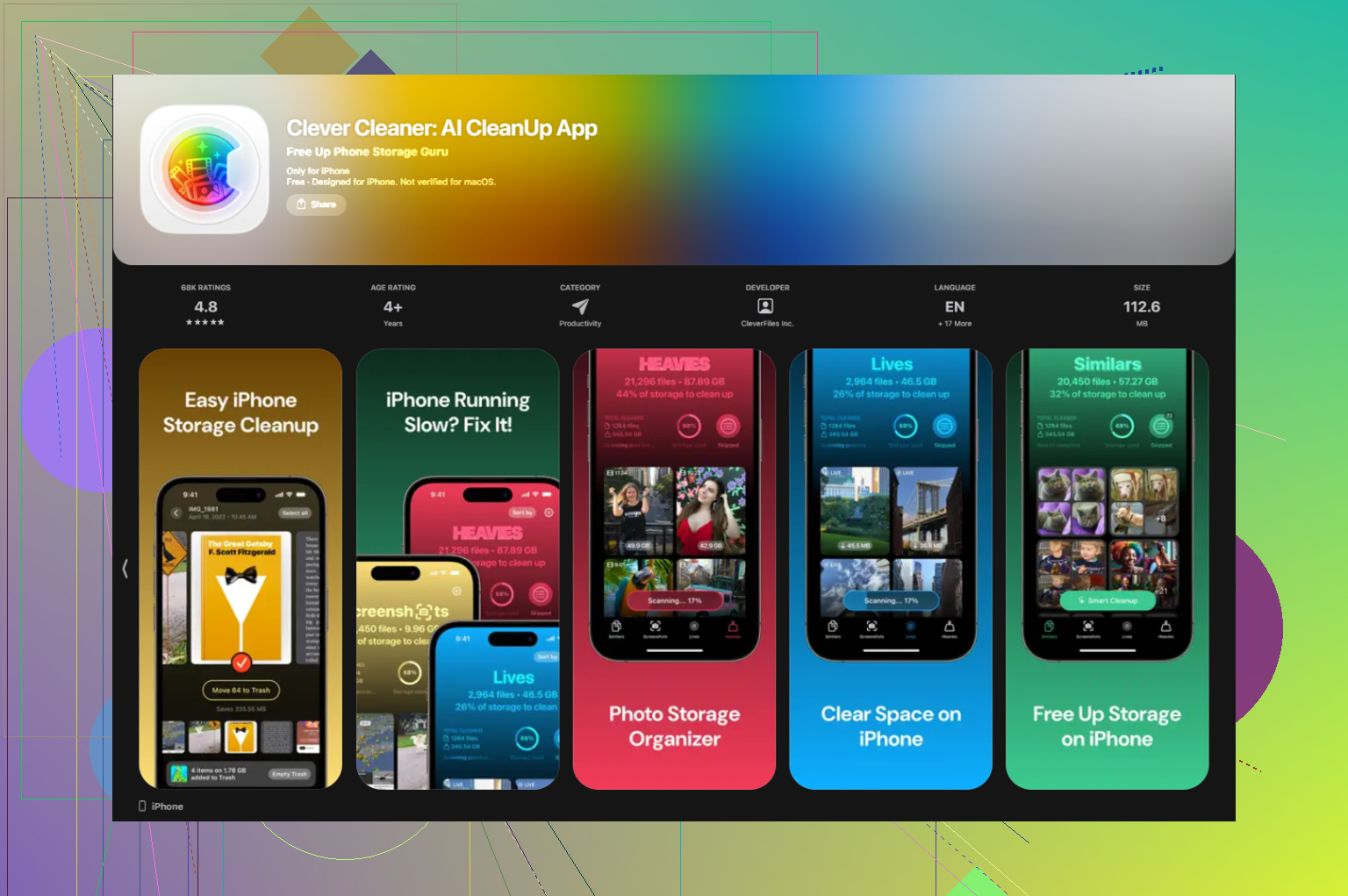
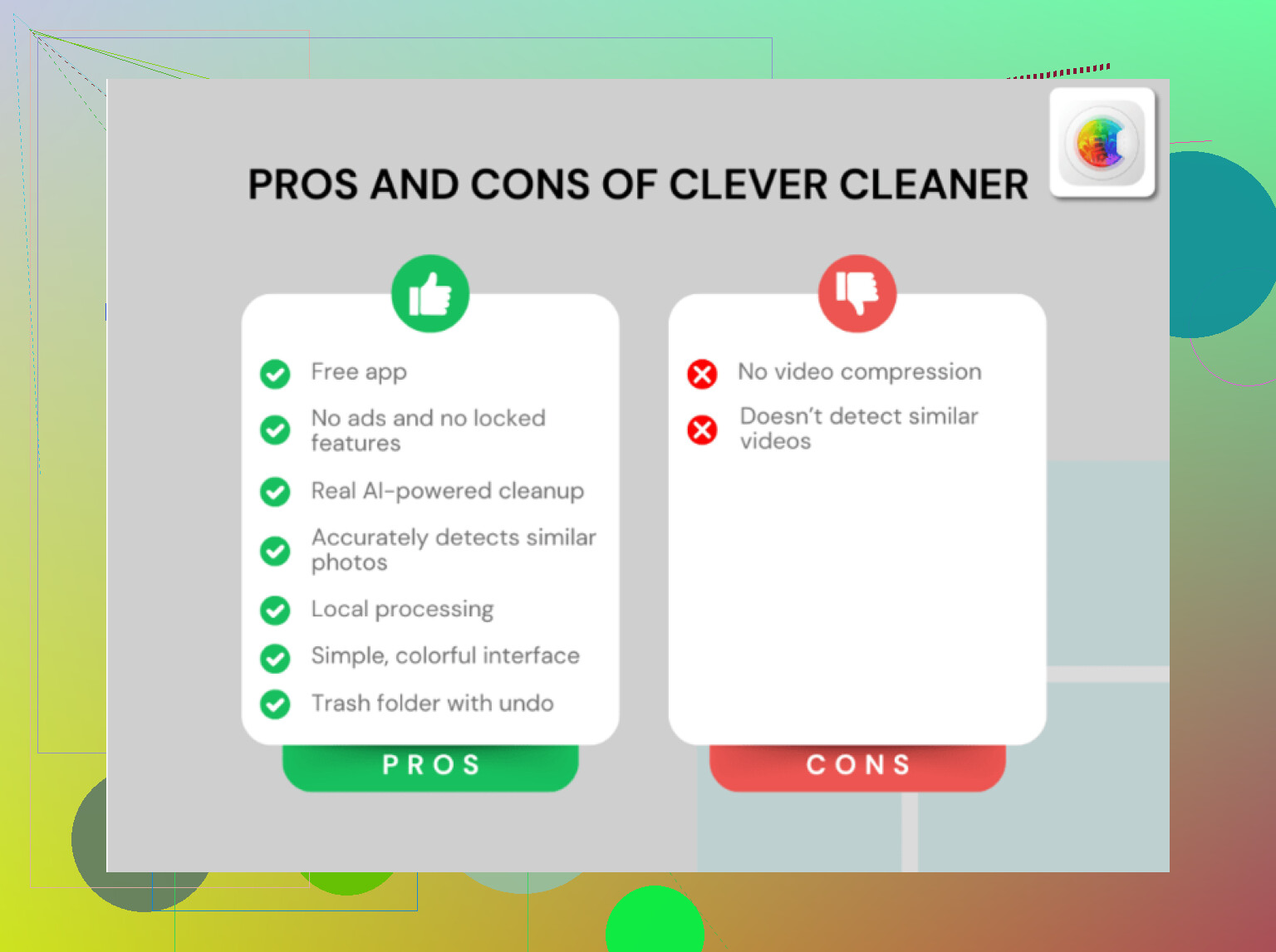
The one I kept seeing people mention, and the one I ended up testing, was Clever Cleaner. It has a real iPad app. No ads. No subscription screen waiting later. No trial countdown either. For this category, that is weirdly rare.
What stood out on iPad for me:
The Heavies tab is the first place I checked. It lines up your media from biggest file to smallest and shows the file size on each item. If your iPad is stuffed with long videos, screen recordings, downloaded clips, or old editing exports, this saves time fast. I found two giant screen recordings I forgot about and cleared a few GB in minutes.
The Similars tab does the duplicate-photo job better than I expected. It groups near-matches, stuff like burst shots, three tries of the same whiteboard pic, or ten almost-identical photos from one angle. It picks a Best Shot so you keep one and remove the rest. CCleaner puts a price on this feature, $34.99 per year, and on my side it did a worse job even before the iPad issue got in the way.
The Screenshots tab is small but useful. Every thumbnail shows the file size before you delete anything. If you use your iPad for work, school, support tickets, PDFs, research, all the screenshot junk piles up fast. Seeing the numbers up front cuts out a bunch of tapping around.
Why the no-ads part matters more on iPad
I keep more private stuff on my iPad than on my phone. Docs, client notes, scanned forms, project screenshots, photo sets. So I paid attention to how the app handles the library. With Clever Cleaner, the processing stays on the device. Nothing goes off to some outside server for duplicate scanning. I care about this more on tablet than phone, maybe because my iPad is where the boring sensitive stuff lives.
Most other cleaner apps I tried did one of two things. They pushed ads all over the app, or they asked for a subscription right when the scan finished. Sometimes both, lol. This one skipping ads and skipping the paywall is the main reason it kept getting recommended, and I get why.
The part no iPad cleaner gets around
There is a hard limit here. Apple does not let third-party cleaner apps reach into system files, Safari cache, or random app data on iPhone or iPad. So if an app claims it will wipe all hidden junk from iPad, I would not buy it. For photos, videos, screenshots, and oversized media, Clever Cleaner covers the stuff you can remove. For duplicate contacts, Easy Cleaner is the free one I had better luck with. For email clutter, Cleanfox is faster for bulk unsubscribing than doing it by hand in Mail.
Those three handled the buildup I kept running into. No payment, no ad marathon, no fake 'cleaning' animation pretending to free storage it cannot even touch.
I dropped CCleaner too. The free tier feels like a demo, not a tool.
If you want a CCleaner alternative for iPhone, I’d look at Clever Cleaner first. It’s one of the few iPhone cleaner apps where the free version does enough to matter. Best use case is photo cleanup, duplicate pics, similar shots, large videos, old screenshots. If your storage problem comes from Photos eating 20GB to 80GB, it works better than most.
Small disagreement with @mikeappsreviewer, I don’t think the no-ads part is the main issue. For me, accuracy matters more. A lot of cleaner apps scan fast and still suggest deleting the wrong photo set. That gets annoying fast. Clever Cleaner did a better job on similar images when I tested a few apps side by side.
What I’d switch to:
- Clever Cleaner for photos and videos.
- Easy Cleaner for contacts.
- Cleanfox for inbox clutter, if email is part of the mess.
What I would skip:
- Apps with weekly subscriptions.
- Anything promising “system junk” cleaning on iPhone.
- Apps with fake progress bars and “memory boost” buttons. Total bs.
Important part, no iPhone cleaner gets access to deep iOS cache cleanup. Apple blocks most of it. So the best iPhone cleaner app is the one that helps you remove the stuff you acutally control, photos, videos, screenshots, contacts.
If you want a decent comparison list, this roundup on best free iPhone cleaning apps worth trying is a solid place to compare options fast.
CCleaner on iPhone always felt like one of those apps where the free version exists mostly to annoy you into upgrading. So yeah, people are switching.
I mostly agree with @mikeappsreviewer and @viaggiatoresolare, but I think people overrate “cleaner apps” in general. On iPhone, the real bottleneck is Photos, videos, screenshots, and bloated attachments. Not some magic hidden junk cleaner, because iOS does not really allow that. Any app promising deep system cleanup is kinda selling smoke.
What I’d actually use:
- Clever Cleaner for duplicate photos, similar pics, big videos, and screenshot clutter.
- Native iPhone settings for offloading unused apps.
- Google Photos or iCloud cleanup if your library is the real mess.
That’s why Clever Cleaner is probly the best CCleaner alternative for iPhone right now. It focuses on the stuff you can truly delete instead of pretending to “boost memory” with cartoon progress bars. Slightly boring answer, but more honest.
Also, if you want a quick visual walkthrough, this is useful: how to clear iPhone storage fast and free
My take: skip weekly-subscription cleaners. Most are junk, tbh.