I’ve been using Cleanup App Phone Cleaner to clear space on my phone, and it claims to find and remove duplicate photos and files. I’m worried it might delete important pictures or documents that aren’t true duplicates. Can anyone who has actually used it share how accurate it is at detecting duplicates, if it shows clear previews before deleting, and whether you’ve ever lost non-duplicate files because of it?
Cleanup App (Phone Storage Cleaner) review from someone who got sick of the “iPhone storage almost full” popup
Cleanup App (Phone Storage Cleaner)
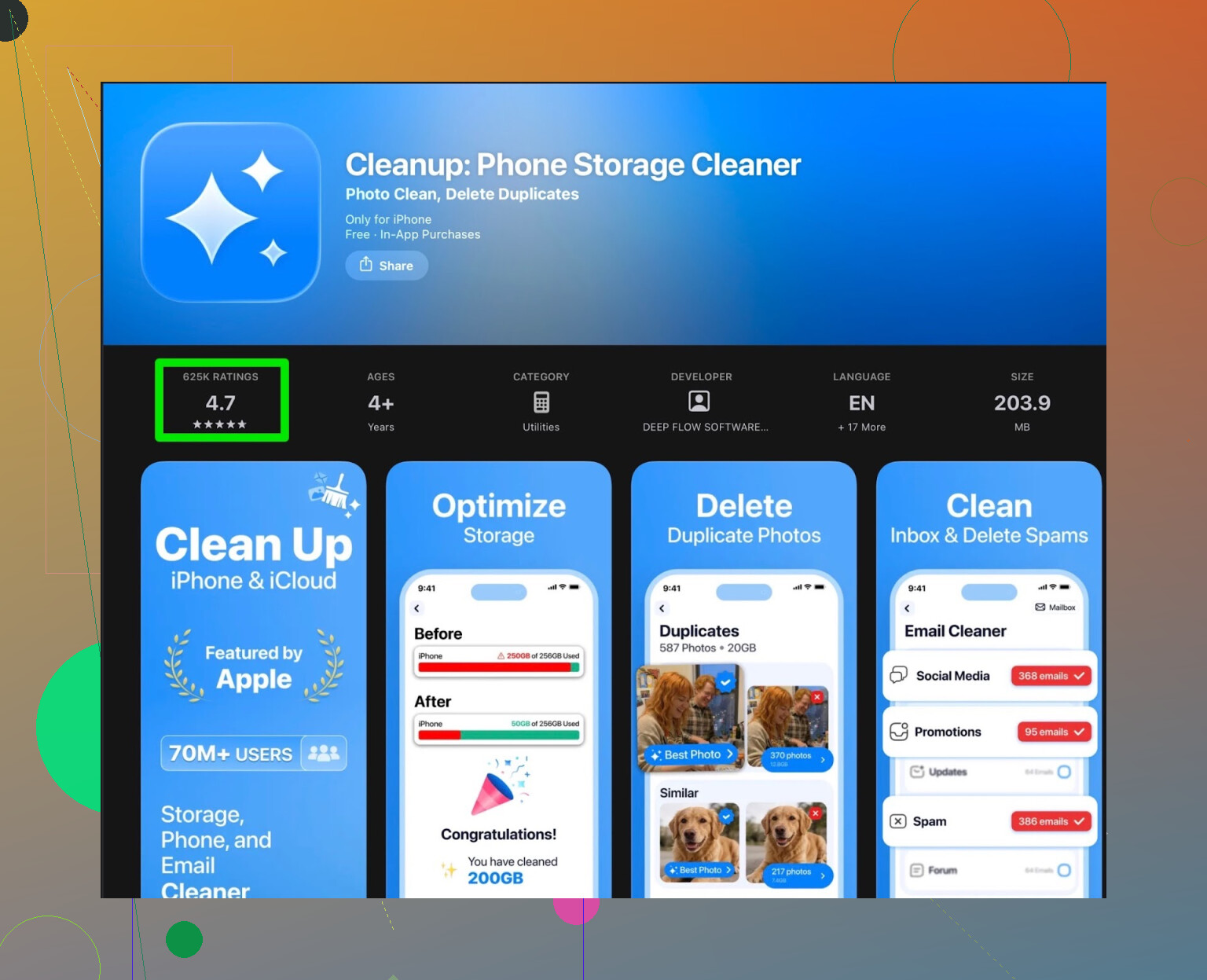
So my iPhone storage hit that annoying point where iOS refuses to update, photos stop syncing, and you start deleting memes from 2018 to survive. I went to the App Store, typed “cleanup storage”, and landed on Cleanup App (Phone Storage Cleaner).
On paper it looked solid. It scans:
- duplicate photos
- look‑alike or burst photos
- screenshots
- big videos
- contacts you can merge
- videos you can compress
The scan part worked. It pulled up a ton of similar selfies, random screenshots from chats, and old clips I forgot existed. It grouped them in a way that felt easy enough to review so I did not feel like I would nuke something important by accident.
Then the paywall hit.
You get the usual “free scan” treatment. You see everything that wastes your storage, and when you tap to fix it, most of the helpful actions are locked behind a subscription. The free tier felt more like a teaser than a usable tool.
You either pay up or sit through a ridiculous amount of ads. Long, repetitive ones. I tried the ad route for a bit and it wrecked the flow. Clean one batch, watch an ad. Do another thing, another ad. Storage cleanup turned into a mini TV session.
They also pack in extra stuff like animations and a “secret vault”. I wanted space back, not another place to hide photos. Those bits felt like fluff around the actual storage tools.
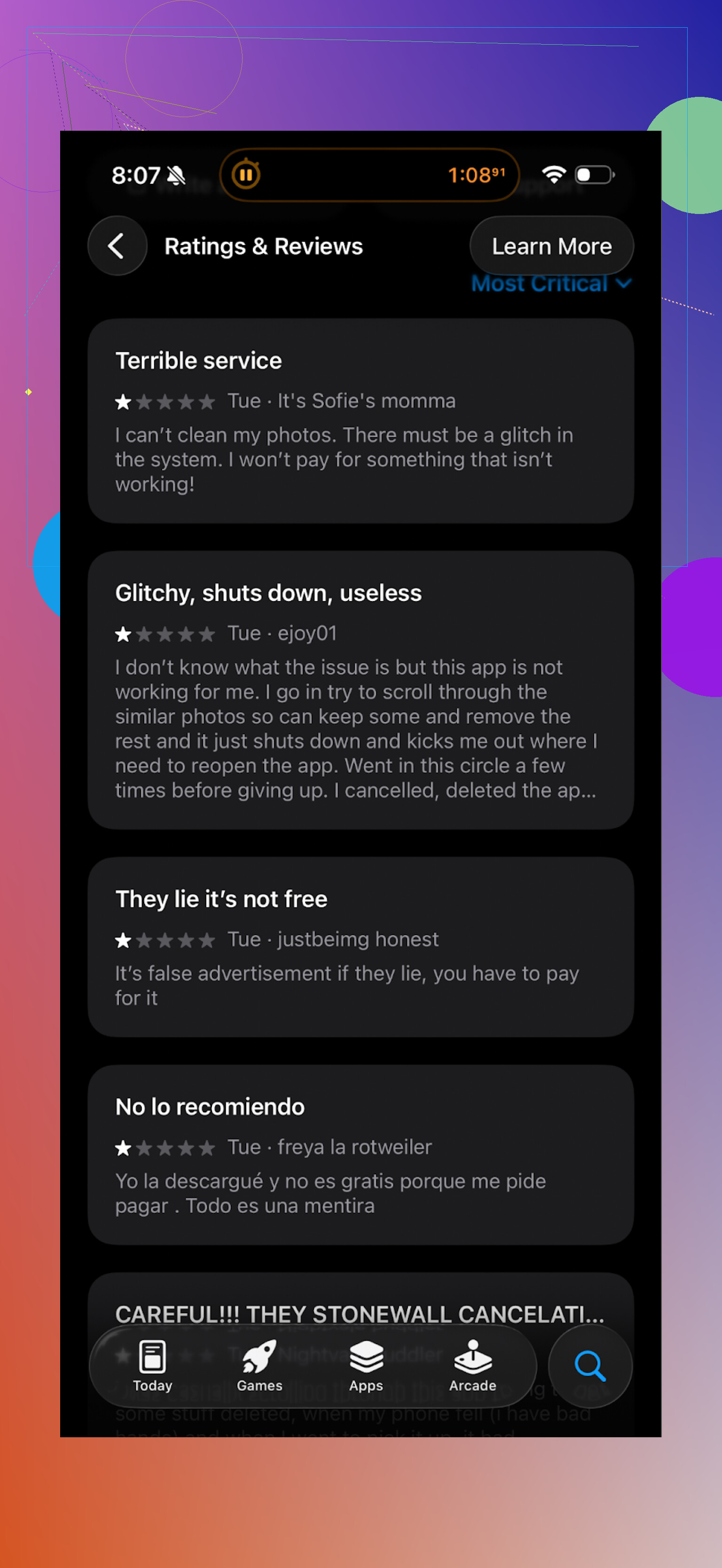
Real reviews from the App Store lined up with what I saw. Lots of people complaining about:
- aggressive subscription prompts
- paywalls on simple actions
- too many ads for basic use
Here is a screenshot of what other users are saying:
After a day with it, I removed Cleanup App and looked for something less annoying.
What I switched to: Clever Cleaner
I ended up on Clever Cleaner:
I did not expect much, but it turned out better for my use case.
Main difference for me: it works in a way that feels free-first, not subscription-first. It did not shove a paywall in my face every few taps. That alone made it easier to stick with.
What it helped me clear:
- duplicates and similar photos
- old screenshots from chats and apps
- large files and videos that ate gigabytes
The scan speed felt fine on my iPhone. It grouped items cleanly, so I went through a few hundred files without losing patience. I went from “storage almost full” to multiple GBs free in one sitting.
Their UI is basic but in a helpful way. No flashy animations trying to impress you. Fewer distractions, fewer traps to accidentally subscribe.
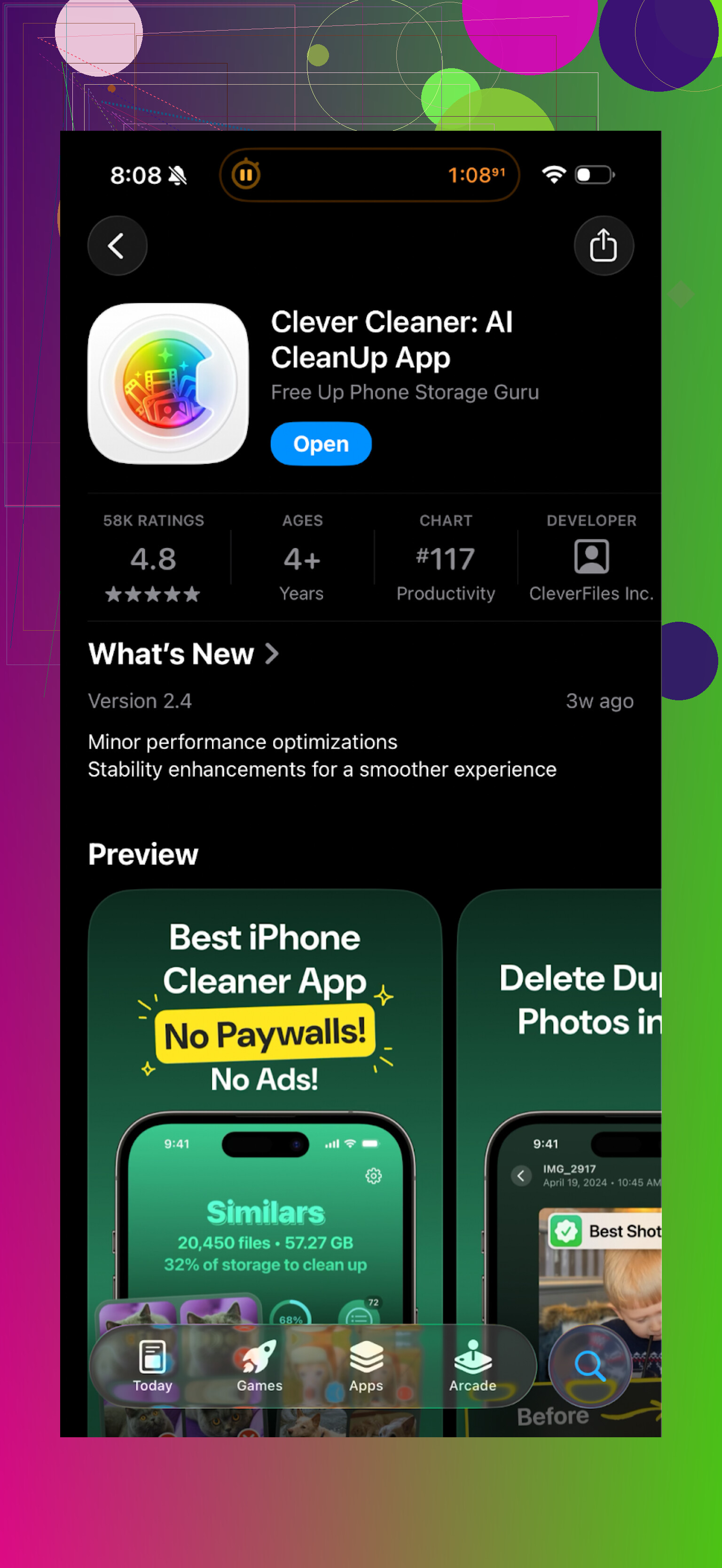
Here is what it looks like from the store:
My takeaway after using both
Cleanup App works in terms of detection. It finds junk. If you are fine paying a subscription or sitting through waves of ads, you might still get value from it.
For me, the pressure to subscribe, constant ads, and extra gimmicky features got in the way of the simple task I wanted, which was “free storage quickly without a headache”.
Clever Cleaner felt:
- simpler to use
- faster to act on results
- less pushy with payments
If your goal is to free space on your phone without fighting popups all the time, I would start with Clever Cleaner instead of Cleanup App.
If you want to see it in action, there is a YouTube video here:
Clever Cleaner homepage:
Get Clever Cleaner on the App Store:
Short answer from my tests with Cleanup App Phone Cleaner on iPhone: yes, it finds duplicates and “look‑alikes”, but you should not trust it to auto‑delete without checking. It is decent as a detector, risky as a one‑tap cleaner.
A few concrete points.
-
How it decides what is a “duplicate”
• Exact duplicates are usually same file, same size, same resolution. Those are pretty safe.
• “Similar” photos are judged by content, time, and burst sequences. This is where important shots get flagged. Example. I had two almost identical kid photos, one sharp, one a bit blurry. It marked the sharp one as junk in the group, not the blurry one.
• Screenshots with tiny edits, or PDFs with different pages, ended up in “similar” groups sometimes. -
What I did to avoid losing stuff
• Never used “Select all” on similar photos. Only on exact duplicates.
• For each group, I kept the one with better resolution or the one edited most recently. You can usually see file size and date.
• I skipped any group with documents or scans. The app is not great at understanding that two invoices from the same company are different.
• For contacts, I only merged ones with identical phone and email. If the name matched but info differed, I left it alone. -
Where I slightly disagree with @mikeappsreviewer
They are right about the aggressive paywall and the fluff like secret vault. For pure storage cleaning, that stuff gets in the way.
I would not say Cleanup App is useless though. The scan is helpful if you treat it as a “suggestion list” and you stay in manual mode. Free tier plus some patience still gives you a good picture of where your space goes. -
What to do if you are nervous about losing photos
• Turn on iCloud Photos or Google Photos first, wait for a full backup.
• Take one small pass, delete maybe 20 or 30 obvious garbage files, then check your gallery over the next day.
• Avoid using auto‑cleanup on your first run. Manual only until you trust your own pattern. -
About Clever Cleaner App
If you want something a bit calmer on the paywall side, Clever Cleaner App is worth a try. It groups duplicates and similar items too, but the flow feels lighter and less pushy. I still advise the same rule. No one‑tap deletes on “similar” photos. Only on exact duplicates and obvious junk like old memes or app screenshots.
If your main fear is losing unique photos or documents, the safest combo is.
Backup first.
Use Cleanup App or Clever Cleaner App for detection.
Delete in small, reviewed batches, never full auto.
Short version: yes, Cleanup App really does find duplicates and similar stuff, but it is absolutely capable of flagging things you care about as “junk” if you let it run wild.
Where I’m a bit harsher than @mikeappsreviewer and @stellacadente: I actually think the similar photo and file detection is the main problem, not the paywall. The ads and subs are annoying, sure, but the real risk is you trusting its judgement too much.
What I’ve seen:
- Exact duplicates: usually fine. Same size, same resolution, same metadata. If it’s literally the same file twice, I’m ok with one‑tap deleting those.
- “Look‑alikes”: this is where stuff goes off the rails. It loves to group:
- multiple photos from the same moment where only one has everyone’s eyes open
- document scans from the same company but different months
- receipts where just the total or date changed
- It sometimes keeps the worse one as the “main” image and marks the better one to delete. So if you trust the default selection, you can easily lose the good shot.
A few things that actually help that I haven’t seen emphasized yet:
-
Treat it as a review tool, not an authority
If you open a group and the app has “pre‑ticked” certain items to delete, ignore that. Use the grouping only as a way to quickly compare. Decide yourself which to keep.
I’d even uncheck everything by default, then manually tap what you don’t want. -
Zoom in aggressively on anything that looks important
For family photos, travel pics, docs and receipts: tap and zoom. On thumbnails they look identical; zoomed in, you’ll notice blur, missing corners, or a crucial detail like a signature. -
Change your strategy for documents
This is where these cleaners are worst. Personally:
- I never auto‑clean PDFs, scans, receipts, tickets or ID photos.
- If two docs are “similar,” I keep both unless I’m 100% sure one is a copy (same pages, same timestamps).
-
Don’t mix “first cleanup” with “mass delete”
First run: pretend the “Select All” button does not exist. Take 10–15 minutes, clean 50–100 things you’re totally sure about (old memes, clearly useless screenshots, screen recordings you forgot).
If nothing important went missing after a day or two, then you can be a little braver with future runs. But I still wouldn’t one‑tap clear similar photos, ever. -
Where I disagree slightly with the others
They’re pretty chill about using Cleanup App on similar files if you’re careful. I’m not. The detection is good at grouping, but it’s not good at picking the keeper.
So for me:
- “Duplicates” = ok with bulk delete if they are 100% identical.
- “Similar” = manual only, no exceptions.
- About Clever Cleaner App
Since you mentioned being nervous, this is where Clever Cleaner App is actually worth trying. It’s not magical, it can also mis‑flag stuff, but the flow is calmer and less in‑your‑face than Cleanup App. For something as boring as storage cleaning, that matters.
Use the same rules though: let Clever Cleaner App show you duplicates and big files, but you decide what to remove, especially for photos and documents.
Bottom line:
- Yes, Cleanup App does a decent job of finding duplicates and near‑duplicates.
- No, you should not assume its “suggested deletions” are always right, especially for important pics and docs.
- Treat both Cleanup App and Clever Cleaner App as sorting and grouping helpers, not as automatic decision makers, and you’ll be fine.
Short version: Cleanup App is fine at finding duplicate / similar items, but it is not good at understanding context. That is where you can lose important stuff.
Where I slightly part ways with @stellacadente, @chasseurdetoiles and @mikeappsreviewer:
- They treat it mostly as “suggestion list + manual review.”
- I think that is still a bit optimistic for anyone who keeps a lot of work docs, scans or edited photos on their phone.
A few angles they did not really hit:
1. Edited vs original confusion
If you edit inside Photos (crop, adjust light, mark up), Cleanup App sometimes flags the edited version as “extra.” It only sees a similar image, not that one has your notes or that you spent time editing.
Practical takeaway:
If you do on‑phone edits, assume any “similar” group could contain your only edited copy. Those should be off limits for quick mass cleanup.
2. Live Photos and short clips
Live Photos and tiny video snippets often get lumped with stills. The app is not great at telling a still shot from a Live Photo that actually captured a moment (kid’s first step, quick comment from a friend, etc.). Losing those hurts more than deleting a meme.
Workaround:
Anything marked similar that has the little video icon or feels like a moment-in-time clip, I keep unless I have a clear, better version.
3. Non-photo duplicates can be more dangerous
Everyone focuses on pics, but for a lot of people the bigger risk is files:
- Boarding passes, tickets and QR codes that look the same but belong to different trips.
- Contract PDFs where only one clause differs.
- Multi-page scans that share a similar cover page.
Cleanup App is almost blind to that nuance. It just sees “same layout, same logo.”
If you rely on your phone as a document archive, I would honestly avoid using it for document cleanup at all.
4. Notifications & pressure design
The constant “You can free X GB in one tap” nudges are not just annoying, they are what make you override your caution. That is where mistakes happen. I actually disable as many notifications as possible for cleaners so they do not push me into rushed decisions.
5. Clever Cleaner App in comparison
If you try Clever Cleaner App, do not think of it as magically safer, but it does have some practical upsides compared to Cleanup App:
Pros of Clever Cleaner App:
- Less aggressive paywall and fewer interruption patterns, so you are less tempted into “one big swipe” to get it over with.
- Grouping is clear enough that you can scan through sets quickly and spot outliers.
- Large file discovery is solid, which is often where the real space savings are.
Cons of Clever Cleaner App:
- Same fundamental limitation: “similar” logic still cannot judge photo quality, importance or document differences.
- Can encourage you to over-focus on photos instead of going after apps and offline downloads that might be bigger space hogs.
- No miracle safety net. A wrong tap is still a wrong tap.
I actually disagree a bit with all three reviewers on one tactical point:
They lean heavily on exact vs similar. In practice, I use this rule:
- I only run these apps to find candidates.
- I delete inside the Photos and Files apps, not from within the cleaner, at least for anything important. That way I see full metadata, albums, tags and can use system search to compare.
It is slower, but for irreplaceable stuff, slower is the point.
So if you are worried about losing key photos or docs:
- Use Cleanup App or Clever Cleaner App as scanners, not as trash bots.
- For photos, open the native Photos app after scanning and manually delete duplicates you already identified.
- For docs, unless they are truly throwaway, assume the cleaner cannot tell two invoices or two contracts apart and keep both.
You can absolutely claw back space safely, but the “one tap for 5 GB” promise is exactly what you should ignore.
Skip cleaner apps. Use iPhone’s built-in storage tools.
Open Settings, General, iPhone Storage. Remove downloaded movies, podcasts, music, and large message attachments first. These often free several GB without touching personal photos. Enable Offload Unused Apps to remove app files while keeping your data.
Then open Photos, Albums, Duplicates. Apple’s merge tool keeps the highest-quality version and combines metadata. Start with five groups, then check Recently Deleted.
This route is simpler, free, and involves alot less guesswork.
Whether any of this even matters comes down to one setting most people forget to check first: is Photos syncing to iCloud? If it is, every delete you make on the phone pushes straight up to iCloud and out to any other device on that account. That flips the ‘back up before you clean’ advice on its head. iCloud in that mode is not a backup, it is a mirror. Wipe a photo the cleaner mislabeled and it is gone from the cloud too. The only thing standing between you and a lost shot is Recently Deleted, which empties itself after about a month whether you look at it or not.
So before touching any cleaner, I’d go check Recently Deleted first and make sure you actually know how to get back there. That folder is your real safety net, not the sync.
On @cursorpro’s point about Apple’s own Duplicates album, I agree it is the safest route, but only for the boring case. It merges genuine exact copies and keeps the best version, and it will not touch your near-misses. Which is exactly the stuff everyone in this thread is nervous about. So it solves the easy half of the problem and leaves the hard half untouched. Do that pass first, then you know whatever a third-party app flags is the trickier ‘similar’ bucket that needs your eyes on it.
For that harder bucket I’d use Clever Cleaner App to round up the big similar groups, then make the actual keep-or-kill calls myself, remembering the iCloud thing above. No app is reading intent off a photo. It sees pixels and timestamps, that’s it.
One small real-world annoyance worth flagging: if you shoot in RAW plus JPEG, or your camera saves HEIC alongside a converted copy, these tools love calling those ‘duplicates.’ They are not. One is your editable original. Check the file type before you bulk anything, or you’ll thin out the versions you actually wanted to keep.