I deleted a bunch of large message attachments on my iPhone to free up space, but the storage total barely changed. I’ve already checked iPhone Storage and restarted the phone, so I’m not sure if the files are stuck in Messages, iCloud, or cached somewhere else. I need help figuring out why my iPhone storage is not updating and what steps actually free up space.
I ran into the same mess on my iPhone. Storage was almost full, Messages had turned into a junk drawer, and the phone got slow enough that opening Camera felt delayed. I spent way too long poking through settings, so here’s the plain version.
If you want to remove message attachments through Settings, go here:
Settings > General > iPhone Storage
If iOS flags your attachments as big enough, you’ll see Review Large Attachments. Open it, and it lists files from largest to smallest.
Bad news first. There still isn’t a Select All button there. You tap Edit, then pick items one at a time. If you’ve got years of photos, videos, and dumb GIFs in old threads, it gets old fast.
If Review Large Attachments never shows up, do this instead:
Settings > General > iPhone Storage > Messages
Scroll down. You should see sections like Photos, Videos, GIFs, and other media groups. Open any of them and delete stuff from there. Same issue though, still manual.
The iCloud part trips people up a lot. If Messages in iCloud is on, removing an attachment from Messages on your iPhone removes it from your other Apple devices too. But if you saved one of those pictures or clips into the Photos app first, deleting it from Messages does not remove the copy in Photos. Those are separate.
So if there’s anything you care about, save it to Photos before you start clearing things out. I did this with a few family videos becasue I didn’t trust myself not to tap the wrong thing.
Another piece people worry about, deleting an attachment does not erase the text conversation itself. The chat stays. You lose the photo, video, or file, not the written messages.
The setting that wipes whole message history is somewhere else:
Settings > Messages > Keep Messages
If you switch it from Forever to 1 Year or 30 Days, iPhone starts removing older conversations and their attachments based on age. I wouldn’t use that unless you’re fine losing old threads.
If you deleted a bunch of stuff and your free space barely moved, yeah, I saw that too. Two things usually explain it.
First, check Recently Deleted in Messages. Files sit there for 30 days unless you empty it.
Open Messages, then tap Edit or Filters near the top-left area, then Recently Deleted, then remove everything in there.
Second, iPhone storage numbers update slowly. Sometimes absurdly slowly. After a big cleanup, I restarted my phone and the storage figure finally changed to something normal.
And yeah, low storage absolutely makes an iPhone feel worse. Mine started lagging, apps closed at random, and photos took longer to process. Once free space dropped hard, the whole phone felt cramped.
I got tired of deleting attachments one by one in Apple’s menus, so I looked for another route. I ended up trying https://www.youtube.com/watch?v=PJZfJnOUmRE
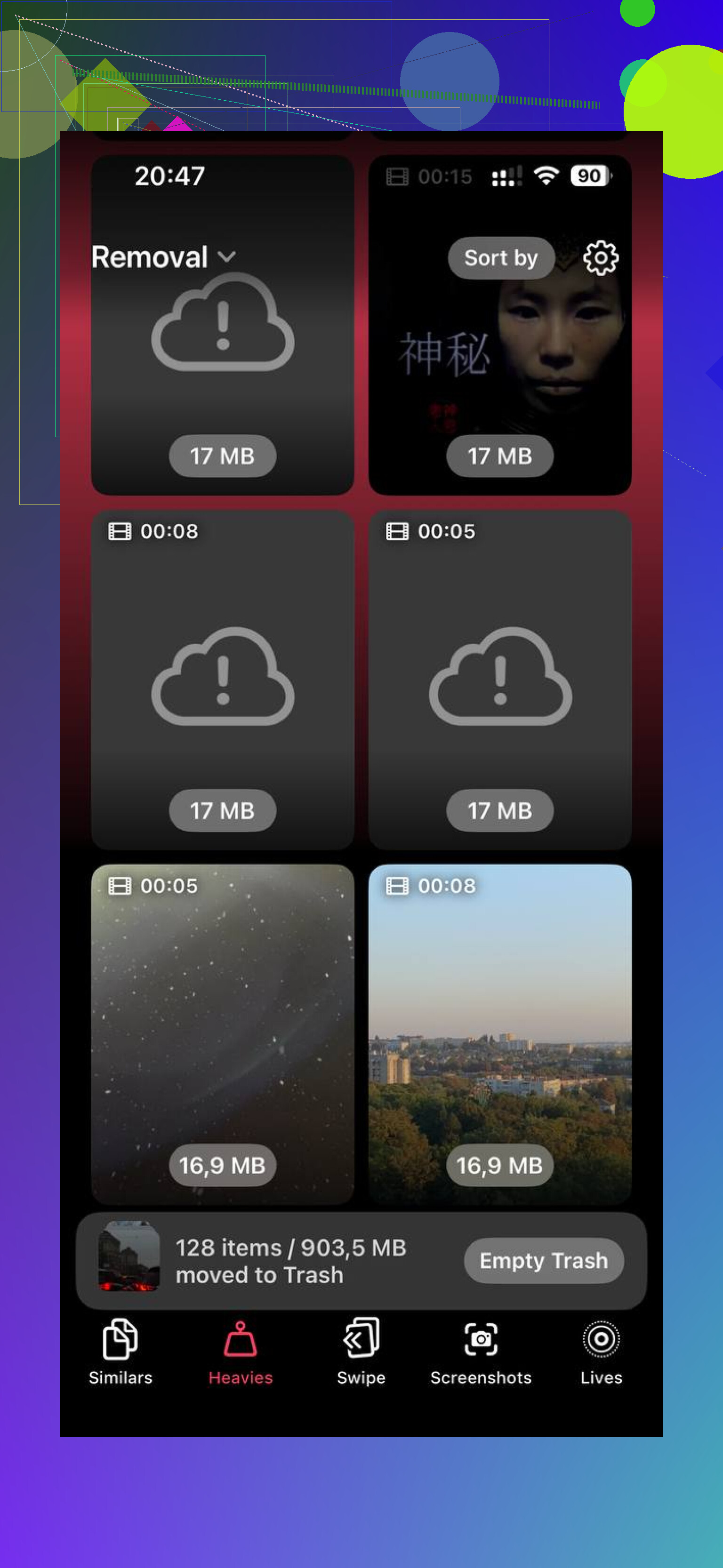
What stood out for me was the Heavies section. It sorted large photos and videos by size, so I found the biggest files fast instead of scrolling through years of junk blindly. There’s also a Similars view for near-duplicate photos. Mine had tons of repeat shots from concerts, receipts, pets, all the usual clutter.
One thing I did like, it handled sorting on the device itself, so I wasn’t tossing my library onto some random server. After clearing around 20 GB, the phone stopped stalling so much. Apps opened normally again, and the camera quit acting weird.
If you stick with Apple’s built-in tools, it works. It’s slow and annoyng, but it works. If you want the shortest path, start in iPhone Storage, check Messages, clear Recently Deleted, then reboot after the cleanup. That combo fixed most of it for me.
What you deleted might be gone, but iOS often moves storage into a different bucket before it shows as free space. So the total looks stuck.
A few things I’d check, separate from what @mikeappsreviewer already covered.
First, look at System Data in iPhone Storage. If you deleted a lot at once, iOS sometimes swells caches and indexing data for a while. I’ve seen people remove 5 GB from Messages and only get 1 to 2 GB back right away. The rest shows up later after charging overnight on Wi-Fi.
Second, check the message thread itself. Sometimes attachments still appear inline in old chats even after bulk deletion from storage menus. Open the worst conversations, tap the contact name, then look at photos and links there. I don’t love Apple’s storage screen for this, tbh. It misses stuff or updates slow.
Third, if you use Messages in iCloud, your phone might be syncing deletions but local storage won’t drop fast if the device still holds cached copies. Turning Messages sync off and back on is risky if your storage is already low, so I would not start there unless you’ve got a backup.
Also check Photos. A lot of people delete an image from Messages after saving it months ago, then wonder why space didn’t move. Same file, two copies, two places.
If you want a faster way to find what is still eating space outside Messages, Clever Cleaner is worth a look. It helps spot large videos, duplicates, and similar shots across your library. This review gives a decent overview of Clever Cleaner for iPhone, a truly free iOS cleaner review.
Short version, your files are often not “stuck.” iOS is slow to recalculate, and some of the space is tied up in cache, synced message data, or copies saved elsewhere. Annoying, yep. But normal on iPhone, annoyngly so.

What usually happens is the space doesn’t come back to Available right away because iOS reassigns it before it recalculates it. So the attachments are often deleted, but the storage graph looks fake for a while. Super helpful, Apple.
One thing I’d check that @mikeappsreviewer and @boswandelaar didn’t really lean on: Mail, Safari, and app caches can expand right after a cleanup. iOS sees breathing room and starts caching again, so it can look like your Messages deletion did nothing. Not always, but I’ve seen it.
Also, I kinda disagree with the idea that a restart should be enough. Sometimes it takes a full charge cycle, being plugged in, locked, and on Wi-Fi before iOS finishes housekeeping. Annoyng, but real.
A few less-obvious things to try:
- open Settings > Apple Account > iCloud > Manage Storage and see if Messages is still holding a lot there
- check whether the deleted attachments were actually tiny previews inline, while the real space hogs are videos in Photos or Files
- open Files app > On My iPhone and look for downloads or message-saved junk
- if you use WhatsApp/Telegram/Instagram, those caches can instantly eat the freed space
If the storage bars still look wrong after a day, I’d honestly suspect indexing lag, not “stuck” files.
And yeah, if you want to find what’s actually taking space across the phone, not just Messages, Clever Cleaner is probly more useful than poking around Apple’s terrible storage menus. This write-up on why Clever Cleaner is one of the best iPhone cleanup apps for freeing storage fast explains it pretty well. It’s better for spotting the giant videos, duplicates, and leftover clutter that Messages cleanup doesn’t fully solve.
So yeah, your files are likely gone. Your iPhone is just being weird about admitting it.
I’d look at one thing the others only touched lightly: APFS snapshots and purgeable space. iPhone storage is not a simple live counter. Sometimes deleted attachments become reclaimable space, but iOS does not hand it back to “Available” until the system actually needs it. So the number can stay weird even when the deletion worked.
That’s why I slightly disagree with the idea that you should expect an obvious drop right after cleanup. Sometimes you won’t get one at all, yet the phone will still install updates or record video again because iOS treats that space as usable behind the scenes.
What I’d do next:
- try recording a long 4K video or downloading a large app and see if it succeeds
- check whether Available storage improves over the next 24 to 48 hours, not just immediately
- compare storage from Finder on a Mac or Apple Devices/iTunes on Windows, because it sometimes reports categories differently than the phone
- if Messages size dropped but total stayed flat, another category probably expanded at the same time
Also, if you deleted from within a conversation, some attachments can remain as low-size placeholders, so visually it looks like they still exist even if the big file is gone.
@boswandelaar and @shizuka are right about iOS being slow and messy here, and @mikeappsreviewer is right to point at Recently Deleted. I’d just add that sometimes nothing is “stuck” at all. The storage UI is just bad at reflecting reality.
If you want a quicker sanity check across the whole phone, Clever Cleaner can help surface what is actually still large.
Pros:
- easy to spot giant videos and duplicate photos
- faster than digging through Apple’s storage categories
- useful if Messages was only part of the problem
Cons:
- won’t magically fix iOS accounting delays
- less useful if the missing space is really System Data or purgeable storage
- you still need to review before deleting anything important
So, likely cause: not undeleted attachments, but delayed accounting or space being reclassified instead of instantly freed.
Quick recap. You covered delayed storage accounting, System Data swell, Messages in iCloud, Photos duplicates, Recently Deleted, placeholders, APFS snapshots, and rebooting.
Simpler fix. Offload Unused Apps. Go to Settings, General, iPhone Storage, enable Offload Unused Apps. Or pick big offenders, tap Offload App. iOS removes the app binary, keeps thier documents and data. Reinstall brings it back. This often frees 2 to 5 GB on heavy social apps. Example, Instagram freed 1.3 GB on my phone within minutes. No waiting for indexes. It sidesteps Message cleanup lag.