I accidentally deleted important photos from my Canon EOS camera before backing them up, and I really need to recover them. The images are from a special event, and I’m worried they may be gone from the memory card for good. What’s the best way to restore deleted Canon EOS photos safely without causing more data loss?
I’d stop shooting with the Canon right now. That part matters most.
When a photo gets deleted from an SD card, the camera usually removes the entry pointing to the file. The photo data often stays on the card until new shots or video land on top of it. So if you kept using the camera after the delete, recovery gets worse fast.
Pull the SD card out and use a card reader on your computer. If the card has a physical lock switch, slide it to locked first. Also, ignore any message from Windows or macOS asking to format the card. Don’t do it. I’ve seen people click through that prompt and make a bad situation worse. The message often means the system can’t read the card in the normal way, not that your images are gone.
If I were handling this, I’d start with Disk Drill. I used tools like this on camera cards before, and the useful part is preview. You get to see whether the recovered image opens cleanly before saving it. It also reads common Canon formats, including RAW files, which helps if you shot CR2 or CR3 instead of JPG.
What I’d do:
- Install Disk Drill on your computer.
- Connect the Canon SD card through a card reader.
- Pick the card inside Disk Drill.
- Run Universal Scan.
- Check the Deleted or Lost section.
- Filter results to Pictures.
- Preview the files you care about.
- Save recovered photos to your computer, not back onto the same SD card.
One more thing people skip. Look through places where the files might already exist somewhere else. I’d check Recycle Bin, Trash, Time Machine, File History, Google Drive, OneDrive, and Canon’s image.canon app if you ever imported or synced photos before. I once thought a batch was gone for good and found it sitting in a dumb old backup folder from an auto-sync job I forgot I set up.
Your odds are best when the card hasn’t been used since the deletion. If nothing new touched it, you’ve still got a decent shot.
First thing, I slightly disagree with @mikeappsreviewer on one point. If the card still mounts fine, I would make a full image of the SD card before scanning it. That gives you one clean source to work from, and if recovery software glitches or you click the wrong thing, your original card stays untouched.
Use a card reader, then clone the card with a disk imaging tool on Mac or Windows. Save the image to your computer or an external drive. After that, run recovery on the image file, not the card itself. Pros do this for a reason.
If your Canon EOS uses a dual card setup, check the second card too. A lot of people forget they had backup recording enabled. Also look for hidden DCIM folders and .THM sidecar files. Those hints tell you where the deleted clips or photos sat on the card.
Disk Drill is still a solid pick for Canon photo recovery, esp if you need CR2 or CR3 support. I’d rank it among the top SD card photo recovery tools because the file previews save time and help sort intact shots from broken ones fast.
One more thing. If you deleted the photos in-camera, don’t trust the camera’s playback screen as proof they’re gone forever. The index is gone. The data often isnt.
If you want a quick visual guide, this video helps: watch this SD card photo recovery walkthrough.
If the card shows 0 bytes, asks to format, or throws I/O errors, stop DIY stuff and go to a recovery lab. That’s where home recovery starts getitng risky.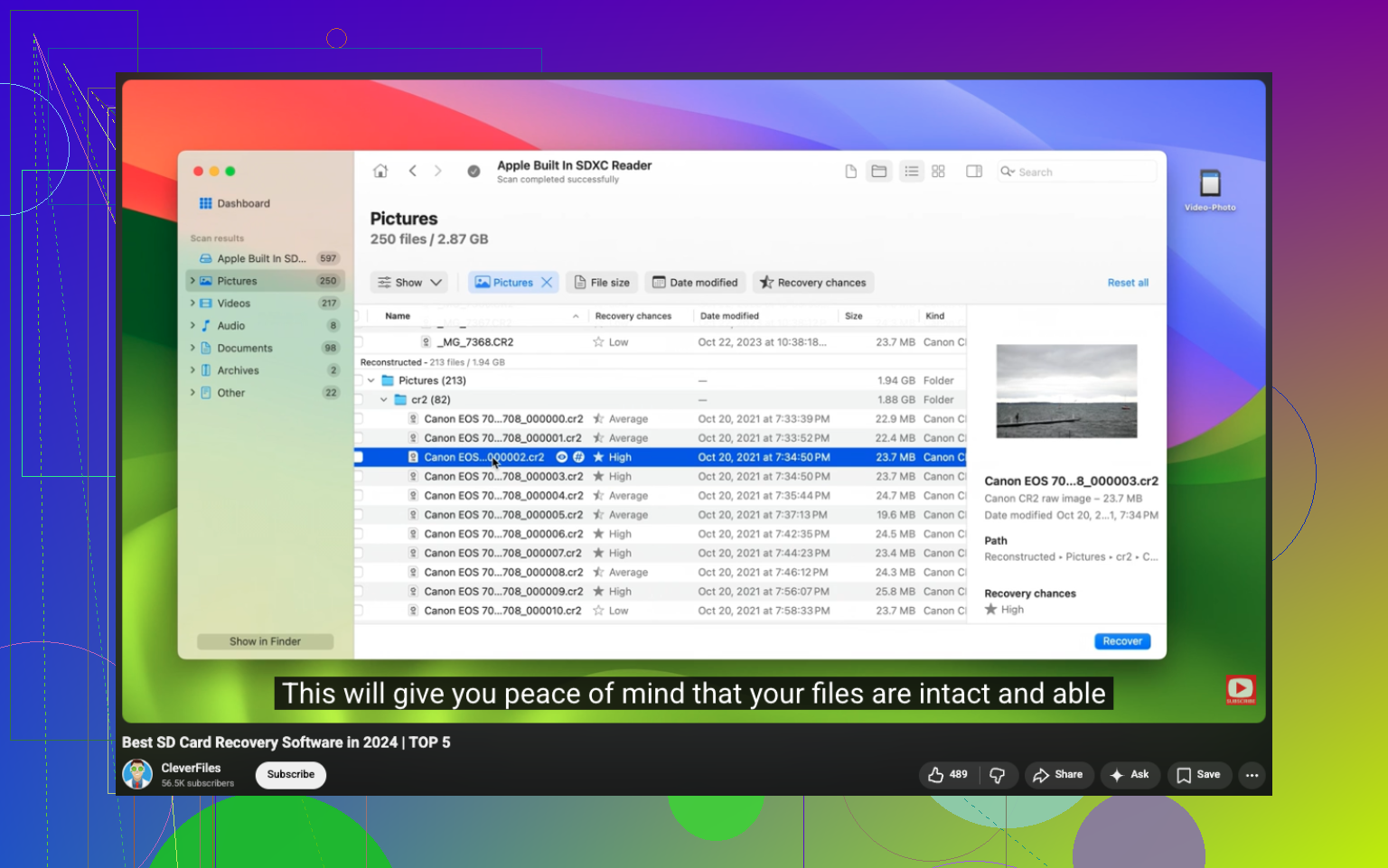
I’d actually add one thing neither @mikeappsreviewer nor @cazadordeestrellas stressed enough: check whether your Canon was set to **protect** or **rate** images before deletion, because sometimes people think they wiped “everything” and only deleted the current index view. I’ve seen missing shots reappear when the card is read by Canon software instead of just Finder/File Explorer. So before going full panic mode, try Canon EOS Utility or even another card reader, becuase card readers fail in weird ways.
Also, if the photos matter *that* much, don’t keep retrying random recovery apps. Every extra write, thumbnail cache, or “repair” prompt is another chance to make things uglier. I slightly disagree with the “go straight to scanning” mindset. If these are once-in-a-lifetime event pics, a recovery lab is worth considering earlier than people think, especially if the card is acting flaky.
If the card reads normally, then yeah, **Disk Drill** is a solid Canon EOS photo recovery option, mostly because it handles Canon RAW formats well and lets you preview what’s actually recoverable. Just recover to your computer or another drive, never back to the SD card. That part trips people up allll the time.
One more overlooked place to check: if you ever connected the camera to a phone or tablet, look for auto-import caches there too. Sometimes the “lost” JPGs are sitting in a mobile gallery while the RAWs are missing.
For extra Canon-specific recovery discussion, this thread is relevant: Canon photo recovery tips from real users.
If the card shows errors, mounts/disconnects randomly, or gets hot, stop DIY. Seriously.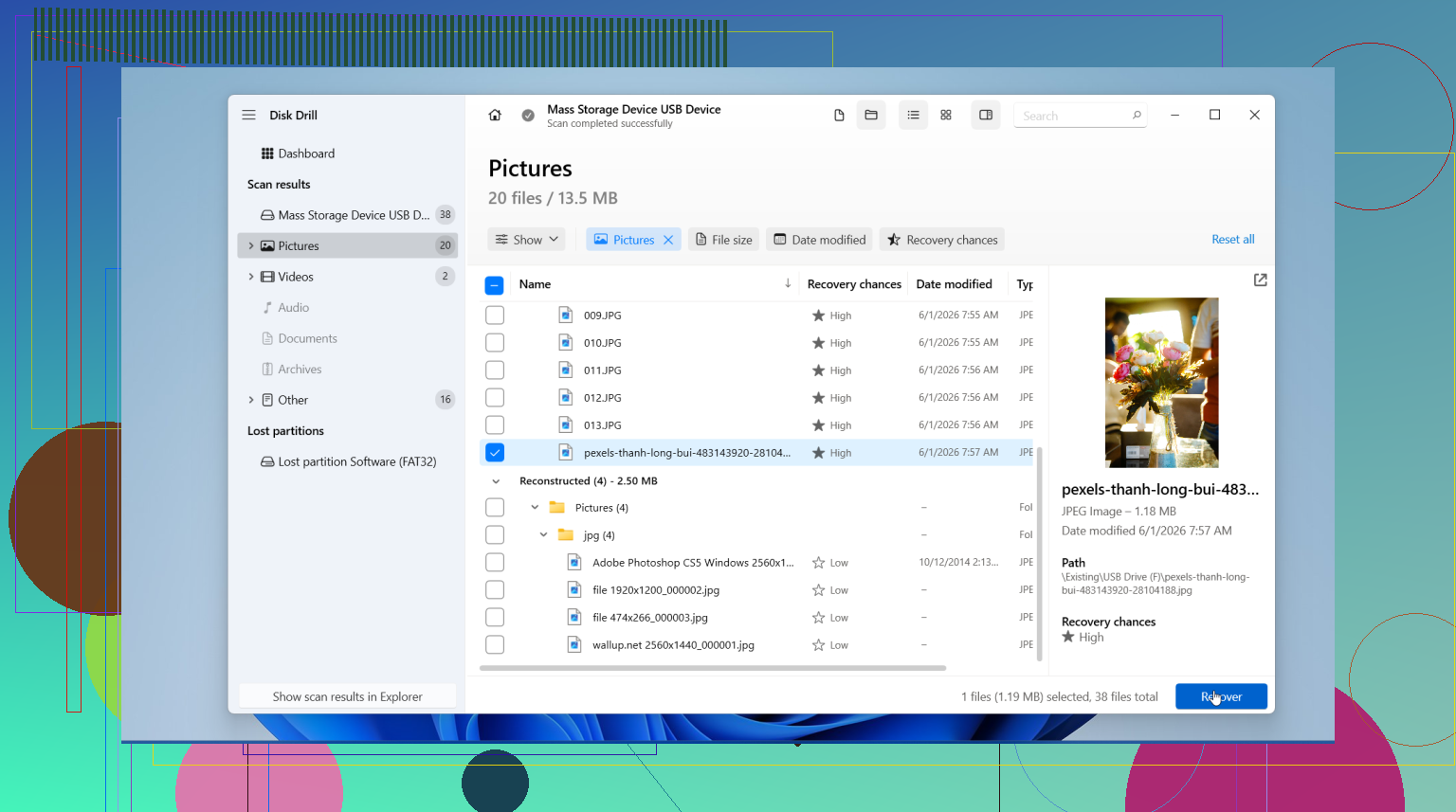
The replies already cover card imaging, recovery software, backups, and labs. A simpler route is to retrieve copies you sent to other people.
Check email attachments and messages from the event. Ask recipients to resend the orginal attachments or upload their saved files to a shared folder. Download the files rather than taking screenshots.
If you shared only a few pictures, list the missing moments so people know which ones you need to recieve.
This retrieves shared copies, not deleted RAW files, but avoids further handling of your memory card.
Don’t bother cycling through five different recovery apps hoping one magically does better. Each install and scan is just more writing to your system while the clock runs. Pick one, let it finish a full scan, and judge from there. Disk Drill runs the scan without forcing you to pay or register first, so you can see what’s actually recoverable before committing anything. If that first pass comes back empty or the card acts weird, that’s your cue to stop and think about a lab, not to keep hammering it.