My iPhone gets noticeably slow and laggy after almost every iOS update. Apps take longer to open, typing stutters, and the phone feels less responsive for days. I need help figuring out why this keeps happening and what settings or fixes can stop iPhone lag after updates.
Your iPhone feels broken when it gets like this. You type, then the letters show up late. Scrolling drags. Apps sit there for 3 or 4 seconds before opening. I had the same mess, and it was annoying in a way people do not get until they use the phone every day like this.
A lot of the time, it is not some dramatic OS failure.
Is it a bug, or is the phone still busy?
When the slowdown starts right after an iOS update, I usually wait first. Big iOS updates kick off a pile of background work. Photos get indexed again. App data gets rebuilt. System files get reorganized. All of this runs quietly while you are trying to use the phone like normal, so the phone feels weirdly slow even for simple stuff.
What worked for me was leaving it plugged in overnight on Wi-Fi for a few days. Three nights was enough on one phone. On another, it took a bit longer. If the lag fades after that, there was nothing to fix. The phone was still chewing through update cleanup.
If two weeks pass and a reboot does nothing, I stop blaming the update.
Storage is the first thing I check
This is the part people skip, then spend hours chasing fake fixes.
Once free storage drops into the rough 10 to 20 percent range, iOS starts acting cramped. Apps need temporary workspace to open, cache data, and move stuff around. If your phone is low on room, the whole thing gets sticky. Typing delay, stuttery animation, slow launches, all of it lines up with low storage.
Deleting random apps did almost nothing for me. The space hogs were elsewhere.
What ate my storage:
- 4K videos
- Long screen recordings
- Message attachments
- Huge piles of screenshots
- Repeated photos where I kept 9 versions of the same shot for no good reason
That was the real issue.
What I used to clear space fast
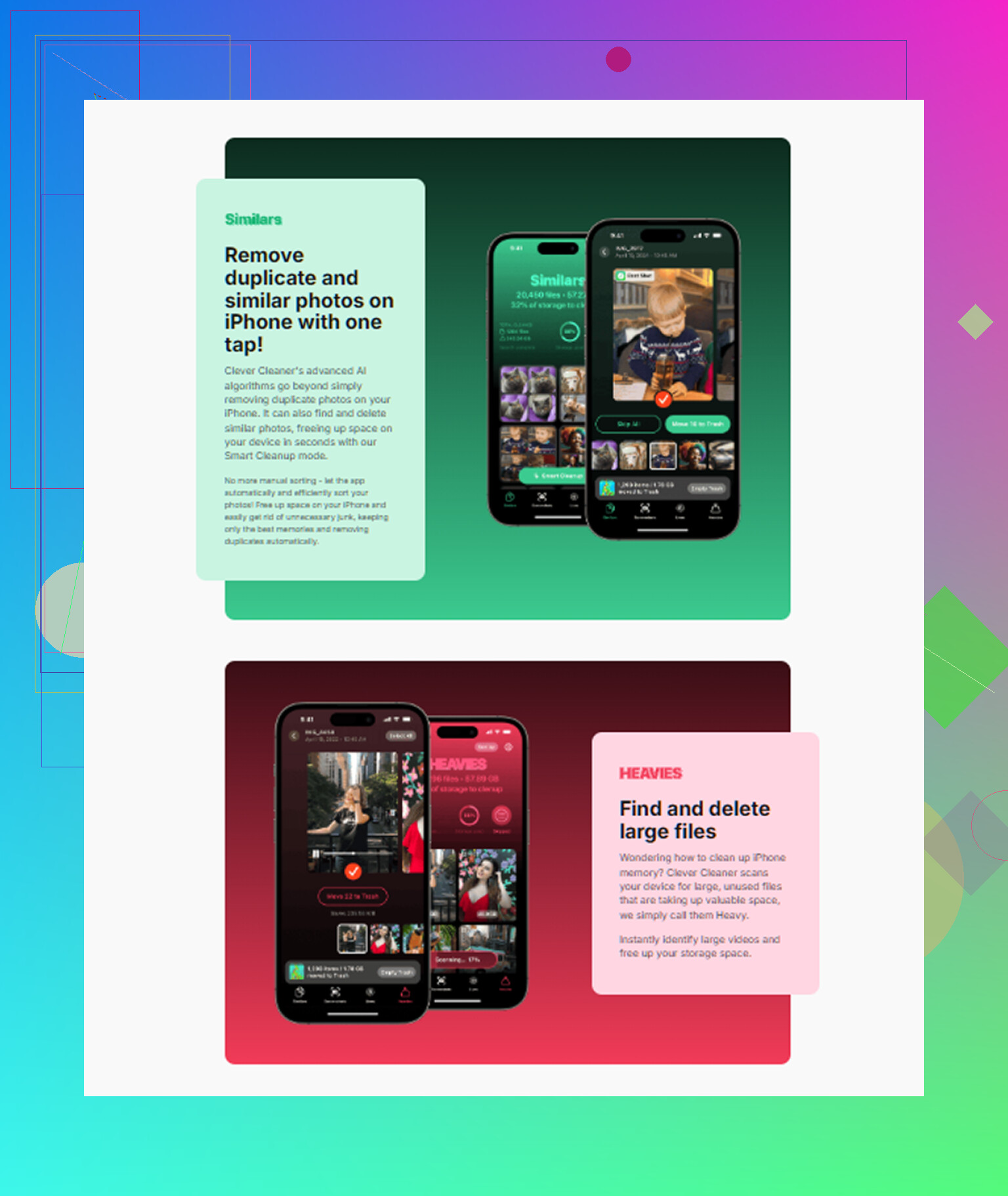
I tried sorting photos by hand and gave up. A library with thousands of images turns into a chore fast. The first app I used where I saw a clear result was Clever Cleaner.
What stood out to me was simple stuff. No ads popping up every few taps. No subscription wall blocking cleanup. I installed it expecting the usual nonsense and did not run into any.
This is how I went through it.
Heavies
Start there. It sorts media from biggest file down to smallest, with file sizes shown right away. Mine had giant videos sitting at the top. A few old 4K clips and some screen recordings were eating multiple gigabytes by themselves. Deleting 2 or 3 of those made a bigger dent than removing a dozen apps.
Similars
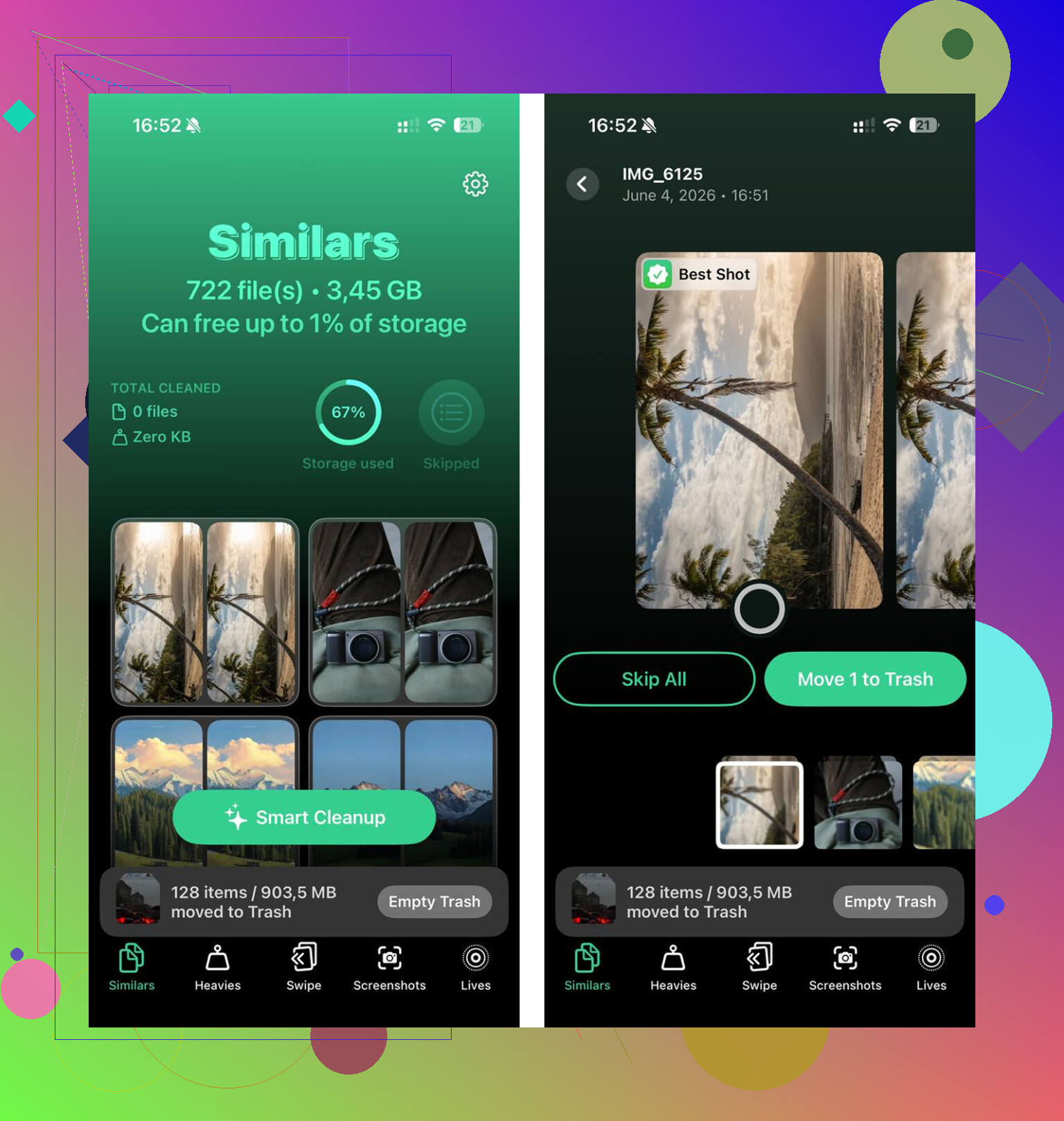
This one helped more than I expected. It groups photos that are close enough to be duplicates in practice, not only exact copies. Burst shots, repeated attempts at the same angle, tiny variations of the same subject. Mine had loads of these. The app picked a best shot in each group, then I removed the rest.
Screenshots
This was embarrasing on my phone. Years of screenshots, all still sitting there. The app showed the size on each thumbnail, which made it easier to stop pretending I needed them.
Privacy
Everything runs on-device. My library has personal stuff in it, so I checked for this first. Nothing needed to be uploaded elsewhere.
What changed after cleanup
I cleared around 15GB, then I did the part people miss. I emptied Recently Deleted in Photos. If you skip that, the files still sit there for 30 days and still count against your storage.
Path:
Photos > Albums > Recently Deleted > Delete All
After I did both steps, the lag was gone. Typing felt normal again. Scrolling stopped hitching. Apps opened like they used to. It was not subtle.
If storage looks fine, check these next
Battery health
Go to:
Settings > Battery
If maximum capacity is under 80 percent, performance drops for a reason. iPhone slows itself down to avoid shutdowns when the battery is worn out. I have seen people tweak settings for days when the battery was the whole story. At that point, replacing the battery is the fix.
Low Power Mode
If you leave Low Power Mode on all the time, turn it off and test again. It reduces performance to save battery. I did this once without thinking much about it, then spent half a day wondering why the phone felt off.
Background App Refresh
Go to:
Settings > General > Background App Refresh
I do not shut it off for every app, only the ones with no good reason to run in the background. If dozens of apps keep refreshing, the phone feels busier than it needs to.
Keyboard lag only
If the delay is mostly while typing, try this:
Settings > General > Transfer or Reset iPhone > Reset > Reset Keyboard Dictionary
I did this on an older phone where typing had become weirdly delayed even though storage was okay. It helped right away.
Update your apps before you overthink it
This part is boring, but I would do it early.
Open the App Store and hit Update All.
After an iOS update, some apps lag behind and behave badly on the newer system. One outdated app can make the phone feel worse than it should. I have seen lag disappear after app updates with no other changes.
The short version
If your iPhone got slow out of nowhere, I would check things in this order:
- Wait a few days if you just updated iOS
- Check free storage
- Remove big videos, duplicate photos, screenshots, attachments
- Empty Recently Deleted
- Check battery health
- Turn off Low Power Mode
- Cut down Background App Refresh
- Update all apps
- Reset Keyboard Dictionary if typing is the main issue
That order saved me time. Factory reset was nowhere near my first move, and it turned out I did not need it at all.
What jumps out to me is the pattern. If this happens after every update, your phone might be getting hit by one of two things.
-
Thermal throttling.
Right after an update, the phone runs hotter. If it stays warm, iOS cuts speed to control temp. Thick case, charging while using it, weak signal, and hotspot use make it worse. Take the case off for a bit. Don’t use it while charging the first day after updating. Keep brightness down. If lag drops when the phone is cool, temp is part of it. -
Aging hardware plus a big OS.
I know people hate hearing this, but older iPhones feel each yearly update more. Not always because Apple is “ruining” it. Newer iOS builds ask more from RAM, storage speed, and battery. A phone with 3GB RAM will feel it before one with 6GB. If you’re on an older model, I’d skip day-one updates and wait for x.1 or x.2. Those builds are often less janky.
I slightly disagree with @mikeappsreviewer on one point. Waiting helps, yes. But if this happens every single time for days, I’d look at your setup habits too, not only storage. Restoring from years of backups over and over can drag old junk forward. If your iPhone has been migrated from iPhone to iPhone for ages, do one clean install once. Set it up as new. Then test before pulling every app back on. It’s a pain, but it tells you fast if the lag lives in the system or in your old data.
A few checks I’d do:
Settings > Privacy & Security > Analytics & Improvements > Analytics Data.
If you see the same app or process crashing over and over, there’s your clue.
Settings > Accessibility > Motion.
Turn off Reduce Motion only if it’s on and feels weird to you. On some phones it makes things feel less smooth, oddly enough.
Settings > Siri & Search.
Trim search indexing for apps you never search. Less indexing, less background churn.
Also, update with 20 percent plus free space before you install, not after. That part gets missed alot.
If your photo library is a mess, Clever Cleaner is a decent way to clear out heavy files fast before the update cycle starts again. And if you want a clean walkthrough, see the step by step iPhone speed optimization guide.
I’d actually push back a little on @mikeappsreviewer and @viaggiatoresolare here. They’re right that post-update indexing and heat can cause temporary lag, but if this happens after every update, I’d start looking at the update process itself, not just the aftermath.
What helped me was changing how I update:
- don’t install iOS on day one
- wait for the first patch if your phone is older
- update overnight while plugged in, on stable Wi-Fi
- leave at least 15 to 25 GB free before updating
- reboot once after the install finishes and then leave it alone for a while
Also, check your available RAM behavior indirectly by watching which apps reload constantly. If Safari tabs and apps keep refreshing, your iPhone may just be at the edge of what that model handles comfortably on newer iOS.
One thing I don’t fully agree with is assuming storage is always the main villain. Sometimes it’s just an older device getting hammered by a heavier iOS build. That’s not a “fix with 3 settings” problem.
That said, cleaning junk before updates does help. Clever Cleaner is solid for clearing big videos, duplicates, and screenshot clutter before installing iOS. If you want a decent roundup, this list of top free iPhone cleaning apps for better speed and storage is worth a look.
If you want the blunt version: if it lags for days on a 3 to 5 year old iPhone after every update, that may just be the new normal, which kinda sucks but yeah, that’s probly the truth.
I’m with @viaggiatoresolare and @chasseurdetoiles on one thing: a lot of post-update lag is temporary. But I disagree a bit with @mikeappsreviewer’s storage-first angle as the default answer. If this happens after every update, I’d check one thing people overlook: battery health plus system services.
Two underrated culprits:
-
Battery unable to supply peak power
If the battery is aging, iPhone can feel sluggish after updates because background tasks spike power demand.
Check:
Settings > Battery > Battery Health & Charging
If capacity is low or it says performance management has been applied, that matters more than most “speed tweaks.” -
Background services you forgot were on
These can go wild after updates:
- Significant Locations
- Analytics sharing
- automatic app downloads
- Mail push on multiple accounts
- widgets constantly refreshing
Try trimming those, especially widgets on the Home Screen and Lock Screen. Bad widgets can make the whole phone feel sticky.
Also, check your VPN, ad blocker, or security app. I’ve seen those cause weird lag after iOS changes because they hook into network traffic system-wide.
One more angle: if you always restore from backup, do a single clean setup test once. Not forever, just as a diagnostic.
As for Clever Cleaner, pros: quick way to find giant videos, duplicate photos, screenshot clutter. Cons: cleanup apps won’t fix battery degradation or a heavy iOS build on older hardware. Useful, just not magical.
My order would be:
battery health, rogue widgets/VPNs, free space, then clean install test. That usually reveals the real cause faster.
You’ve covered storage, heat, batteries, and background tasks. Before a clean install, I’d try resetting settings as a seperate troubleshooting step.
Open Settings > General > Transfer or Reset iPhone > Reset > Reset All Settings. Your apps, photos, and messages stay, but you’ll need to reconnect Wi-Fi, restore preferences, and add Apple Pay cards again.
Then test typing and app launches before changing preferences again. It’s a troubleshooting test, not a guaranteed fix. I’d leave cleaner apps out of this test and compare how your phone responds over the next day or untill the lag returns.