My iPhone storage is almost full, and I noticed I have a lot of duplicate or very similar pictures taking up space. I want to clean up photos safely, but I’m not sure how to search for similar images on iPhone without deleting something important. What’s the easiest way to find and review them before freeing up storage?
I ran into this on my iPhone too. The built-in Duplicates tool only catches photos that are near-identical. It misses the stuff most people mean by clutter, like five shots of the same meal, ten pet photos taken two seconds apart, burst images, or an edited copy sitting next to the original.
If you want to sort out similar photos, iOS does not do much on its own. I ended up using Clever Cleaner, mostly because the usual photo cleaner apps felt awful when I tried them. Too many ads. Too many locked buttons. This one felt different. It was free when I used it, it scanned on the phone, and the grouping was decent. Not flawless, still worth checking, but good enough where I was not stuck sorting every set by hand.
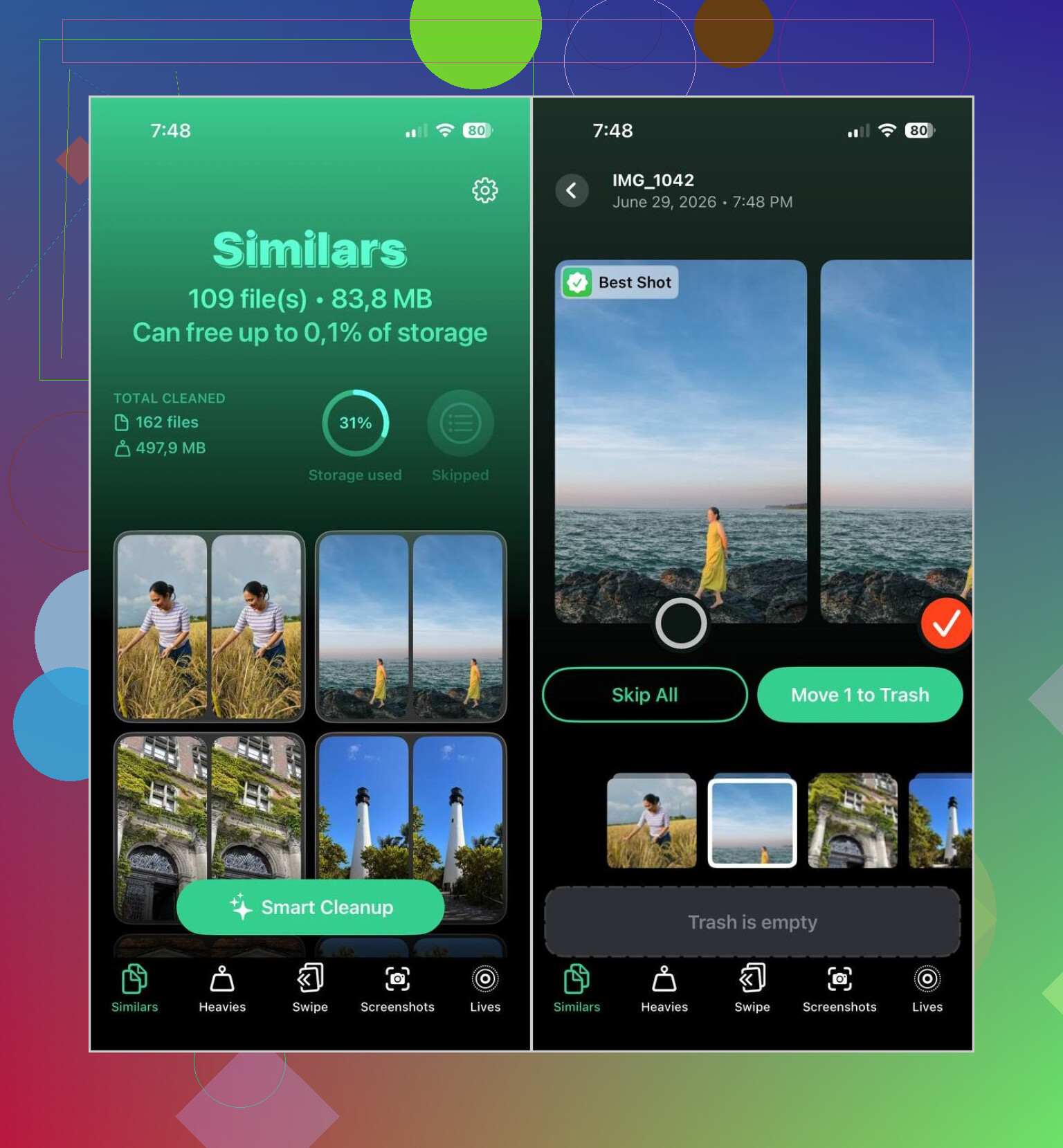
What stood out for me was how it grouped batches from the same moment, then tagged one image as the Best Shot. In my library, it got a lot of them right. I still reviewed family photos and travel stuff myself, becuase I do not trust any app with those, but for random duplicates and near-duplicates it saved me a lot of time.
What I did
- Installed Clever Cleaner from the App Store.
- Gave it access to my photo library.
- Opened the Similars section and waited for the scan to finish.
- Looked through each group, or used Smart Cleanup when I wanted it to handle the bulk of it.
- Checked which photo the app marked as Best Shot, then changed it if I disagreed.
- Sent the extras to trash.
- Went back into Apple Photos and cleared the Recently Deleted album so the storage space showed up right away.
I also used a few of the other sections more than I expected.
Other tools in it
- Duplicates, for exact copies.
- Heavies, which surfaces the biggest videos first. Good if your storage problem is mostly giant clips.
- Video Compression, for shrinking videos without a big quality hit from what I saw.
- Lives, which turns Live Photos into still images if you do not care about the motion part.
- Screenshots, for clearing old screenshots fast.
- Swipe Mode, if you want to review things manually and sort them one by one.
The privacy part mattered to me too. A lot of apps want to upload your library for analysis, and I do not like handing over years of personal photos for cleanup. This one processed things on-device, which felt safer.
If you do not want another app
You still have a few built-in ways to narrow things down. They work. They are slower.
Search by subject
- Open Photos > Search.
- Type things like people, pets, places, or objects, such as “dog,” “beach,” or “Paris.”
- Photos with the same subject usually show up close together, so similar shots are easier to spot.
Check photos by day or event
- Open your library.
- Look through photos taken on the same date, trip, or outing.
- This helps if your camera roll is full of back-to-back shots from the same moment.
Clean up burst photos
- Go to Photos > Media Types > Bursts.
- Pick the frame you want to keep.
- Delete the rest.
Use Apple’s albums
- Browse sections like People & Pets, Trips, Media Types, and Memories.
- These group related images together, which makes manual review less painful.
So yeah, the iPhone does find duplicates, but similar-photo cleanup is a different problem. I tried doing it by hand first and got tired of scrolling pretty fast. A dedicated app was quicker by a mile for me.
iPhone does not give you a true “similar photos” search. It gives you duplicate detection, search by object, date, place, people, and albums. Useful, but not enough if your issue is 12 near-identical pics from the same minute.
I’d do it in this order.
- Start with Albums, not Search.
Open Photos, then Albums, then:
Duplicates
Screenshots
Selfies
Live Photos
Bursts
Videos
This is faster than typing into Search over and over. Search is ok, but I think @mikeappsreviewer gives it a bit too much credit for cleanup. It helps find themes, not clutter.
-
Sort by oldest and largest pain points.
Screenshots and videos usually free space faster than similar still images. On many phones, a few long videos eat more storage than 500 photos. Check iPhone Storage in Settings first, so you know where the space hogs are. -
Use Days view for near-duplicates.
In Photos, switch to Days or Months. iPhone clusters shots from the same event. This makes similar images easier to compare side by side. I found this way less annoying than scrolling the full library. -
Favorite before deleting.
Mark your keeper first. Then remove the extras. This cuts down on “oops, wrong one” moments. Small thing, helps a lot. -
If you want automation, use Clever Cleaner.
Apple’s built-in tool is narrow. Clever Cleaner is better for similar images, not only exact dupes. I’d still review the suggested groups myself. No app gets every set right, esppecially with pets, kids, low light, or edited versions. -
Empty Recently Deleted.
People skip this, then wonder why storage didn’t move. Apple keeps deleted photos for 30 days unless you remove them there too.
If you want a solid walkthrough, this thread is useful:
how to delete duplicate and similar photos on your iPhone without missing the good ones
Short version, iPhone finds duplicates. It does not do a great job with similars. For manual cleanup, use Albums plus Days view. For speed, use Clever Cleaner and double-check the picks befroe deleting.
One thing I’d add to what @mikeappsreviewer and @byteguru said: before deleting anything, use Info on a photo and compare the boring stuff. File size, resolution, lens used, whether it’s edited, and capture time. I know that sounds nerdy, but it helps a ton when two shots look the same and one is secretly the better keeper.
A few safer ways to spot similar images on iPhone without going full chaos mode:
-
Use the zoom level in Library view
Pinch in Photos to change how many thumbnails you see. Mid-zoom is weirdly useful because similars from the same moment become obvious faster than in single-photo view. -
Check edited vs original versions
In Photos, edited copies can blend in with the original. Tap the photo, swipe up, and check if it says edited. I’ve almost deleted the wrong one doing this, not gonna lie. -
Use shared visual clues
Look for repeated backgrounds, lighting, or timestamps within a minute or two. iPhone doesn’t have a true “find all similar” button, so you kinda have to think in mini-batches. -
Filter in the Photos app on Mac if you have one
Honestly, this is easier on a bigger screen. Same iCloud library, better visibility, less thumb pain.
I slightly disagree with relying too much on Search for this. Search is nice for “dog” or “beach,” but for cleanup it’s kinda meh. Great for finding themes, not always great for finding clutter.
If you want the fast route, Clever Cleaner is probly the most practical option for grouping similar photos before cleanup. Just don’t trust any app blindly with sentimental pics. Review first, delete second.
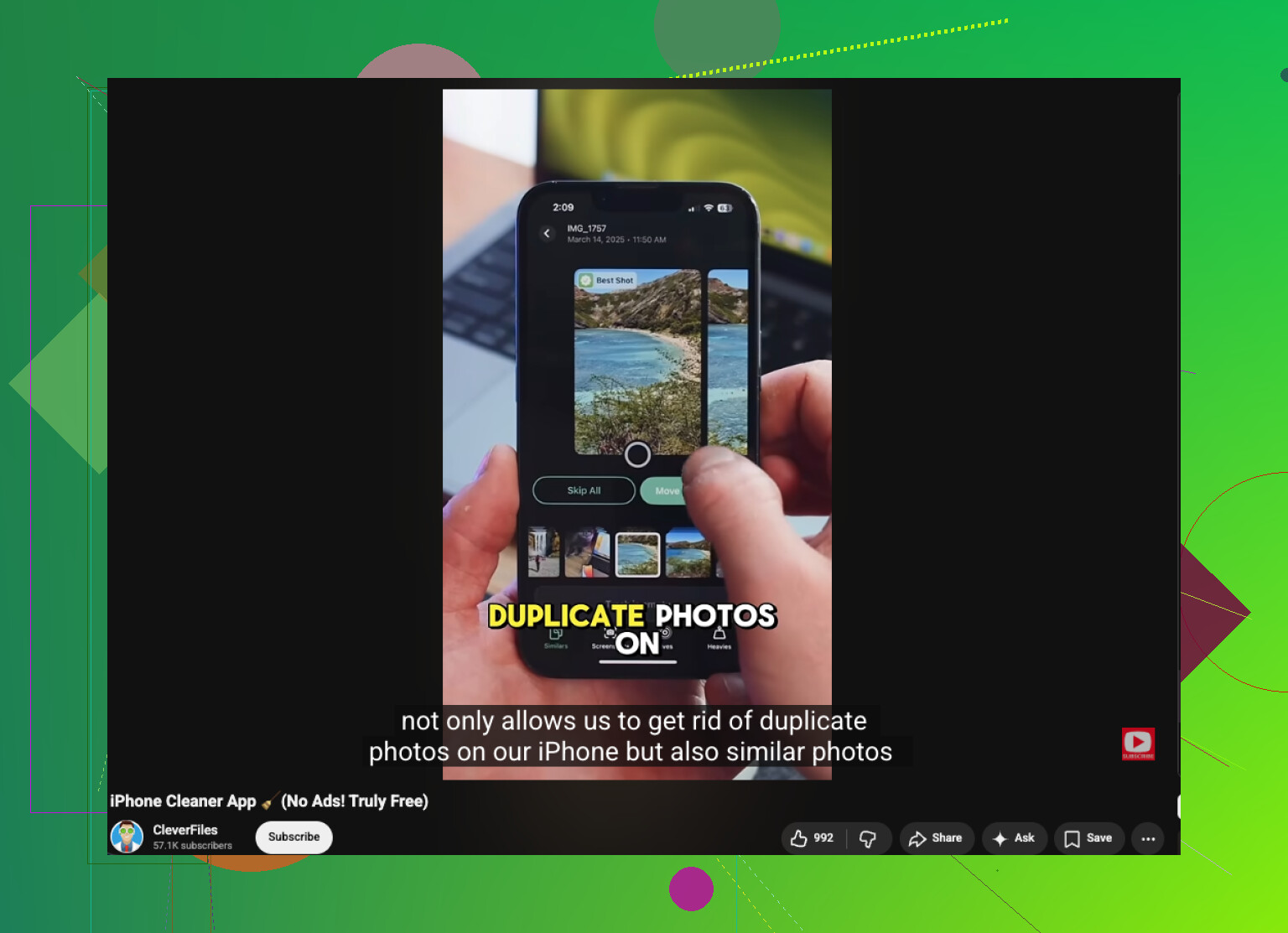
Also, if you want a decent video explainer, this is pretty relevant: best iPhone cleaning app review and photo cleanup tips
And yeah, after deleting, clear Recently Deleted or the storage savings are basically imaginary for 30 days. Classic Apple stuff.
I’d add one angle the others barely touched: use metadata and culling order, not just visual matching.
What works best for me on iPhone is this:
- Open a photo set from the same minute
- Tap i
- Compare file size, resolution, focus point, edited status, and lens
- Keep the one with the best technical quality first, then decide emotionally second
That matters because two photos can look almost identical in thumbnail view, but one may be sharper, full-res, or unedited.
I also slightly disagree with leaning too hard on Search. @byteguru and @sognonotturno are right that Apple’s tools are limited, but Search is more for finding categories than actually cleaning clutter. @mikeappsreviewer was closer on that part.
If you want true similar-photo grouping, Clever Cleaner is the practical shortcut.
Pros
- Finds near-duplicates, not just exact duplicates
- Usually groups same-moment shots well
- Faster than manual review
- Helpful for screenshots, Live Photos, and large files too
Cons
- “Best shot” picks are not always right
- Risky for sentimental photos if you rush
- Still needs human review
- Similar-looking edited/original pairs can confuse it
One more overlooked tip: do your cleanup while the phone is charging and connected to Wi-Fi. Photo analysis and iCloud syncing can lag badly on low battery, and that makes reviewing feel broken when it’s really just delayed indexing.
Also, if you have a Mac or iPad, review there. Bigger screen, fewer mistaken deletions.