I installed Ai Cleaner and it keeps asking for full access to my photo library so it can scan and delete duplicates. I’m worried about privacy, data collection, and whether my images could be uploaded or misused. Can anyone explain how safe this app really is, what risks I should consider, and what settings or alternatives I should use to protect my photos?
AI Cleaner: Clean UP Storage App – my experience
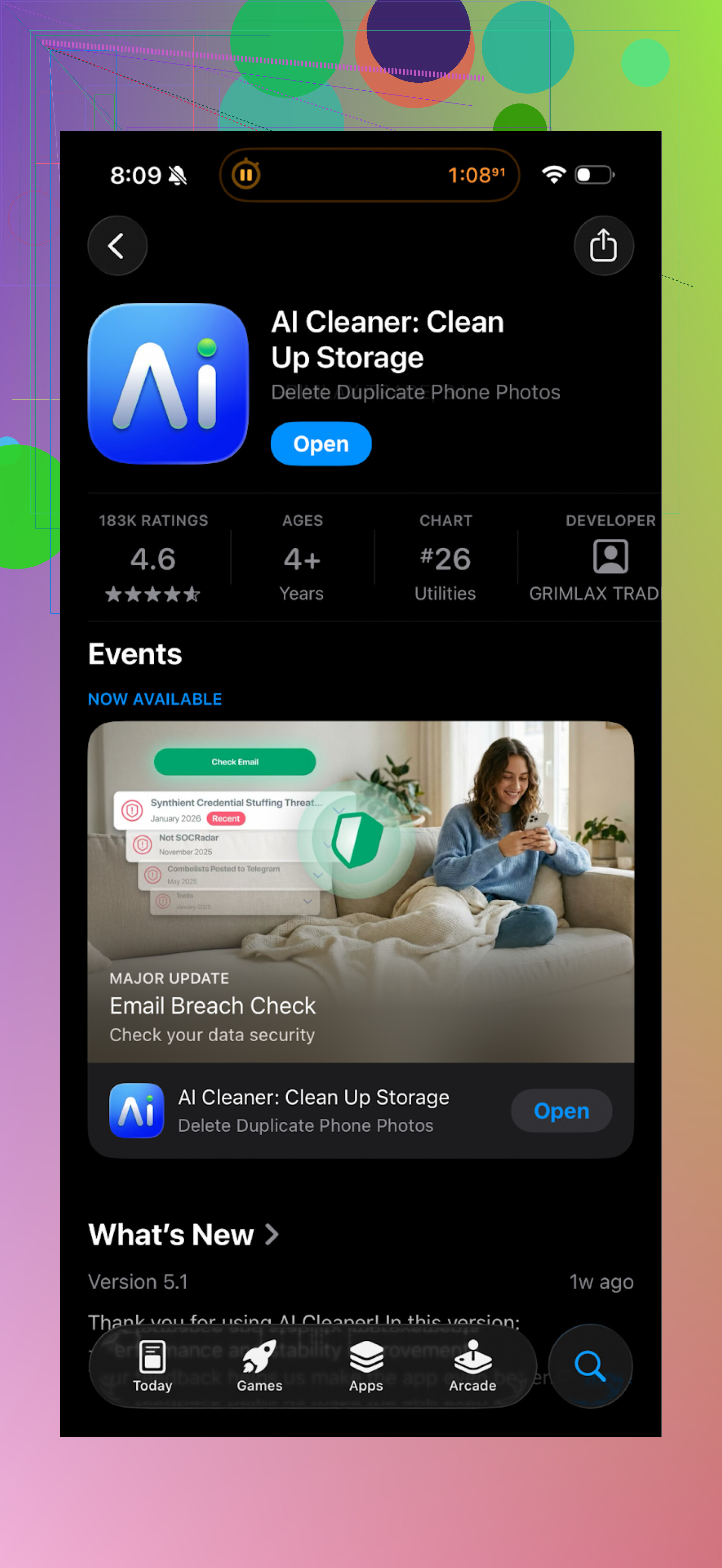
Tried this one on my iPhone when I ran out of storage before an OS update. Looked decent at first launch. Nice interface, quick first scan, lots of “smart” categories.
Then I tried to actually clean stuff.
Almost every useful tap led into a paywall. I’d pick a group of files, hit delete, and it would throw a subscription screen at me again. Felt more like a funnel than a tool.
The “AI” part did not impress me either. It kept lumping together shots that were similar, but not true duplicates. For example:
- It grouped a clear photo and a blurred version as “duplicates” with no good preview
- It sometimes grouped two totally different photos that happened to share colors or layout
So I ended up double‑checking too many things by hand, which kind of defeats the point of using an “AI” cleaner.
User reviews back this up
Here is a screenshot from the store reviews that lines up with what I saw:
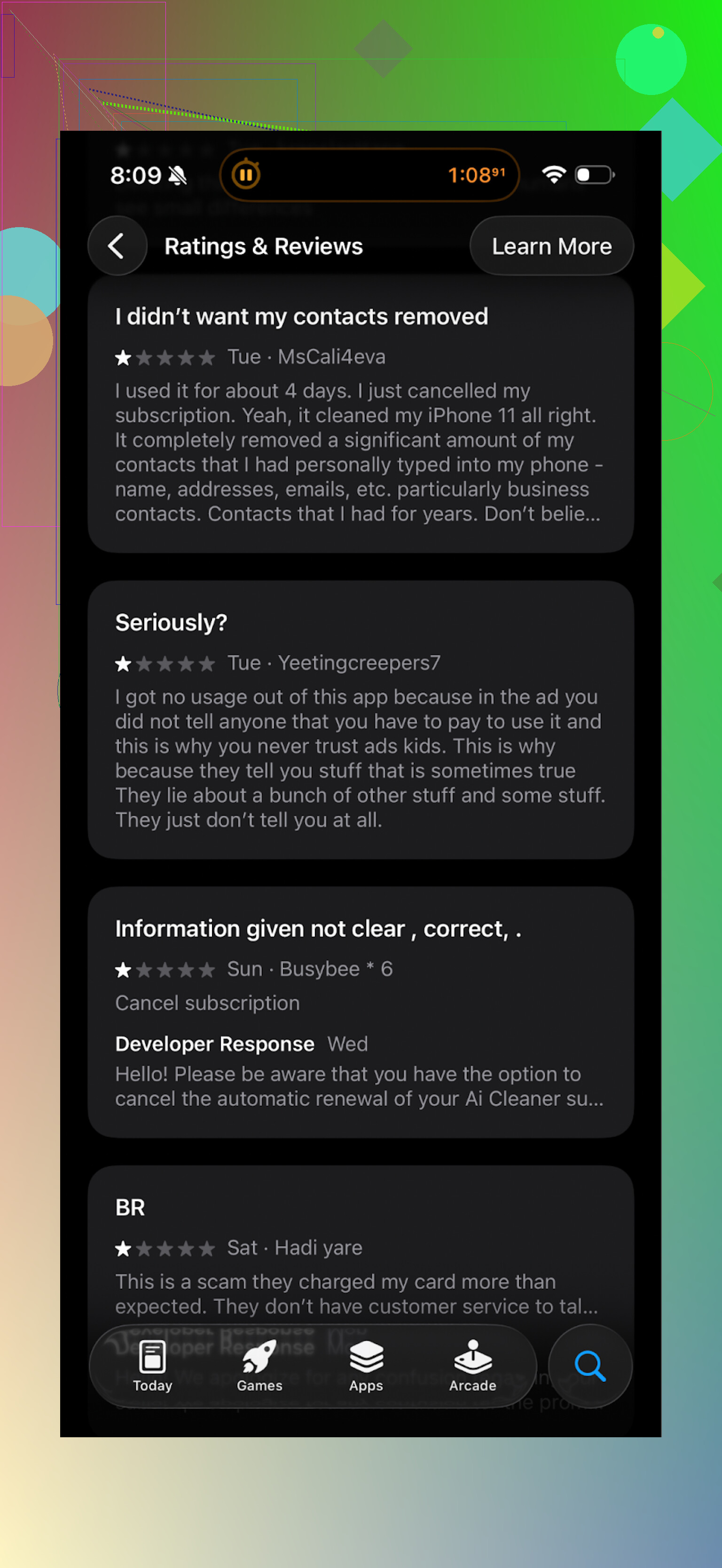
A lot of complaints about:
- aggressive upgrade prompts
- subscriptions
- weak detection
- disappointment after the initial scan looks helpful but you cannot use it properly without paying
What I switched to instead: Clever Cleaner
After that, I went looking for something less annoying and ended up with this:
Clever Cleaner on the App Store:
This one behaved a lot more like a normal utility app.
Quick rundown of what I noticed:
-
Pricing and paywalls
- No features blocked behind surprise pay screens while you are in the middle of a task
- No full‑screen upgrade spam every few taps
-
What it finds
On my phone it picked up:- Similar and duplicate photos with more sensible grouping
- Old screenshots I forgot about (including from random banking and ticket apps)
- Large videos and files that were sitting in chat apps and downloads
It flagged around 8 GB on the first run on a 128 GB phone. I ended up deleting about 5 GB after reviewing, which felt safe.
-
Speed and pushiness
- Scan was quick on an iPhone 13
- No constant “upgrade now” pressure
- The flow was more like: scan → review → clean → done, not: scan → pay → maybe clean
-
Privacy angle
What sold me most was that the app processes stuff directly on the phone. No “uploading to server” prompts, no account needed.That matters if:
- You have work photos or documents in the gallery
- You use your phone for ID scans, health docs, anything personal
According to the dev page, all analysis runs locally, which matches what I saw in practice. No external sync, no weird network spikes during scans.
App screenshots
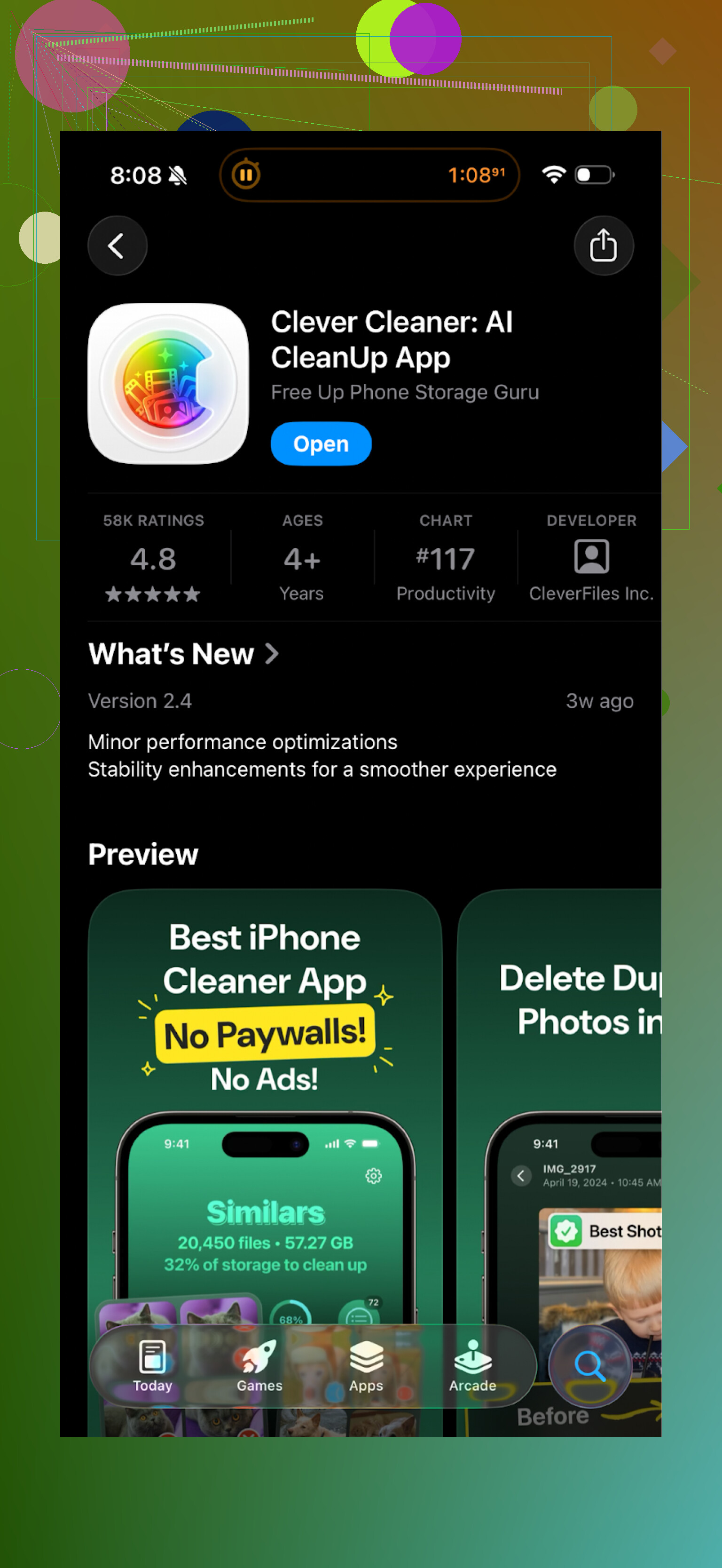
This is how Clever Cleaner looks on my phone during a cleanup:
Video walkthrough
If you want to see it in motion, there is a YouTube video review here:
Official page and download
Homepage:
App Store link again, for convenience:
Extra reading
If you want to compare more options, this Reddit thread goes through other cleaner apps and also explains why some of them are risky for iPhone storage and data:
Best cleaner apps on Reddit:
https://www.reddit.com/r/DataRecoveryHelp/comments/1d733gm/best_iphone_cleaner_apps_and_why_you_shouldnt_use/
If you are low on storage and do not want to deal with surprise subscriptions or aggressive upsells, I would start with Clever Cleaner before trying AI Cleaner.
Short answer for your exact question about AI Cleaner: I would not give it full photo access unless you are completely fine with the tradeoff and have checked a few things first.
Some concrete points you can check right now:
-
Read the App Store privacy label
Scroll to “App Privacy” on its App Store page.
Watch for these data types under “Data Linked to You,” especially:- Photos or Videos
- Identifiers
- Usage Data
If it lists “Photos or Videos” as “Collected” and “Linked to You,” that means your images or metadata might leave your device.
-
Check the privacy policy for these red flags
Open the privacy policy link from the App Store. Search for:- “upload”
- “third parties”
- “analytics”
- “advertising”
If they say images are processed on their servers, or shared with “partners” or “service providers” for “marketing” or “improvement,” I would avoid giving full photo access.
-
Watch network activity during a scan
- Turn on Low Data Mode or a firewall / traffic monitor if you use one.
- Run a scan in AI Cleaner with Wi‑Fi and mobile data on.
If you see continuous network spikes during local photo scanning, that is a bad sign for privacy.
-
iOS permission tip
iOS only lets cleaner apps work if you grant access to “All Photos.”
If you feel uneasy, you either:- Skip using that app for full-library cleanup.
- Create a temporary album with non-sensitive photos and switch to “Selected Photos” access in Settings.
That limits damage if the dev is shady.
-
About “is it safe” in practice
- Utility/cleaner apps often monetize through data, not only subscriptions.
- The aggressive paywalls and funnels people report for AI Cleaner are a hint the dev focuses on revenue first, not trust.
- Even if they say “AI,” if the detection is sloppy, I trust them less with anything sensitive.
I agree with @mikeappsreviewer on one thing: on-device processing matters a lot for this category. I do not fully share the view that UI and paywall behavior is the main problem though. For me, unclear data handling is worse than an annoying subscription screen.
If your main worry is photos being uploaded or misused, I would:
- Prefer an app that states clearly “all analysis runs on-device” and does not require an account.
- Verify in the privacy label that Photos are “Not Collected.”
Clever Cleaner App is one such option to look at. It focuses on local photo cleanup, and the dev states processing happens on your iPhone. That gives you better odds your images stay in your phone instead of some random server.
So, if privacy is high priority for you:
- Do not grant full access to AI Cleaner unless its privacy label and policy are crystal clear and conservative.
- If anything in the policy sounds vague like “improve our services” with photo data, uninstall and move on.
- Use an on-device focused tool like Clever Cleaner App or manage obvious duplicates manually in the Photos app for your most sensitive images.
Short version: I wouldn’t give AI Cleaner full photo access unless you’re totally comfortable with some risk and you’ve really vetted it. For most people: probably skip it.
A few extra angles that weren’t fully covered by @mikeappsreviewer and @hoshikuzu:
-
“Needs full access” is normal… but not automatically safe
Any app that wants to scan your entire library for duplicates on iOS basically has to ask for “All Photos.” That alone isn’t shady.
The problem is what they can theoretically do once they have it:- Read every photo and video
- Extract metadata like dates, locations, device info
- Potentially upload thumbnails or full images if the dev chose to
iOS does not give you a way to say “you can scan but not upload.” You’re trusting the developer.
-
Cleaner apps are notorious for sketchy business models
A lot of these “AI cleaner” utilities make most of their money from:- Aggressive subscriptions
- Data collection sold as “analytics” or “improving the product”
The paywall funnel behavior people described in AI Cleaner is a red flag to me. If they’re that pushy with payments, I don’t assume they’re super conservative with data either.
-
“On-device AI” vs “cloud AI” really matters
What I personally look for in a photo cleaner:- No account needed
- No “sign in with email / Google / Apple” just to delete junk
- Clear statement that analysis runs on-device
- App Store Privacy label that does not say “Photos or Videos” are “Collected” and “Linked to You”
If AI Cleaner is vague about any of that, that’s where I draw the line and say: not worth giving it my whole life in pictures.
-
Your worst‑case scenario is worse than a few GB of storage pain
Think about what’s actually in your photos:- IDs, boarding passes, medical stuff
- Kids, family, your home layout
- Screenshots of banking, tickets, 2FA codes
That’s the kind of data I don’t want bouncing through a random developer’s servers somewhere.
-
Alternative approach that keeps your sanity
If you want to use an app but keep risk low:- Prefer something like the Clever Cleaner App that states clearly it processes everything locally on your device and does not require an account.
- I like that it behaves more like a plain utility instead of a “subscription trap.” That alone makes me more willing to trust it with wide permissions.
Yes, it’s still a third‑party app, but compared to something that’s super paywall‑heavy and unclear on data handling, it’s the lesser evil.
-
If you must try AI Cleaner anyway
Personally I wouldn’t, but if you’re curious:- Only use it when your library does not contain highly sensitive stuff
- Revoke photo access immediately after you finish (Settings → Privacy & Security → Photos)
Bottom line: with cleaner apps, the default should be “no full access” unless the dev is very transparent, the privacy label is conservative, and the business model isn’t screaming “we’ll monetize anything we can.” AI Cleaner doesn’t really pass that bar for me.
Short version: I’d treat AI Cleaner as “guilty until proven innocent” with full photo access, especially given its paywall tactics and fuzzy “AI” behavior.
A few angles that complement what @hoshikuzu, @shizuka and @mikeappsreviewer already said:
1. Think in terms of “data exposure,” not just “is it uploading”
Even if AI Cleaner claims on‑device processing, once you grant All Photos it can, in theory:
- Map your life timeline from EXIF dates and locations
- Infer patterns like where you live, work, who you see often
- Build a profile from screenshots of banking, tickets, medical portals
You cannot audit that as a normal user. If their business model is aggressive subscriptions plus “analytics,” the exposure risk is not worth a few GB of storage saved.
2. Cloud processing is not the only risk
People often fixate on “are my photos uploaded.” Bigger problem: long‑term retention of derived data:
- Hashes or embeddings of your images
- Labels like “baby,” “passport,” “bedroom,” “receipt”
- Device and usage identifiers tied to that
Even anonymized, that is still very personal. If their privacy policy leaves room for “improving our services” with such data, I would not hand over my library.
3. Why UI behavior is a real signal
Here I slightly disagree with the idea that UI/paywalls are secondary. In utilities, the way a dev treats your attention is often how they treat your data:
- Dark‑pattern paywalls
- Fake urgency like “limited time clean”
- Nag loops during basic actions
Cleaner apps that rely on this rarely turn out to be strict minimalists about data. AI Cleaner fits that pattern from what people reported.
4. Built‑in options before any third‑party
Before installing any cleaner:
- Use iOS “Recommendations” in Settings > General > iPhone Storage
- Sort Photos by “Videos” and manually remove a few huge ones
- Clear old message threads with tons of media
This can free several GB without trusting a random developer with your camera roll.
5. Where Clever Cleaner App fits in
Not perfect, but if you do want an automated tool, something like Clever Cleaner App sits in a relatively safer bucket:
Pros
- Focus on on‑device processing, no account needed
- Less aggressive paywall flow, acts more like a utility
- Finds duplicates, similar photos, big videos and old screenshots in a sane way
- No obvious “data hoover” behavior in normal use
Cons
- Still a third‑party app with wide permissions, so not zero risk
- “Similar photos” detection can surface stuff you might actually want to keep
- Can make it too easy to batch delete if you are careless
- Paid model may still turn off people who expect a completely free cleaner
So it is “privacy friendlier,” not “privacy perfect.”
6. What I’d personally do in your position
-
I would not give AI Cleaner full photo access, given the combination of:
- aggressive monetization behavior
- unclear benefit over safer options
- very high sensitivity of photo libraries
-
If I needed automation:
- Prefer Clever Cleaner App and treat it as a tool, not a black box. Always review groups before deleting.
- Keep the most sensitive stuff (IDs, medical, kid photos) in separate albums and avoid mass‑cleanup on those.
-
If you are still tempted to try AI Cleaner:
- Back up your entire library first
- Run it only once, then immediately revoke photo access in Settings
- Watch for any sketchy behavior during that test and be ready to delete the app
Bottom line: “Full access” is basically “complete trust.” AI Cleaner has not really earned that. A more conservative tool like Clever Cleaner App plus some manual cleanup is a better tradeoff between convenience and privacy.
I would not give AI Cleaner full photo access unless its policy clearly states local processing and no photo collection. Full access exposes every image, screenshot, date, and location.
A simpler option is Apple’s duplicate finder. Open Photos, tap Albums, scroll to Utilities, then tap Duplicates. Review each group and choose Merge. iOS keeps the highest-quality copy and moves extras to Recently Deleted. No extra app, no subscription, and less privacy risk. Check each group first, tho.
Privacy labels are self-reported, so leaning on them too hard is a mistake. Nobody at Apple is auditing whether AI Cleaner’s label matches what the app actually does, so a dev willing to run aggressive paywalls is also willing to check the wrong box. The earlier advice to watch network traffic during a scan is the part I’d actually trust, since that’s you observing behavior instead of reading a promise. If you don’t want to bother with any of that, the simplest move is deciding upfront that a cleaner never touches your full library. Point it at a throwaway album with junk photos in it, let it do its thing, keep IDs and banking screenshots out of reach entirely. For the actual cleanup I’d just run Clever Cleaner and skip the vetting drama, but honestly the ‘Selected Photos’ trick works with any of them and costs you nothing.