I’ve been manually rewriting my content to avoid AI detection, but it’s slow and exhausting. I came across Clever AI Humanizer and I’m wondering if it actually produces more natural, human-sounding text than just carefully rewriting everything myself. Has anyone tested it for quality, originality, and detection rates, and is it safe to rely on for client work or important blog posts?
You’re probably here because you’ve got a bunch of AI text and you’re thinking, “This sounds like ChatGPT at 3 a.m., how do I make it sound like me?” I ended up in the same boat and tried out Clever AI Humanizer. The devs say it can turn AI output into something that looks human enough to survive detectors. I didn’t just take their word for it. I ran it through multiple tests, shoved the results into popular AI checkers, and kept notes. Here’s what actually happened and where it’s worth using.
What Is Clever AI Humanizer?
Clever AI Humanizer is basically a web-based AI “de-robotizer.” You paste in text from ChatGPT, Claude, Gemini, whatever, and it rewrites it to sound more like a person wrote it. Not just swapping a few words, but shifting sentence rhythm, tone, and structure so it reads less like a template and more like normal writing.
They also position it as something that can help text slip past AI detectors, which is what got my attention in the first place. I’ve tested a bunch of these tools, and a lot of them feel like half-finished side projects. This one is… actually not that.
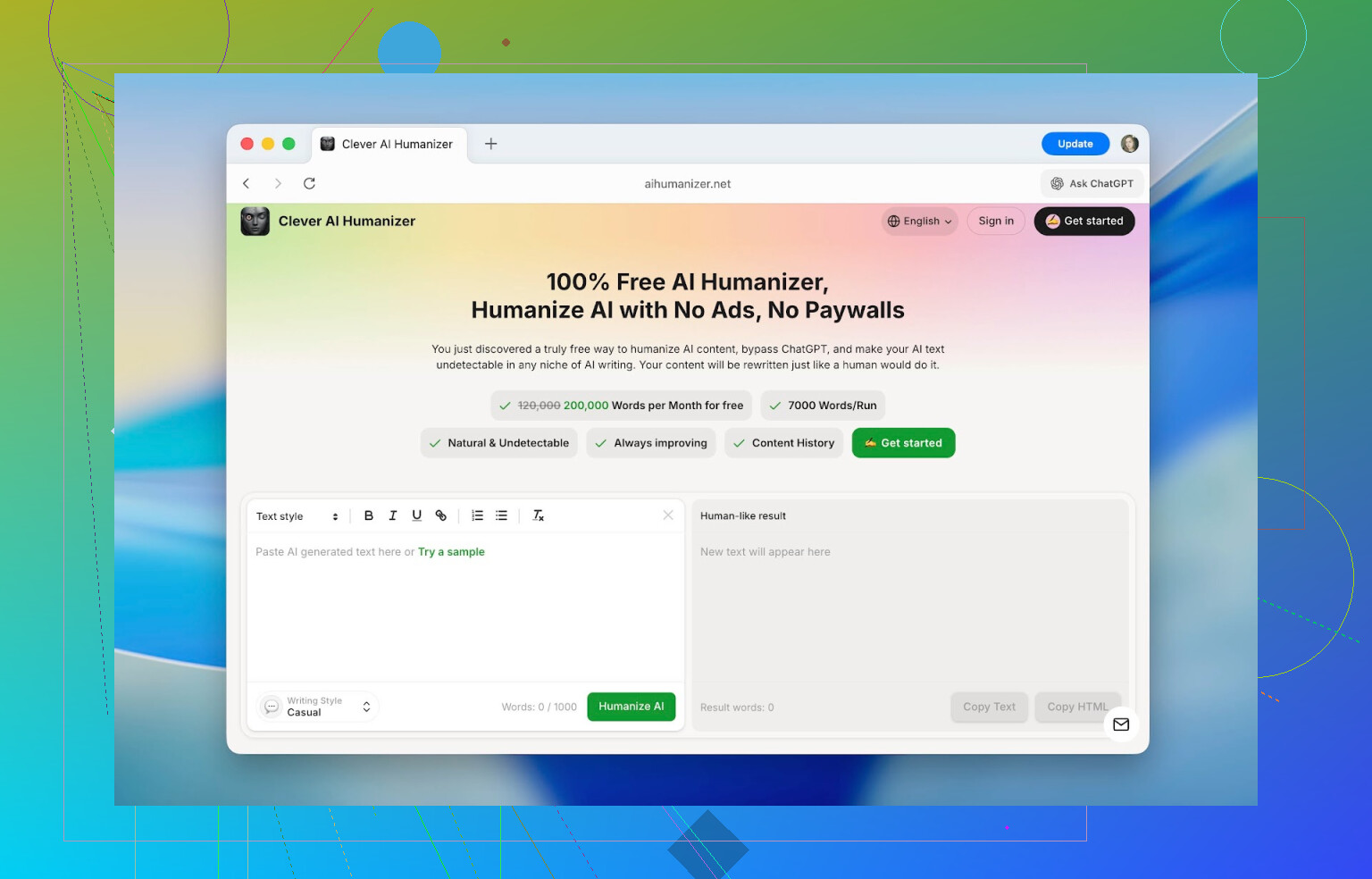
First thing that stands out is the interface. A lot of AI “humanizers” give you a cramped little box, a button, and vibes straight from 2010. Clever AI Humanizer feels more like a proper web app. Big editor windows, clear layout, obvious word counter, and you instantly see where to paste text and where the rewrite will appear. You don’t need a tutorial to figure out where to click.
As for cost, it’s actually free to use in a meaningful way. You can process up to 1,000 words per run and around 7,000 words per day. Out of that, 4,000 are available without even registering, and another 3,000 unlock when you create an account. No “free trial” that locks you out after two paragraphs, no surprise paywall halfway through an essay. For regular stuff like homework, small articles, or internal docs, this is enough to use daily, not just test once.
Key Features of Clever AI Humanizer
Going in, I figured it would just be another “paste, click, pray” tool. Turned out there are a few things that are actually worth calling out separately.
-
I started by feeding it straight-up default ChatGPT text. The type of thing every AI detector loves to flag. Before humanizing, tools like ZeroGPT were giving me 100% AI scores. After running that same text through Clever AI Humanizer, the numbers dropped to around 13%, 6%, and in a few cases close to 0% depending on the detector.
-
No tool can honestly promise a permanent 0% AI score. Detectors change their models all the time and look more at patterns than at particular words. But the drop I saw was big enough to change how the text feels and how those checkers respond to it.
-
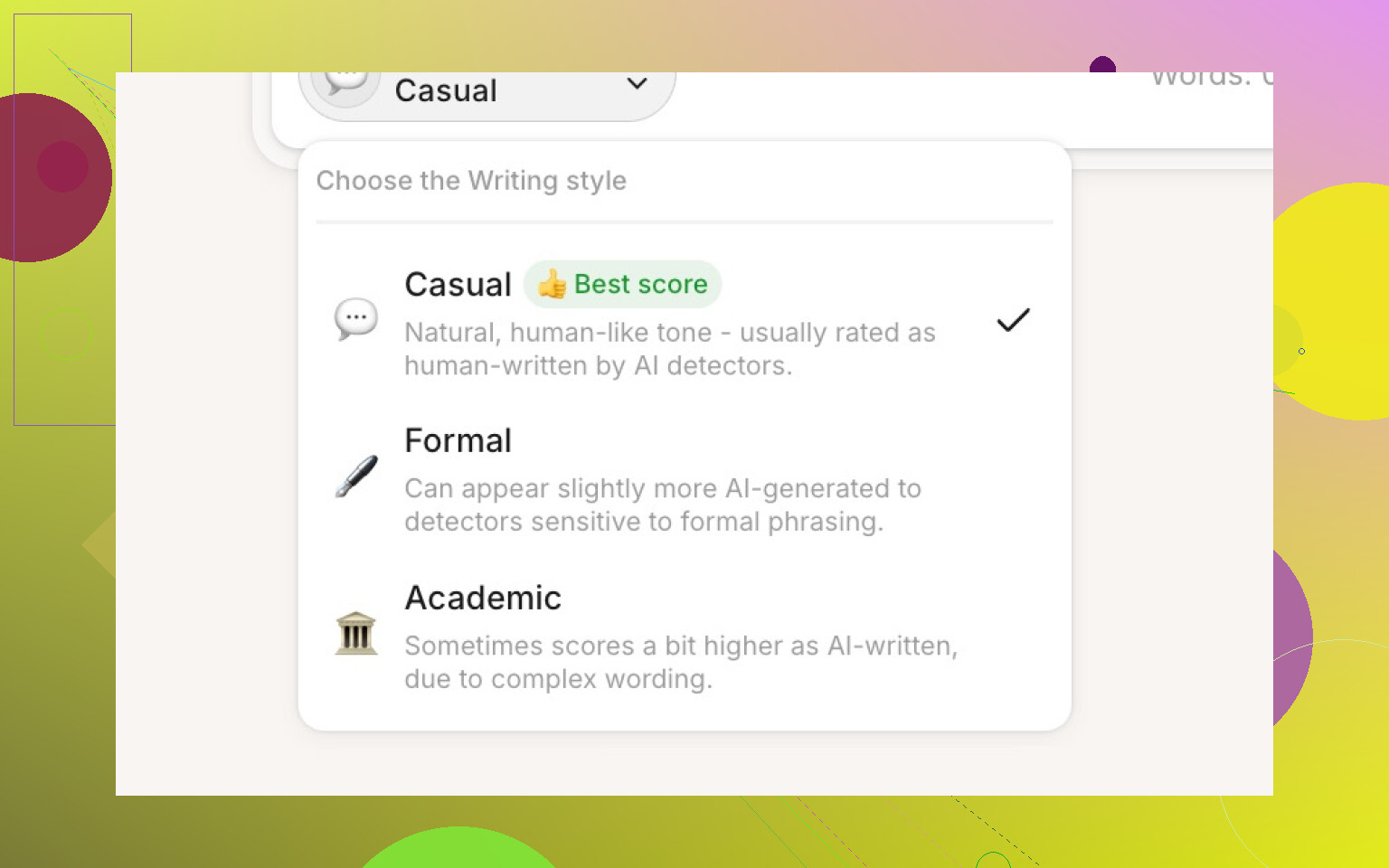
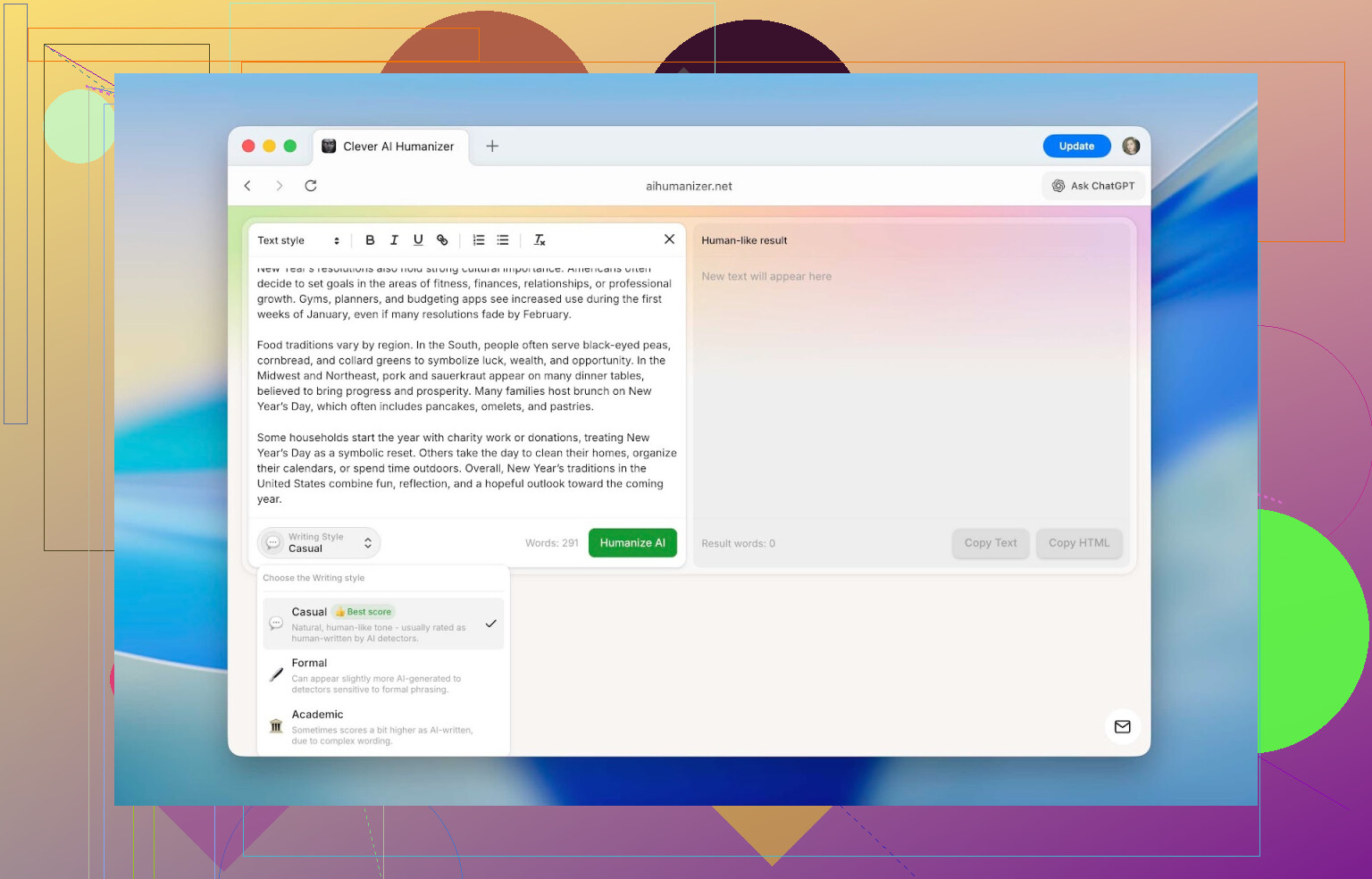
You can pick from three tones: Casual, Formal, and Academic. The differences are noticeable:
- Casual: more conversational, softer edges
- Formal: cleaner, more neutral and structured
- Academic: pushes closer to research-paper style
Detectors did give slightly different scores when I switched tones, but the variation was usually within 3–5%. I used Casual most of the time to avoid wasting the daily quota.
-
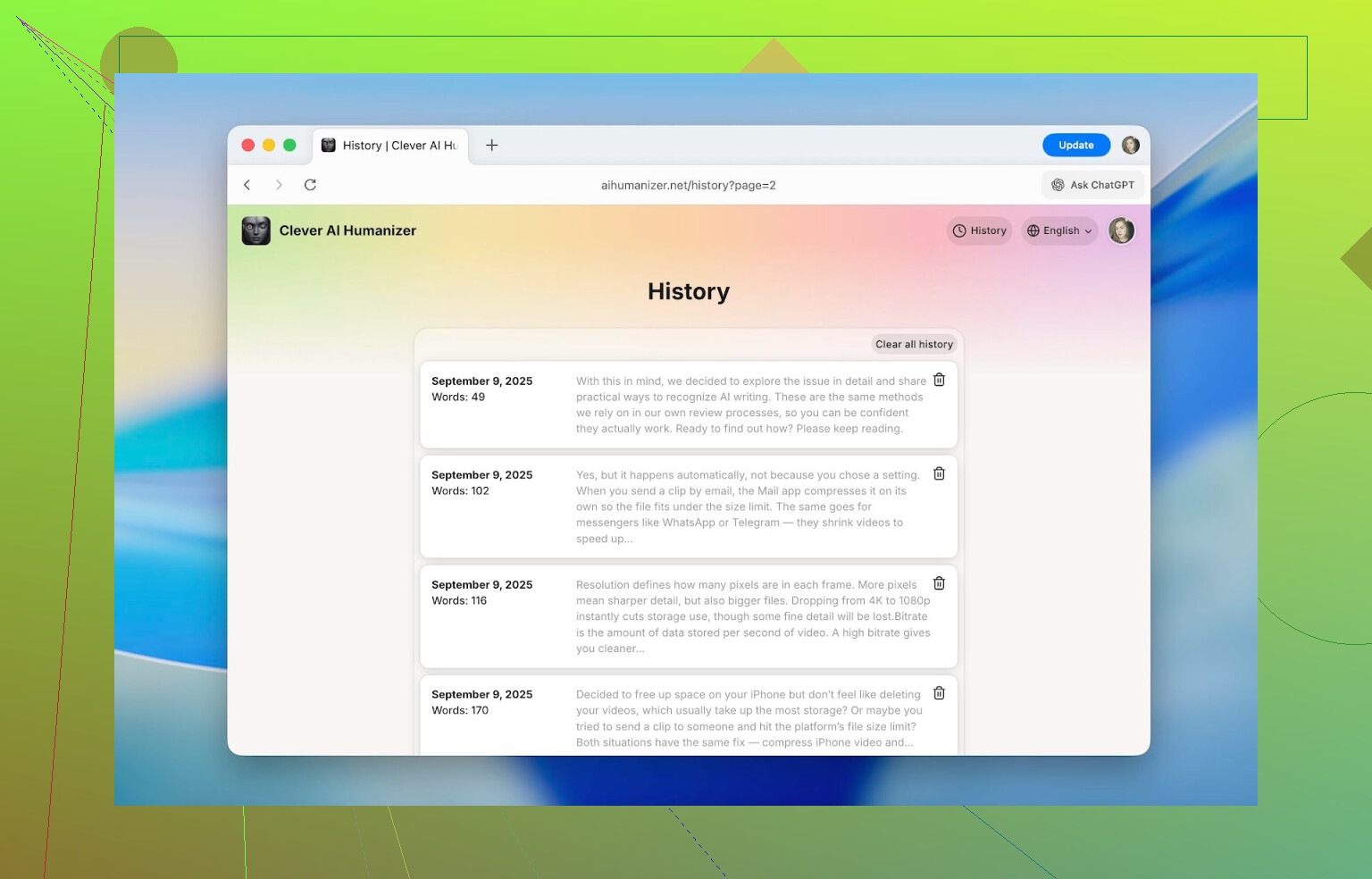
There’s a built-in history section once you make an account. It stores your previous rewrites with dates, word counts, and a short snippet. While I was writing this, I could still pull up stuff I’d run back in September, and nothing had been wiped or hidden. For longer projects (like semester-long reports or multi-part content), this is a lifesaver if you need to find “that one version from last month” again.
-
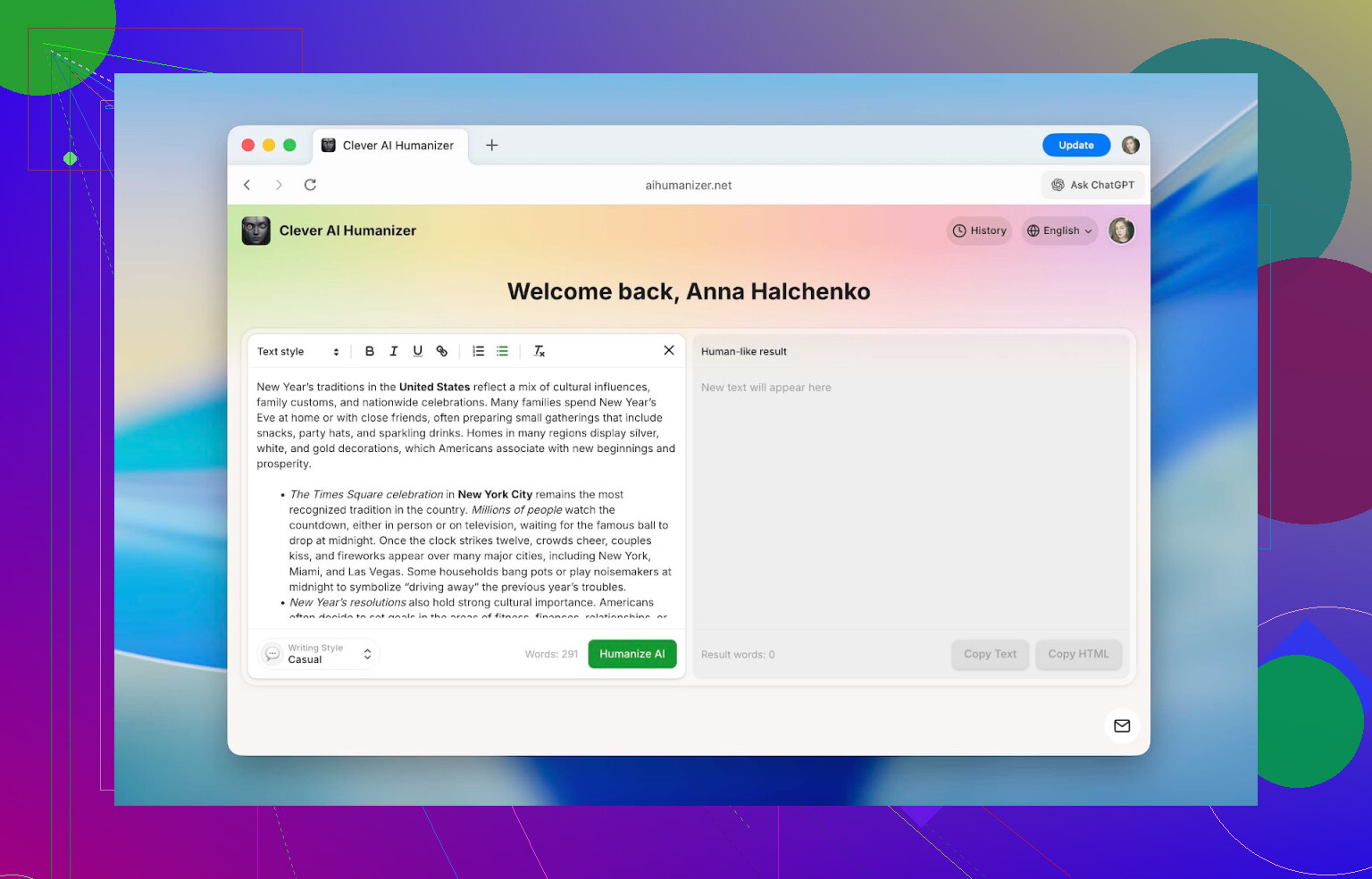
One thing I did not expect: the in-editor formatting actually survives the rewrite. Inside the text box you can use headings, bold, italics, underline, links, as well as bullet and numbered lists. After humanizing and copying, all of that formatting stays as is. No more redoing headings in Google Docs because the tool stripped everything to plain text. I barely see this in other humanizers, and if you have to follow strict formatting rules (school, company docs, client templates), this saves real time.
-
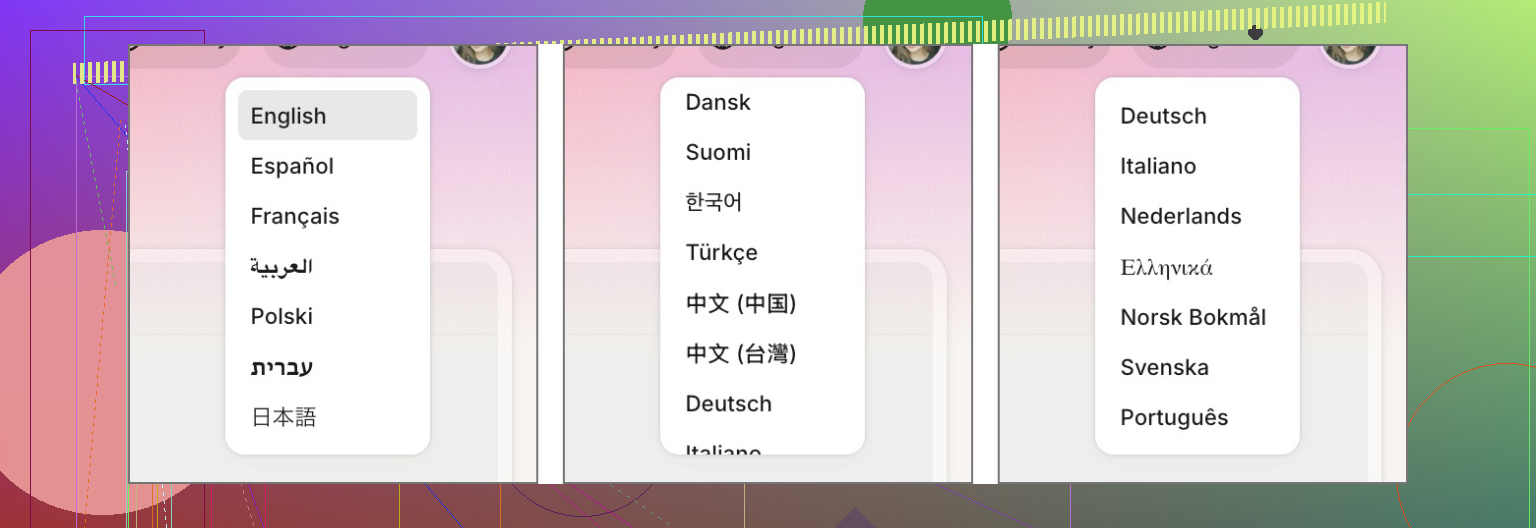
It’s not limited to English. It supports languages like French, Spanish, Italian, German, Dutch, Portuguese, Polish, and more. The UI itself also supports multiple languages. So if you’re not a native English speaker or you’re working on multilingual projects, you’re not forced to use a browser translator just to understand the interface.
How Clever AI Humanizer Works
I didn’t want to just say “it works” without showing how you actually use it. This part is from the user side only. If you want their technical explanation of the internals, they have that here: https://aihumanizer.net/how-does-ai-humanizer-work. I’m not going to pretend I reverse-engineered their model.
Using it is pretty straightforward and doesn’t require any weird setup.
-
Open your browser and go to https://aihumanizer.net/.
-
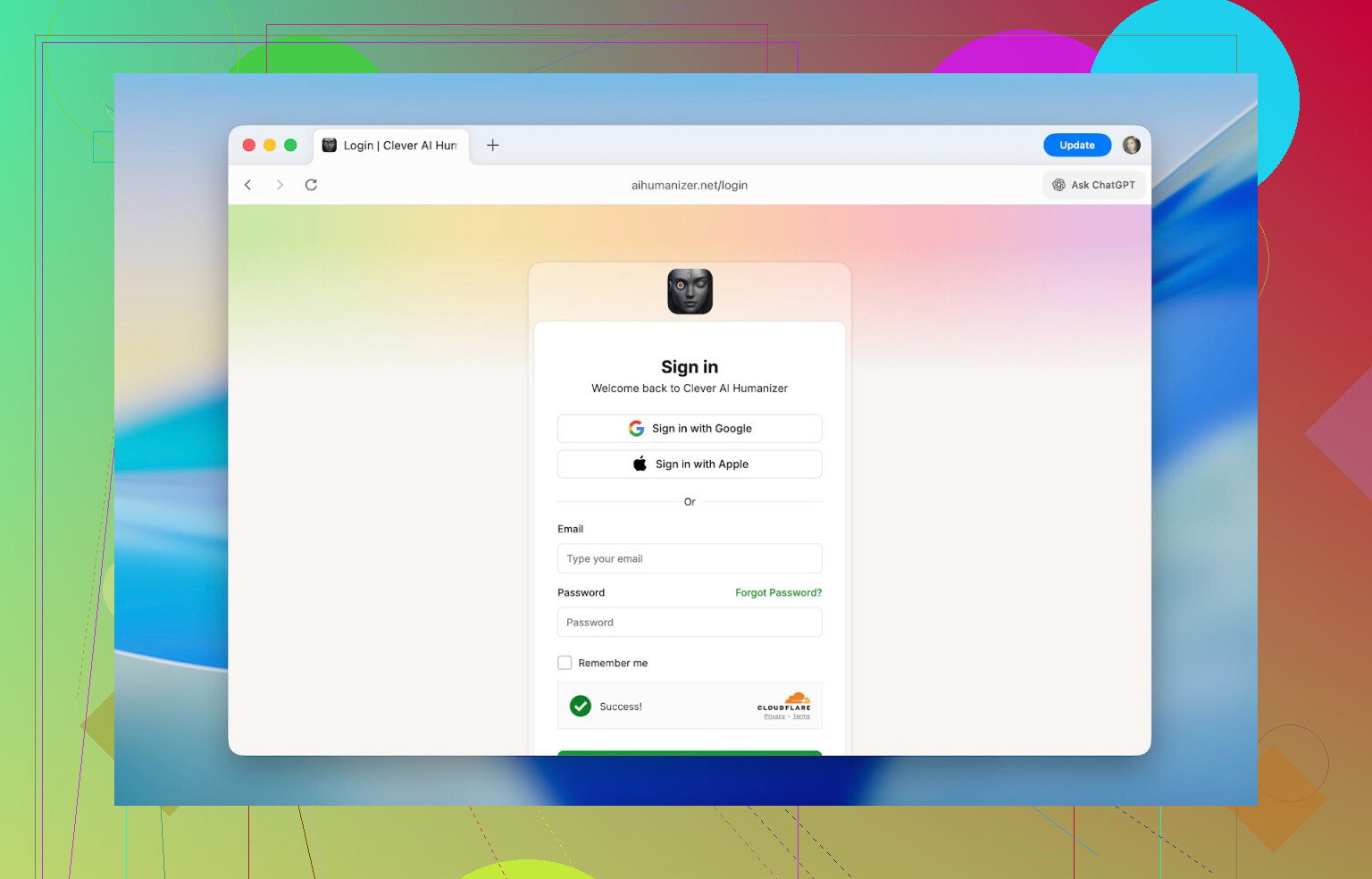
Click Sign In in the top-right if you want the extra word allowance and the history feature. You can log in with Apple, Google, or old-school email + password.
-
Paste your original text into the left-hand editor. That’s the “input” side.
-
At the bottom, pick your style (Casual, Formal, Academic), then hit Humanize AI. It’ll churn for a bit.
-
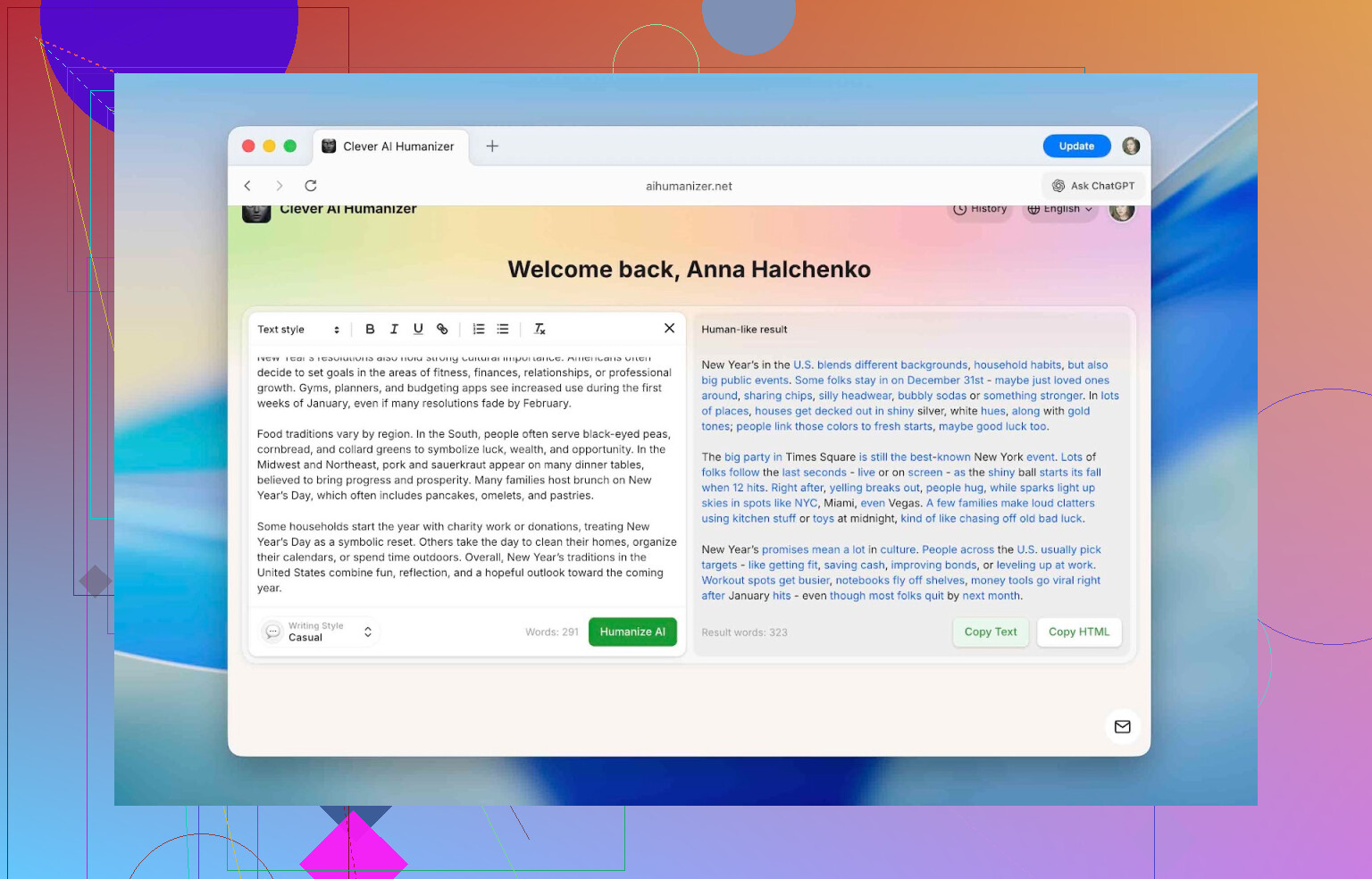
The rewritten version appears on the right. Changes show up in blue, which makes it obvious what was altered. Then you just copy the final text into your doc, LMS, CMS, etc. If you’re paranoid, you can also immediately put it into an AI checker and see what score it gets.
Accuracy of Clever AI Humanizer Against AI Detectors
This is the part most people care about: does it actually change what AI detectors say? I tested it against four popular tools:
- QuillBot AI Checker
- ZeroGPT
- GPTZero
- Undetectable AI detector
These are already used a lot in academic and business contexts, so I wanted to see how Clever AI Humanizer held up there.
Here’s how I ran the test:
-
I used ChatGPT to generate a “typical” answer: generic tone, simple structure, nothing fancy. The sort of thing you’d get from a normal prompt with no manual editing.
-
I pasted that raw text into all four detectors. Every single one flagged it as AI with sky-high scores.
-
I then ran the exact same text through Clever AI Humanizer, using the Casual mode. No manual tweaks, just a one-click conversion.
-
Finally, I put the “humanized” version into the same four detectors and recorded the numbers.
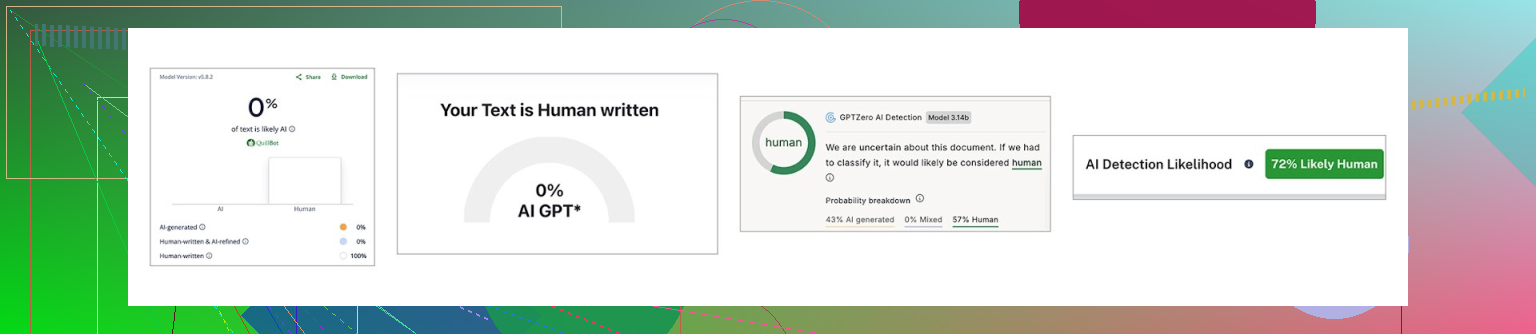
| QuillBot | ZeroGPT | GPTZero | Undetectable AI | |
| Before, % | 98 | 100 | 100 | 90 |
| After, % | 0 | 0 | 43 | 27 |
So yeah, the detectors reacted very differently afterward. Both QuillBot and ZeroGPT dropped to 0%. GPTZero still thought there was some AI influence with 43%, and Undetectable AI’s checker landed around 27%. That lines up with something I’ve seen before in AI checker comparisons: each platform uses its own mix of signals, math, and assumptions. More details on that here if you care: https://www.insanelymac.com/blog/clever-ai-humanizer-review/[sc%20name=.
None of these tools give “proof” in the strict sense, only probabilities that writing “looks like AI.” Human review and context still matter a lot.
Important note: I don’t recommend submitting fully AI-written work (even if humanized) for anything serious like graded assignments or professional reports. For this test, I used 100% AI text on purpose just to measure how detection scores change.
The more responsible way to use something like this looks more like:
- You draft the main content yourself.
- You lean on AI to fix grammar, suggest rewording, or fill in minor gaps.
- You run only those AI-heavy fragments through a humanizer to smooth out the “AI signature” in your writing style.
That way, the ideas and structure are still yours, and you’re just using tools to polish instead of offloading the entire job.
Comparison With Other AI Humanizers
I didn’t want to review it in a vacuum. If you Google “AI humanizer,” a bunch of names pop up. For a reality check, I compared Clever AI Humanizer to other popular options:
- Humanize AI
- Originality.ai Humanizer
- Undetectable AI Humanizer
- QuillBot AI Humanizer
- AI Humanize
- Decopy AI Humanizer
I didn’t use any secret method to pick those. I just typed an AI humanizer query into Google and opened what most people would see on the first few pages.
To keep the comparison from turning into a novel, I focused on a few practical metrics:
- Pricing (free vs subscription vs one-time)
- Monthly word allowance
- Extra features
- How much they actually reduce detection scores on the same base text
I used the exact same ChatGPT-generated text from before, ran it through each humanizer, and then checked all outputs with ZeroGPT. I stuck to ZeroGPT here because it’s free and fast for repeated testing.
The numbers ended up like this:
| Metrics | Clever AI Humanizer | Humanize AI | Originality.ai Humanizer | Undetectable AI Humanizer | QuillBot AI Humanizer | AI Humanize | Decopy AI Humanizer |
| Pricing model | Free | Light $19/ Standard $29 / Pro $79 | $14.95/month or pay-as-you-go $30 | from $19/month | $9.95/month | Basic $15/ Pro $25 / Unlimited $40 | Free |
| Monthly word limit | 210000 | 20000 | 200000 | 20000 | Unlimited | 15000 | Unlimited |
| Additional features | Formatting preserved, rewrite history, 3 tone modes | Humanization style | Plagiarism/AI detection, scan history, 4 tone modes, control of the output text length | – | Rewrite history | 8 tone modes, rewrite history | 8 tone modes, control of the output text length |
| Detection drop in tests (ZeroGPT) | 0% | 100% | 100% | 17.76% | 65.12% | 53.74% | 62.4% |
Some of these tools have such strict free limits that you can’t really test them properly without paying. In those cases, I just used their cheapest paid tier numbers so the comparison reflected how someone would realistically use them.
In theory, you could compare everything: UI, speed, language support, customization, etc. But if your primary concern is “I don’t want an AI detector to scream at my text” and “I don’t want to overpay for that,” the two metrics that actually matter are:
- How much it reduces AI detection scores
- How much money you have to spend to get that result
On those two points, Clever AI Humanizer basically sits in the sweet spot. It gave me the lowest detection result in the ZeroGPT tests and didn’t cost anything. No subscription, no weird credits system, and the daily quota is generous enough for regular use.
The most surprising entries in this comparison were QuillBot AI Humanizer and Originality.ai Humanizer. Both are well-known, heavily marketed, and subscription-based. But the humanized text still came out as almost 100% AI in ZeroGPT’s eyes. If the goal is specifically “make this text harder to flag as AI,” that’s a problem. They might still be useful for other reasons (brand trust, ecosystem, extra tools), but for this specific job, they didn’t impress.
From what I tested, the two most viable options if you care mainly about bypassing detection are:
- Clever AI Humanizer – best reduction in scores, actually free, useful extra features.
- Undetectable AI Humanizer – second place in detection performance, but fully paid, starting from about $19 per month depending on your word allowance.
Use Cases for Clever AI Humanizer
After playing with it for a while, I realized it’s not just for school-related stuff. Anywhere AI text starts to sound samey, you can use a humanizer to give it a more natural voice.
Some practical uses where it fits nicely:
- Cleaning up AI-heavy parts of essays, homework, lab reports, and slide notes so they sound less mechanical.
- Rewriting social media captions and descriptions (Instagram, Threads, TikTok, YouTube) so they don’t feel copy-pasted from a bot.
- Making product descriptions on marketplaces sound more unique and trustworthy instead of generic.
- Refining web pages or blog posts that started as AI drafts.
- Polishing internal documentation and memos that were drafted with AI help.
- Adapting guest posts or sponsored articles so they fit the tone of the site you’re sending them to.
In all those cases, you already have text that “works” structurally, but it needs more personality, less stiffness, and fewer obvious AI fingerprints. Clever AI Humanizer handles that decently in one pass.
Conclusion
After running multiple tests, checking outputs, and comparing tools, I can say the marketing pitch for Clever AI Humanizer isn’t just hot air. It did noticeably lower AI detection scores across multiple platforms while staying free to use in a meaningful way. The ~7,000 words per day limit is enough for a few full essays or a handful of smaller tasks, and the history + tone options + formatting preservation are genuinely useful quality-of-life features that many paid tools skip.
If your main aim is to make AI-assisted writing sound closer to how you actually talk on the page, it’s worth trying. Just don’t fall into the trap of letting AI (or humanizers) do the entire job. These tools are good for smoothing edges and hiding obvious patterns, but they’re not a replacement for your own ideas.
If you’ve used Clever AI Humanizer yourself or have thoughts about humanized AI content in general, you can share them here: https://www.insanelymac.com/forum/. The whole topic is evolving fast and honestly deserves more real-world feedback and discussion.
Short answer: for speed, Clever Ai Humanizer > manual. For control & safety, manual > tool. The “best” depends on what you’re actually trying to solve.
I’ve been in the same boat as you: manually rewording AI drafts so they don’t sound like a corporate help center. It works, but it’s mind-numbing and super slow once you’re past a few hundred words.
A few points that might help you decide:
-
Naturalness vs. “humanized”
- Manual rewriting keeps your voice, your weird phrasings, your habits. Detectors aside, that’s what actually feels human.
- Clever Ai Humanizer produces text that’s less robotic than raw GPT, but it sometimes leans into a kind of “generic human blogger” voice. It’s smoother, but not necessarily you.
- I’ve had cases where I ran something through a humanizer, then read it a few days later and thought, “Yeah this still sounds ‘tool-ish’, just in a different way.” You’ll still want a quick pass to inject your own quirks.
-
AI detection reality check
- @mikeappsreviewer already showed numbers where detectors drop a ton after using Clever Ai Humanizer. I’ve seen similar, but not as extreme across the board.
- Important bit: detectors are probabilistic. They can flag 100% human writing as AI and vice versa. Basing your whole workflow on “beat the checker” is kinda building on sand.
- If this is for school or work where policies are strict, relying on only Clever Ai Humanizer to “cover your tracks” is risky. A human reviewer can still tell if the ideas are thin or the wording is too polished compared to your usual work.
-
Speed & mental energy
- Manual rewrite of a 1,500 word article can easily chew 1–2 hours if you’re being careful and not just word-swapping.
- Running it through Clever Ai Humanizer cuts that down to a few minutes, then maybe 10–15 minutes of you tweaking phrasing and adding your own examples.
- If you’re doing multiple pieces per day, your current “do it all by hand” approach is going to burn you out. Here the tool is absolutely worth it as a first pass.
-
Where I actually think Clever Ai Humanizer is better than manual
- Low-stakes stuff: social captions, internal docs, quick emails, outlines. You don’t need masterpiece-level control; you just want “not obviously AI” and done.
- Chunk editing: if you have a few paragraphs that sound way too robotic, running them through Clever Ai Humanizer and then touching them up is faster and usually reads more naturally than trying to fight with every sentence manually.
- When English isn’t your first language: it’s really good at smoothing grammar and rhythm without making everything sound like a textbook. Manual rewriting can be harder in that case.
-
Where manual is still better
- Anything that reflects your expertise or personality: portfolio pieces, opinion posts, client-facing work under your name, graded assignments where they know your usual level.
- Nuanced topics where a subtle change in wording can break the meaning. Humanizers sometimes introduce tiny inaccuracies. If you’re writing legal, medical, technical, or research-heavy stuff, you absolutely want manual control.
- Matching a specific brand voice. Clever Ai Humanizer has tone modes, but “Formal” / “Academic” is not the same as “our brand, with our slang, our in-jokes.”
-
Workflow that’s less painful than what you’re doing now
What has worked best for me is:- Generate or draft content (AI or half-AI).
- Run only the stiffest parts through Clever Ai Humanizer.
- Skim the output and:
- Fix any odd word choices
- Insert your own anecdotes or examples
- Add small imperfections: shorter sentences, occasional contractions, a tiny bit of hedging, etc.
- Ignore AI detectors unless someone explicitly requires them.
So to your question “is Clever Ai Humanizer really better than manual rewriting?”:
- If your main pain is time and fatigue, yes, it’s better as a starting point.
- If your main goal is authentic voice and zero risk with detection policies, no, it doesn’t beat a human carefully reworking their own draft.
Personally, I’d stop manually rewriting every single sentence from scratch. Use Clever Ai Humanizer to knock that robotic edge off, then spend your energy on making sure the content actually sounds like you and says something worth reading. That combo is way more sustainable than pure manual slogging or pure “hit humanize and submit.”
Short version: Clever Ai Humanizer is “better” than manual rewriting only if your main goal is speed and getting past lazy AI checks. If you actually care about voice and consistency, it’s a tool, not a replacement for your own editing.
Couple of angles that @mikeappsreviewer and @mike34 didn’t lean on as much:
- Naturalness vs. consistency with your past work
Manual rewriting has one huge advantage: it matches you. Same kind of transitions, same level of vocabulary, same little mistakes. That’s exactly what instructors / clients subconsciously look for.
Clever Ai Humanizer makes text more natural than raw GPT, sure, but it has its own “house style.” If your previous work is rough, slightly repetitive, and casual, then suddenly you hand in something perfectly structured and “bloggy,” a human reviewer may not care what any detector says.
So:
- If your previous stuff is polished, the Clever Ai Humanizer output blends in fine.
- If your older writing is messy, you might actually want to downgrade the humanized text a bit so it doesn’t look like a different person wrote it.
- Risk profile nobody talks about
You’re basically trying to:
- Use AI
- Hide that you used AI
- Get past both automatic tools and a human eyeball check
That is three layers of risk. Tools like Clever Ai Humanizer reduce the first obvious red flags: high perplexity, very uniform sentences, typical LLM phrasing. They do nothing about:
- Wrong facts
- Weird logic jumps
- Generic arguments that scream “template essay”
Manual rewriting forces you to engage with the content, which usually fixes those. If you use Clever Ai Humanizer as a one‑click “laundry machine” and never reread critically, the text can be “undetectable” and still feel empty.
- Where Clever Ai Humanizer actually shines
This is where I disagree a bit with the “only use it on small chunks” idea:
-
Long, mechanical sections
Stuff like background theory, generic how‑to steps, or product feature lists are perfect for it. Those are painful to rewrite manually and nobody cares about your personal voice there. I’d happily feed a full 1k‑word block into Clever Ai Humanizer and just do a quick sanity check after. -
Non‑native English cases
If English isn’t your first language, manual rewriting can introduce awkwardness. In that case Clever Ai Humanizer is legitimately better than your own manual passes at sounding “native” while still not looking straight‑up like base ChatGPT.
- Where manual > any humanizer
- Anything that’s supposed to show your thinking: personal statements, opinion pieces, grades‑critical essays, client strategy docs.
- Stuff where word choice matters legally, technically, or ethically. Humanizers sometimes swap terms that sound fine but change meaning slightly. I’ve seen it mess up technical nuance more than once.
- A hybrid workflow that actually works
If you’re exhausted by manual rewriting, trying to keep doing “100% hand rewrite” is a losing battle. But going full “paste in GPT output, humanize, send” is just asking for trouble.
What actually holds up:
- Draft with AI or yourself.
- Run the most robotic sections through Clever Ai Humanizer.
- Then manually:
- Put back your own phrasing in a few places.
- Add 1–2 personal examples or asides.
- Shorten a couple sentences, leave one a bit clunky on purpose.
That last part sounds silly, but natural writing has uneven edges. Perfectly smooth = suspicious.
- Directly answering your question
Does Clever Ai Humanizer produce more “human‑sounding” text than careful manual rewriting?
- Compared to your quick, tired manual edits: usually yes.
- Compared to your careful, focused rewrite where you rewrite ideas, not just words: no, it just can’t mimic your actual brain.
If you’re burned out from doing every line by hand, I’d absolutely pull Clever Ai Humanizer into your workflow, but treat it like a first pass, not a magic invisibility cloak. Use it to save your energy for the parts that really need your voice.
Short version: use the tool, but treat it like a power‑paraphraser, not a fake‑you.
Where Clever Ai Humanizer really helps vs manual:
Pros
- Much faster on bland sections. Things like generic intros, definitions, background paragraphs are perfect to offload. This is where your “slow and exhausting” manual edits are mostly a waste of energy.
- Output feels less template‑LLM than raw ChatGPT. The tests that @mikeappsreviewer posted with QuillBot / ZeroGPT etc show that pretty clearly.
- Formatting preservation is underrated. If you’re working in long docs with headings, lists, links, it saves a lot of grunt work compared with rewriting by hand.
- Multiple tones are actually useful if you switch contexts a lot (e.g. homework vs blog vs internal docs).
- Word allowance is generous enough to use daily instead of “strictly for emergencies.”
Cons
- It still has a recognizable “polished blog” vibe. @mike34 touched this from another angle: if your natural writing is rough or very personal, Clever Ai Humanizer can make your work look like a different author.
- No awareness of your past essays or emails. Manual rewriting automatically keeps your personal quirks; the tool cannot.
- It does not fix shaky arguments or weak ideas. If the base AI text is shallow, it stays shallow, just smoother. Manual rewriting forces you to notice logical gaps.
- For technical or niche topics, it can soften precision. I have seen tools like this replace exact phrasing with friendlier but slightly wrong wording.
I slightly disagree with the “only use on small chunks” angle that came up: I’d actually send full 800–1000 word blocks through Clever Ai Humanizer for:
- Background sections in essays
- FAQ‑style help pages
- Product feature breakdowns
- SEO filler paragraphs
Then I would manually:
- Reinsert 2–3 sentences that sound like you, even if they are less “pretty.”
- Add one specific example from your own experience.
- Intentionally leave one or two sentences a bit uneven. Perfect rhythm often screams auto‑generated.
That hybrid approach beats both fully manual (too slow) and pure one‑click “wash and submit” that @voyageurdubois was rightly cautious about.
So is Clever Ai Humanizer “better” than your careful manual rewrite?
- For speed and beating the lazier detectors: yes, use it.
- For matching your real voice and thinking: no, keep a final human editing pass.
If you are already burned out, I would absolutely bring Clever Ai Humanizer into the workflow, but only as the middle layer: draft → humanizer → you.
Your take is clear. Tool wins on speed, manual wins on voice and risk. Detectors swing, so dont chase scores. Clever AI Humanizer keeps formatting, offers tones, free quota. Tests showed drops from 98 to 0 in some checkers, not all.
Alternative, simpler fix: voice rewrite. Read teh draft aloud into your phone, use speech to text. Speaking hits 150 to 180 wpm. Typing sits near 40 wpm. Result mirrors your phrasing, filler, pauses. Steps: skim, mark stiff spots, speak, paste transcript, quick edit, add one example. Saves 3x time and keeps your voice.