I accidentally deleted some important files from my laptop and I’m thinking about using Recuva to recover them. Before I install and run it, I need to know if it’s safe to use on my main Windows laptop without risking more data loss, system issues, or overwriting the files I’m trying to get back. Looking for advice on the safest way to recover deleted files with Recuva.
People ask this all the time, and I never give a clean yes or no because the question hides two different issues. If you mean malware, then yes, Recuva is safe. It is not a trojan, not ransomware, and it is not built to wreck your PC. If you mean privacy, or whether using it puts your deleted files at risk, then the answer gets messier fast.
I spent a chunk of time testing recovery apps after screwing up my own drives a few times. Some tools helped. Some made me wish I had stopped sooner. Recuva sits in the middle. Fine in a narrow lane, rough outside it.
About the old malware scare
A lot of the fear traces back to the 2017 CCleaner breach. Same company family. Piriform made both products, and one CCleaner update got poisoned in a supply chain attack. That was real, and people still bring it up for a reason.
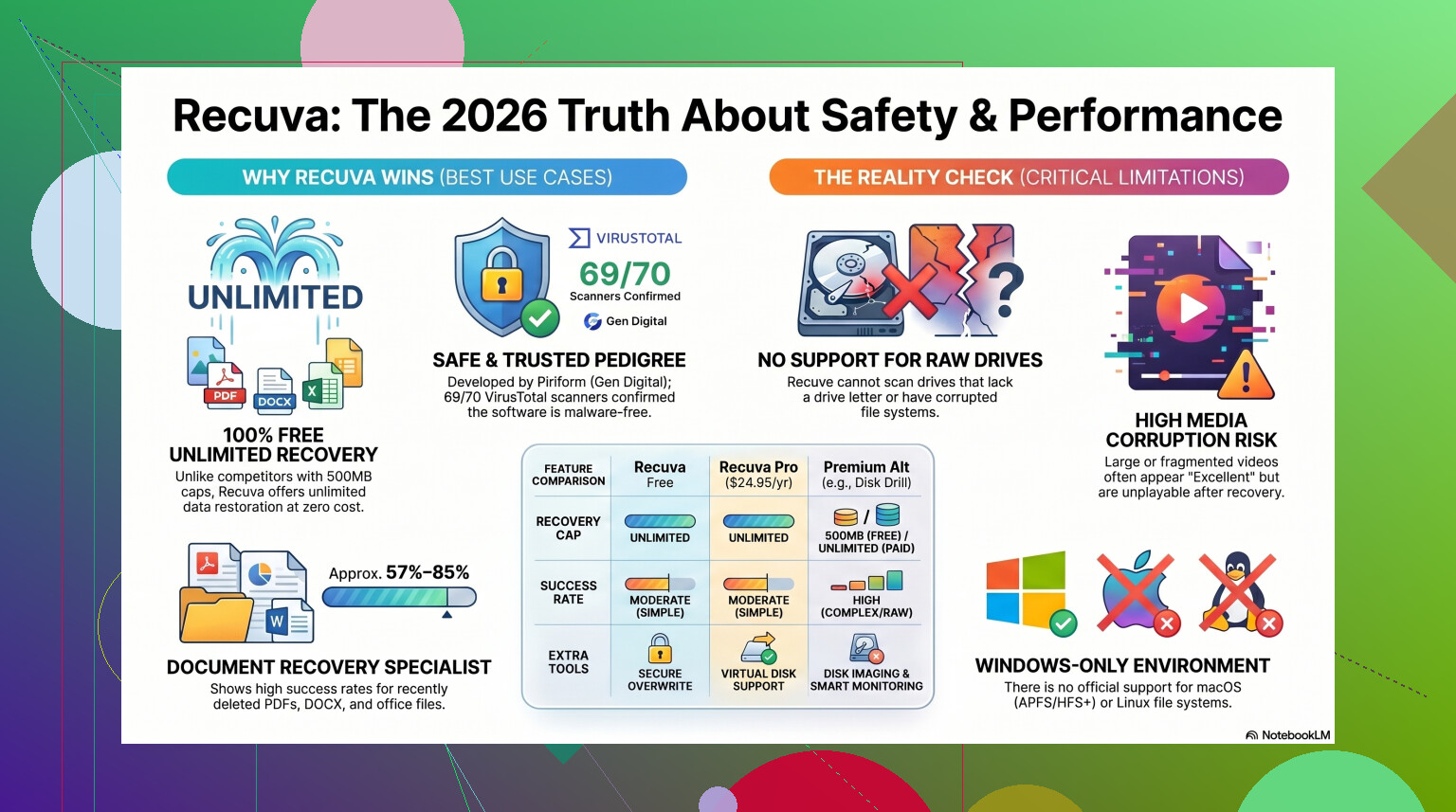
Still, 2026 is not 2017. Piriform ended up under Avast, then under Gen Digital. Current Recuva installers are scanned all over the place. If you throw the latest file into VirusTotal, you usually get a clean result or one oddball detection from some tiny engine. I saw the same thing with other low level disk tools. Recovery software pokes around in places normal apps do not, so heuristic scanners sometimes throw a fit.
If you get it from the official source, you are not walking into malware. That part is pretty plain.
The privacy part is less clean
This is the bit people skip. Recuva itself is not spying in some cartoon-villain way, but the company does collect routine system data. Stuff like your IP, device identifiers, operating system details, and location data tied to licensing and fraud checks. Nothing unusual for a modern Windows utility, but if you hate telemetry on principle, you will notice it.
What I did right after install was open Options, then Privacy, then untick 'Help improve our other apps by sending usage data'. Takes ten seconds. Do it before you start clicking around.
One detail worth knowing, they keep IP data for 36 months before anonymizing it. Some people shrug at that. I don’t love it. Your call.
The part where people ruin their own recovery
Here is the rule I wish more people saw before they panic-download anything.
Do not install Recuva onto the same drive you are trying to recover.
Deleted files are often still sitting there until new data lands on top of them. Windows usually removes the reference first, not the file contents. So when you save the installer onto the problem drive, you risk overwriting the exact blocks you are trying to save. I did this once with an old SD card. Dumb move. Those photos never came back.
The safer route is the portable version. Put it on a USB stick. Run it from there. Same rule for recovered files, do not save them back to the scanned drive. Use another disk, external drive, or at least a different partition if you have no other choice.
How well it works in real use
This is where enthusiasm fades. Recuva still feels old. It has had maintenance work so it keeps running on Windows 11, sure, but the engine underneath still acts like an old undelete utility from another era.
For simple mistakes, it does fine. You emptied the Recycle Bin ten minutes ago. The drive is healthy. File system is intact. Recuva has a fair shot. It is quick, small, and free without a recovery cap. Hard to complain in that setup.
Once the job gets ugly, it starts missing punches.
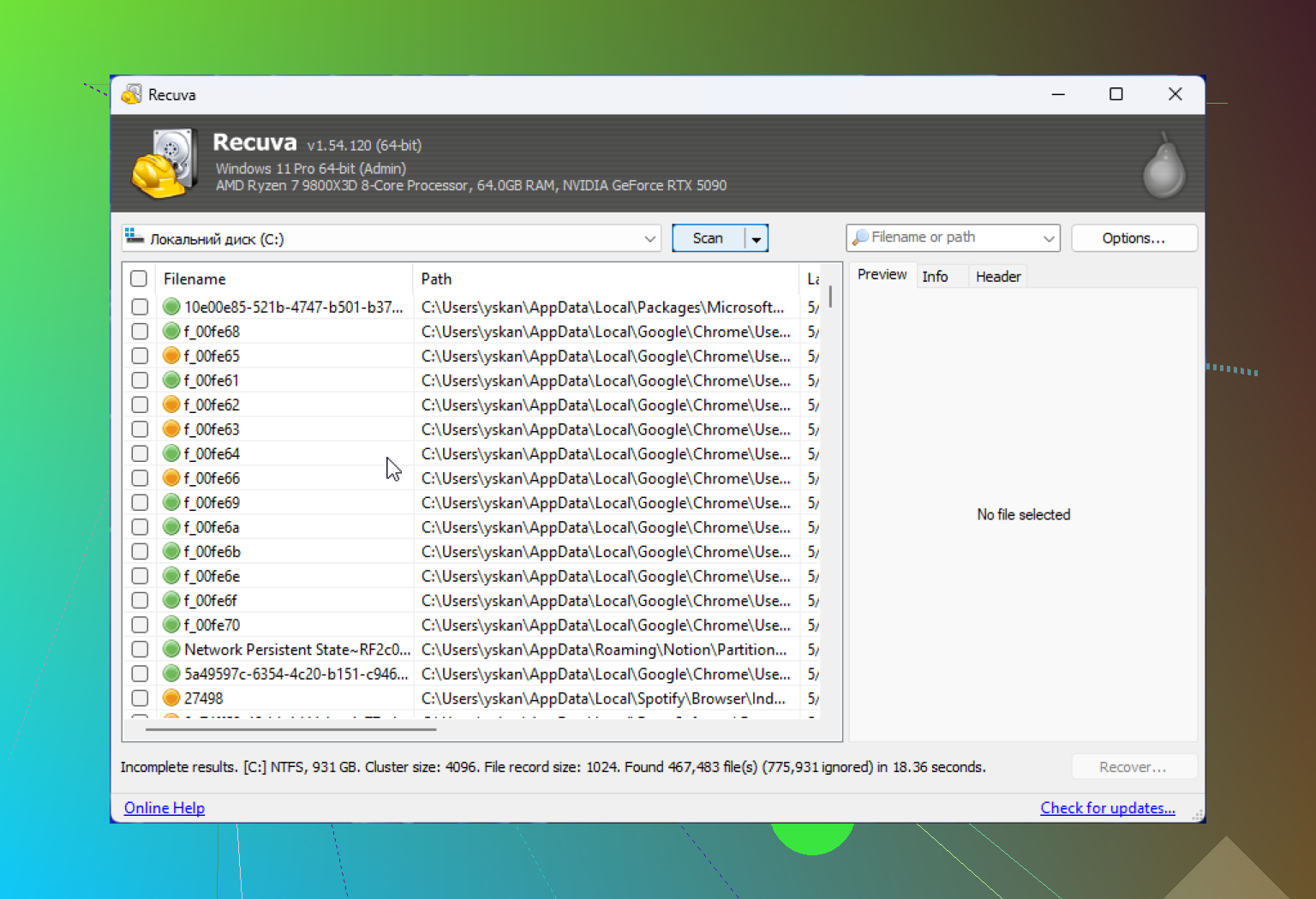
If the drive shows up as RAW, or Windows nags you to format it, Recuva often does nothing useful. It likes healthy, visible partitions. On formatted USB tests, I kept seeing figures in the rough 63% to 67% range. Worse, some of the files it 'recovers' are junk. I had JPGs marked 'Excellent' that would not open at all. You click them and get an error box, end of story.
Another headache, it often strips away folder structure. So instead of getting your project back in any sane layout, you get a landfill of renamed files like 00001.jpg, 00002.jpg, 00003.jpg. If there are 10,000 of them, good luck sorting your life back together. Been there. It sucks.
When free stops being cheap
I still think Recuva is worth one first pass if the mistake was recent and the drive is healthy. Past that, I stop trusting it.
If the files matter, your only copy of family photos, tax records, work docs, footage from a paid shoot, you do not want to burn time with a tool that tops out early. Repeated scans hit a failing drive over and over. If hardware is already shaky, each extra pass feels like gambling with worse odds.
When Recuva comes up empty, or the drive is RAW, or you are dealing with a Mac file system, I would move to something stronger. From what I’ve used, Disk Drill has done better on the harder cases.
It handles damaged partitions and RAW volumes Recuva often ignores. Recovery rates on formatted media are often closer to 95% to 97% in decent test setups. The feature I care about most is Byte-to-Byte Disk Imaging. You clone the sick drive first, then scan the clone. That matters. If the original drive dies in the middle, you still have the image. Recuva does not give you that safety net.
Media people should pay attention here. Recuva struggles with fragmented video and camera RAW formats from brands like Nikon and Canon. If your work lives in those file types, Recuva feels underprepared.
For a side by side look, this review is worth watching:
https://www.youtube.com/watch?v=z0CVd7PxOms
My take after using it
If you need a free tool for a simple Windows mistake, Recuva is a fair first try. I would still keep these rules in front of you:
- Get it from the official site.
- Use the portable build when you can.
- Turn off data sharing in the privacy settings.
- Do not expect miracles.
If the scan finds nothing useful, or the files come back broken, stop touching the drive. Don’t keep poking at it out of panic. Switch to a stronger recovery tool and work from there.
So yeah, Recuva is safe in the malware sense. It is less safe if you use it carelessly, and less useful once the damage gets serious. For easy recoveries, it still earns a spot. For high-stakes stuff, I would not bet my only copy on it. I learned taht lesson the annoying way.
Yes, Recuva is safe to run on your main Windows laptop if you get it from the official source. It is not known for trashing systems or sneaking in malware. I agree with @mikeappsreviewer on that part.
Where I differ a bit is the risk people should focus on. For most users, the bigger danger is not Recuva itself. It’s what Windows does after deletion. Every minute you keep using the laptop, temp files, browser cache, updates, and app installs eat free space and overwrite deleted data. So the laptop is the risk, not the app.
My take:
- If the files are important, stop using the laptop now.
- If you must try Recuva, use the portable version from USB.
- Save recovered files to an external drive, not back to C:.
- If the SSD has TRIM enabled, recovery odds drop fast. On many modern laptops, deleted files on SSDs are gone for good pretty quik.
This is why I’m less upbeat on Recuva for a main laptop in 2026. It works best for recent deletes on healthy drives, mostly HDDs and some USB media. On SSD-based laptops, results are hit or miss.
If your files matter, I’d skip the one-tool gamble and read a list of top-rated data recovery software here:
best data recovery software for deleted files and damaged drives
Disk Drill is worth a look if Recuva finds filenames but returns corrupted stuff, or if you want a cleaner scan on modern Windows systems. Recuva is safe. It’s the success rate I wouldn’t trust blind.
Safe to run? Usually yes. Safe for the deleted files? That depends, and this is where I slightly part ways with @mikeappsreviewer and @ombrasilente.
Recuva itself is generally fine if you download it from the official source. It’s a legit Windows file recovery tool, not some mystery exe from 2009. But I would not install anything onto the same internal drive if the files really matter. That includes Recuva. People focus on “is the app safe,” when the real issue is write activity on the laptop.
What I’d do is this:
- stop using the laptop as much as possible
- if the deleted files were on the internal SSD, keep expectations low
- boot as little as possible if it was a super important deletion
- use a portable recovery tool from USB, or pull the drive and scan it from another machine if you can
Also, small disagreement with the usual “just try Recuva first” advice: that’s fine for throwaway stuff, but for important files on a modern SSD laptop, Recuva can be more of a quick test than a real plan. TRIM is brutal. Sometimes the files are gone before you even finish your coffee.
If you want background on how Recuva file recovery works on Windows, it’s been around forever and it’s well-known, just not exactly cutting edge now.
My honest take:
- Recuva is safe enough to run
- your main laptop is not the ideal place to install recovery software
- SSD + TRIM = recovery odds can be pretty bad
- if the files are important, Disk Drill is often the better next step because it’s stronger on modern drives and nastier recovery cases
So yeah, Recuva won’t usually harm your laptop, but using it carelessly absolutely can hurt your chances. That’s the part pepole mix up.
Safe for Windows? Usually yes. Safe for recovery odds? That’s the real question.
I mostly agree with @ombrasilente, @hoshikuzu, and @mikeappsreviewer that Recuva itself is not some dangerous app if it comes from the official source. Where I disagree a bit is the idea that it is always the best “first try” on a main laptop. On a modern SSD system, a weak first try can waste the best recovery window.
My take:
- Recuva is lightweight and generally harmless
- the main risk is background writes from normal laptop use
- on SSDs, recovery can fail even when the software is perfectly safe
One extra thing people forget: if BitLocker or device encryption is involved, deleted file recovery can get weirder and less predictable depending on what happened before deletion.
If you want a more capable option, Disk Drill is often a better pick for modern drives.
Disk Drill pros:
- better interface
- stronger scan results in tougher cases
- good preview support
- can create a backup image first
Disk Drill cons:
- not fully free for actual recovery beyond preview limits on Windows
- heavier than Recuva
- can be overkill for a simple accidental delete
So yes, Recuva is safe enough to run. I just would not confuse “safe to launch” with “best chance to get your files back.”