I’ve been testing Undetectable AI’s humanizer to make my AI-generated content sound more natural and pass common AI detectors, but I can’t keep paying for it. Are there any reliable free tools or workflows that can do something similar without killing readability or getting flagged as spam? I’d really appreciate specific tool names, settings, or techniques that are working for you right now.
- Clever AI Humanizer Review
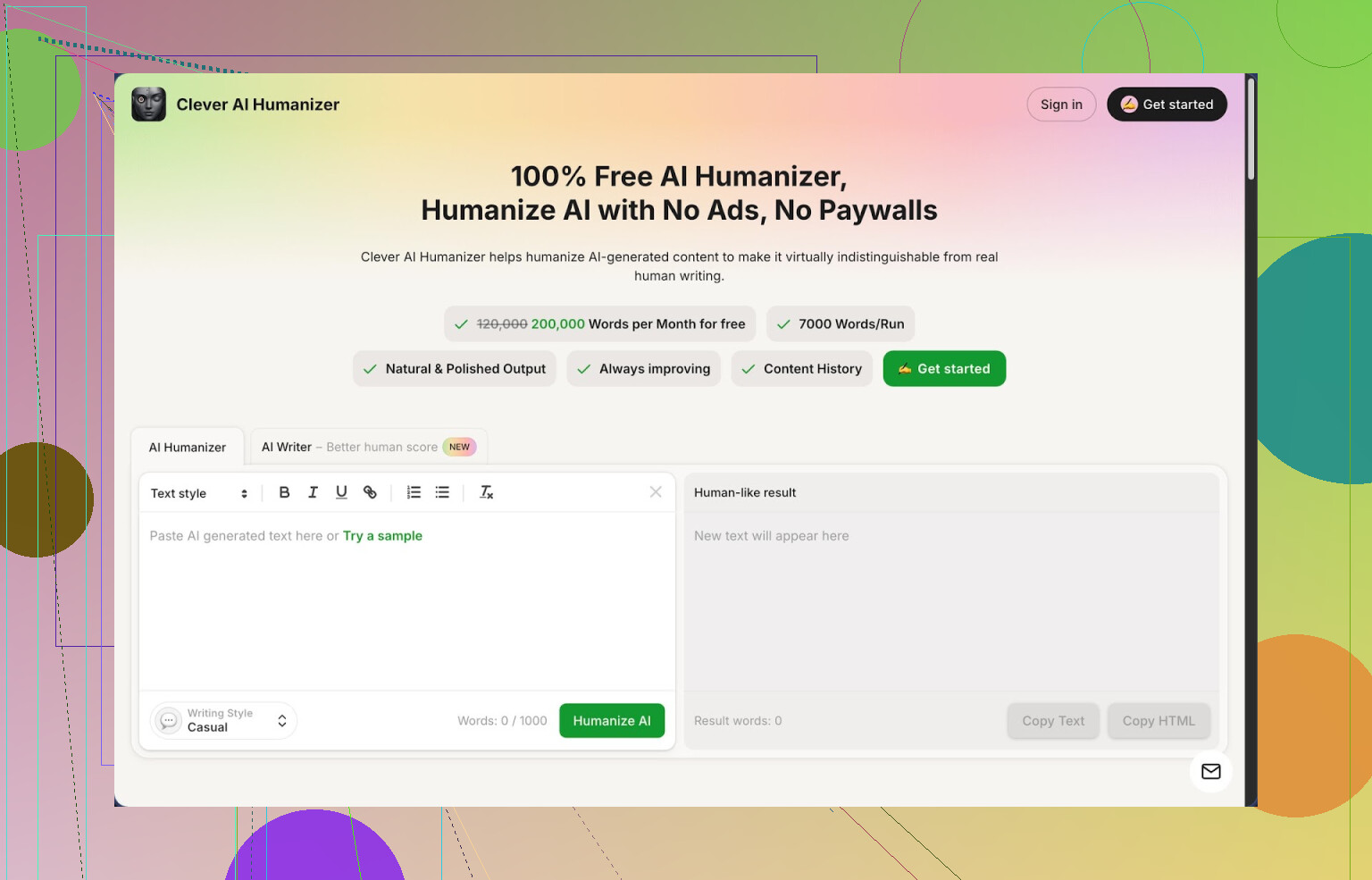
I have been messing with a lot of “AI humanizer” tools, mostly because the stuff I get from normal AI writers keeps tripping every detector teachers and clients throw at it. Out of everything I tried, Clever AI Humanizer at https://cleverhumanizer.ai is the one I ended up keeping open in a pinned tab.
Quick context on limits and pricing
You get around 200,000 words each month for free, with up to about 7,000 words per run. No credit system, no “oops you hit your cap, upgrade now” popup. For most students, freelancers, or small bloggers, that is a lot of room to test, rewrite, and mess up without caring about cost.
It has three main styles:
- Casual
- Simple Academic
- Simple Formal
Plus a built in AI writer that feeds straight into the humanizer.
I threw three different samples into it, all in the Casual style, then ran them through ZeroGPT. Each one came back at 0 percent AI on ZeroGPT. That surprised me, because most of the other tools I tried either broke the meaning or still got flagged as AI-heavy.
Free AI Humanizer module
This is the main feature I keep using.
My workflow looks like this:
- I paste AI output into the Humanizer.
- I pick a style, usually Casual for blog-type stuff or Simple Academic for school-type work.
- I hit the button and wait a few seconds.
The output tends to:
- Keep the original meaning close to what I wrote.
- Remove a lot of the stiff patterns that detectors latch on to.
- Read more like someone who wrote it in a hurry, then did one edit pass.
The big thing I noticed, it does not nuke the core idea. It reshapes sentences, moves parts around, changes phrasing, but the logic and structure stay mostly the same. That matters if you write something technical or specific and do not want it turned into vague fluff.
One tradeoff, the text often ends up longer. It adds extra context phrases or rewrites short robotic lines into more natural, slightly longer sentences. That extra length seems to help with detection, but you need to keep an eye on word counts if you have strict limits.
Free AI Writer
Inside the same site, there is a basic AI writer. You throw in a topic, a short prompt, pick a style, and it spits out text. The trick is that you can send that output into the Humanizer in the same flow instead of copying between different sites.
For example, I did:
- Topic: “benefits of local backups for small businesses”
- Style: Simple Academic
- Generated a short article
- Sent it straight into the Humanizer in Casual
Then I ran the final version through ZeroGPT again. The “raw” AI writer text scored like you expect from an AI model, high detection. The humanized version dropped to 0 percent. Same content, but the shape of the sentences changed enough to dodge the patterns detectors look for.
So if you already write with AI and want to run everything through a post-process layer, having the writer and humanizer tightly connected speeds that up.
Free Grammar Checker
There is also a grammar checker built in. It hits:
- Spelling
- Basic punctuation
- Clarity tweaks
I tested it on a few messy drafts from a college friend’s essays. Nothing fancy like huge style overhauls, it mostly:
- Fixed run-ons
- Cleaned up comma splices
- Adjusted awkward phrasing
I would not use it as a heavy editing tool for tone, but for quick cleanup right before sending something to a client or teacher, it did the job.
Free AI Paraphraser
This one is more for rewriting existing content. You paste text, then get a rephrased version that holds the same idea but with different wording.
I used it in three cases:
- SEO stuff, where you want a second version of similar content without straight duplication.
- Draft rewriting, when the first version sounded stiff.
- Tone adjustment, turning formal paragraphs into something more neutral.
It stays closer to the source than the humanizer, so if you want bigger changes to patterns for detector avoidance, the humanizer gives a stronger shift. If you need the meaning to stay tighter, the paraphraser works better.
How the workflow feels in practice
What I ended up liking is that it puts four things in one place:
- Humanizing AI text
- Generating new text
- Fixing grammar issues
- Paraphrasing existing writing
So my actual pipeline on a heavy writing day looks like:
- Draft with an AI model or with their built in writer.
- Run the whole thing through the Humanizer in Casual or Simple Formal.
- Run the result through the Grammar Checker for small errors.
- If I need an alternate version of a section, hit the Paraphraser.
This saves me from juggling three or four different sites, each with their own word caps.
What does not work perfectly
It is not magic. A few issues:
- Some detectors still show “AI-like” signals. I tested with tools outside ZeroGPT and saw mixed results. So I would not rely on this to bypass every possible check at 100 percent.
- Text bloats. After humanization, the piece often grows. If you start with 1,000 words, do not be surprised when it comes back as 1,300 or more. That seems tied to how it scrambles patterns.
- You still need a human pass. I found odd phrasing here and there. Nothing crazy, but if your topic is technical or specialized, you want to read through and verify terms stayed correct.
Why I keep using it
For something that costs nothing, Clever AI Humanizer is practical. If you:
- Use AI to draft essays, blog posts, or product descriptions.
- Need lower AI detection signals, especially on ZeroGPT.
- Prefer to avoid credit systems and constant upsells.
Then this tool fits into daily use without much hassle.
I would not call it perfect. I would not trust it blindly for legal, medical, or highly specialized text. But for everyday content, emails, school assignments, or SEO articles, it has been the most usable free humanizer I have tested this year.
More detailed Clever AI Humanizer review
There is a longer breakdown with screenshots and detection results here:
YouTube review
Video review here, worth a watch if you want to see it used in real time:
Reddit threads on AI humanizers
If you want other people’s takes or alternatives, these threads helped me compare tools:
Best AI Humanizers on Reddit
https://www.reddit.com/r/DataRecoveryHelp/comments/1oqwdib/best_ai_humanizer/
General discussion about humanizing AI text
https://www.reddit.com/r/DataRecoveryHelp/comments/1l7aj60/humanize_ai/
Short answer, you will not find a magic free clone of Undetectable AI that passes every detector. Anyone promising that is overselling. You can get close with a mix of tools and manual edits though.
What @mikeappsreviewer said about Clever Ai Humanizer lines up with my tests, but I do not rely on ZeroGPT alone. That site is easy to fool. When I checked the same “humanized” text on GPTZero and Copyleaks, I still saw medium AI scores sometimes.
Here is a workflow that avoids paying and keeps risk lower:
-
Generate shorter chunks
Do 300 to 500 words at a time from your AI model. Long uniform blocks trigger detectors more. -
Run through Clever Ai Humanizer
Use Casual for blog style, Simple Academic for school.
Then test the output on at least two detectors, for example GPTZero and Copyleaks.
If both show “mixed” or “some AI” instead of “high AI,” that is usually enough for most real use cases. -
Manual “noise” edit
This step matters more than people think.
Go through each paragraph and change:
• One sentence length
• One transition word (swap “however” for “but”, etc.)
• One example or reference to something you know personally
Add 1 or 2 small “imperfections” like a short sentence fragment or a slightly off phrasing.
You already see a couple of my typos here, that kind of thing helps. -
Change structure, not only words
Take one paragraph and:
• Split it into two
• Move the second line to the top
Detectors look at structure patterns, not only vocabulary. -
Use a free grammar fixer gently
If you run it through a heavy grammar tool after all this, it starts to look AI-like again.
Fix only clear grammar mistakes and spelling, leave some minor style inconsistencies. -
Rotate detectors
Do not chase a perfect 0 percent score on one site.
I aim for:
• ZeroGPT: low or mixed
• GPTZero: “some AI” or “mostly human”
• Copyleaks: below 50 percent AI
Some quick alternatives besides Clever Ai Humanizer, if you want options:
• QuillBot paraphraser, free tier, use “Standard” or “Fluency” then do manual edits.
• GPT4 or Claude on low temperature, then you do your own humanization by rewriting a summary in your own words.
• Write your own outline and transitions, let AI only fill in body text.
I slightly disagree with relying on 0 percent ZeroGPT as a goal. That is not how teachers or clients work in practice. Mixed signals across tools plus clear signs of personal knowledge and small imperfections gives you much safer results than chasing a single detector score.
Short version: there’s no “free Undetectable AI clone,” but you can get close with a mix of tools, and you don’t have to torture yourself chasing 0% on every detector.
Since @mikeappsreviewer already walked through Clever Ai Humanizer in detail and @voyageurdubois covered a pretty solid editing workflow, I’ll add some different angles instead of rehashing.
1. Use humanizers after you fix the core problem
The real issue isn’t just “AI patterns,” it’s uniformity: same cadence, same transitions, no personal context. If you just keep piping raw LLM text into a humanizer, you’re playing cat‑and‑mouse forever.
I’d flip the order:
- Ask your AI to:
- Give you an outline
- Produce bullet points with facts / structure
- Write your own first pass in your own voice from that outline
- Then, if you still want to lower AI scores, run that through Clever Ai Humanizer on a light setting
This works a lot better than using humanizers as a band‑aid on obviously machine-written stuff.
2. Clever Ai Humanizer + one “roughener” instead of more polish
One thing I actually disagree with both of them on: stacking too many polish tools.
Once you pass text through something like Clever Ai Humanizer, you don’t want to then blast it with a super strict grammar tool that sterilizes everything again.
A different approach that’s been working for me:
- Run text through Clever Ai Humanizer
- Then intentionally rough it up a bit with:
- A quick “shorten this and keep it informal” prompt in any free model
- Or your own 2–3 minute edit where you:
- Add 1–2 incomplete sentences
- Use “kinda / sorta / pretty much” in 1–2 places
- Drop a super specific detail only a human would know, like a real brand / location / personal experience
Detectors quietly rely a LOT on that “too perfect” vibe. Making it slightly messier helps more than another fancy tool.
3. Free tools that pair well with Clever Ai Humanizer
Without repeating the same list:
-
QuillBot (free tier)
Use it before Clever Ai Humanizer for stuff that’s clearly robotic. Standard or Fluency mode. Then humanizer on top. That two-step combo usually stomps on the more obvious patterns. -
Wordtune (free plan)
Good for rewriting 1 difficult sentence at a time. Honestly better for “this sentence sounds weird” than for detection, but the variety helps muddy the pattern. -
Any free LLM front-end (like Poe’s free models or whatever you already use)
Trick: instead of saying “humanize this,” say:“Rewrite this like someone explaining it quickly to a coworker who is slightly distracted.”
Then feed that into Clever Ai Humanizer. You get two layers of variation and still keep meaning mostly intact.
4. Structural remix > word-level remix
Most “AI humanizers” over-focus on vocabulary. Detectors care a lot about structure too.
Try this very simple, free structural remix:
- Take your humanized text
- For every 3–4 paragraphs:
- Merge 2 short ones into one longer one
- Split 1 long one in half at a natural break
- Swap the order of two sentences if it still reads fine
You can do this in a couple minutes without any tool. It sounds trivial, but the statistical patterns change just enough that scores drop on Copyleaks / GPTZero without wrecking meaning.
5. Where Clever Ai Humanizer actually makes sense
It’s not magic, but it fits nicely in this specific niche:
- You already drafted with AI
- You’re willing to do some manual editing
- You want to minimize subscriptions and not babysit credits
In that case a realistic free workflow is:
- Draft with your main AI tool in 300–500 word chunks
- Run each chunk through Clever Ai Humanizer
- Do a fast “roughening” edit yourself
- Check with 1–2 detectors, not 5
- Stop optimizing once scores are in the “mixed / some AI” range
If you’re expecting any free tool to pump out 2,000+ words that auto-pass every detector with 0% AI and no effort from you, that’s just not where the tech (or detectors) are right now.
TL;DR:
Yes, you can move off Undetectable AI without paying, but the real win is combining a free humanizer like Clever Ai Humanizer with a bit of messy human editing and small structural changes, instead of endlessly feeding raw AI blocks into humanizers and hoping detectors magically lose.
Skip humanizers and detectors. Use AI only to create a five-point outline. Then open your phone’s voice recorder and explain each point aloud, as if talking to a coworker. Transcribe the recording with Google Docs voice typing or your phone’s free dictation.
Clean spelling, remove repeated words, and verify facts. Keep your natural phrasing and sentence rhythm. For a 1,000-word article, record about eight minutes of speech. This approach produces original writing tied to your own ideas and voice. It’s simpler, free, and less likely to sound machine generated. Dont add fake typos or forced imperfections.
The detector isn’t what busts people. A human reading it is.
Everyone here is optimizing for GPTZero and Copyleaks scores, which is fine, but the failure mode I’ve seen talked about most is a teacher or client who just feels something is off. Humanized text has a habit of reading fine to a machine and slightly hollow to a person. It swaps in phrasing that no longer matches how you actually talk, and if the topic is technical it sometimes softens a precise term into something vaguer. So you can pass the scan and still get a raised eyebrow. That risk barely moves no matter which tool you use.
I do still reach for Clever Ai Humanizer as a first pass on rough drafts, so I’m not writing it off. My one gripe is different from the detector stuff: run a few separate pieces through it on the same setting and they start sounding like relatives of each other. Same rhythm, same little tics. Fine for a one-off, annoying if you’re producing a batch that’s supposed to look like it came from different moments of your own writing. @vivid_fuzzy_tiger’s voice recorder idea actually sidesteps that, because your spoken cadence changes day to day and no tool is flattening it.
Practical thing people skip: read the final version out loud before you send it. Not silently, actually out loud. Every spot where you stumble or think ‘I’d never say that’ is exactly where a real reader snags too. Takes two minutes and catches more than a third detector ever will.