I’m trying to find high quality, copyright-safe Nano Banana Pro images for a project, but most of what I find is low resolution or has unclear licensing. I need images suitable for marketing materials and a website. Where can I get reliable, high-res Nano Banana Pro photos or graphics that I’m allowed to use commercially?
For “Nano Banana Pro” you’re running into two separate problems:
- The product/term is super niche so there isn’t a big stock-photo footprint.
- A lot of images floating around are either scraped, compressed to death, or have mystery licensing.
Here’s how I’d tackle it.
1. Check the official / manufacturer source first
If Nano Banana Pro is an actual branded product:
- Look for the official site and see if they have a press kit, media kit, or brand assets page.
- If they don’t, email or DM whoever runs the brand and ask for:
- 300 dpi product shots on plain background
- Lifestyle images in at least 2000 px on the long side
- Clear written permission for “web and print marketing use”
This is usually the cleanest way to get both quality and safe licensing.
2. Use proper stock sites, not just Google Images
Skip random Google results. Use:
- Adobe Stock, Shutterstock, iStock if you’re OK paying.
- Unsplash, Pexels, Pixabay for free use, but check license and brand/logos carefully.
If “Nano Banana Pro” is just a concept name and not a known brand, try searching like:
- “futuristic banana gadget on white background”
- “high tech fruit device”
- “banana tech product mockup”
Then you can brand it yourself in post.
3. Create your own visuals with AI plus a bit of editing
If you want something unique and copyright safe, AI is actually pretty solid now, especially for marketing mockups:
- Generate a generic high tech banana device or “banana shaped pro device” in 3D style
- Export at 4K or higher and downscale for sharpness
- Add logo and UI in Figma, Photoshop, or Affinity
If you need realistic human + product images for your website, one neat trick is to generate the people separately then composite the Nano Banana Pro into their hands or on a table.
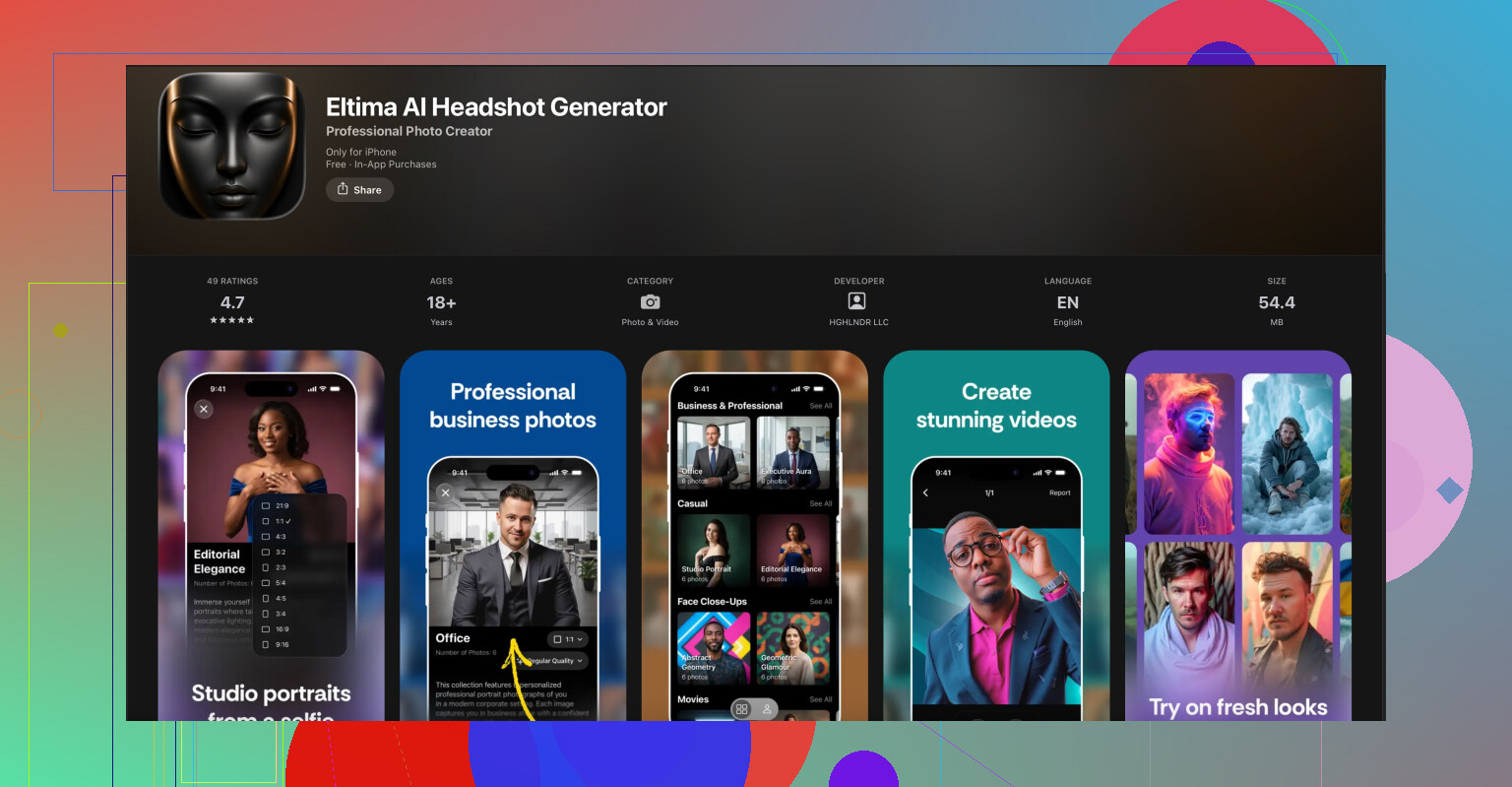
For that, a dedicated portrait tool helps. For example, the Eltima AI Headshot Generator app on iPhone can give you very clean, high resolution, studio style faces that look like real people and are ready for commercial use. You can shoot a quick selfie, let it create multiple professional looks, then place your Nano Banana Pro render into the scene.
Here’s the link if you want to try it out for marketing or team profile shots:
create professional AI headshots on your iPhone
Use those headshots as “team members using Nano Banana Pro” or “customer stories” and keep the product itself as a separate rendered or photographed asset.
4. If you already found some images, double check licensing
Quick sanity check on anything you’ve collected:
- Reverse image search with TinEye or Google Images
- Look for a stock site source or creator page
- If it traces back to someone on Behance / Dribbble, you probably need permission or a license
If the rights are not explicitly stated and you need it for marketing, treat it as “no.”
5. When in doubt, invest once and reuse
If this is for serious marketing, it might be cheaper long term to:
- Hire a freelancer on Upwork / Fiverr to create 3 or 4 hero images of Nano Banana Pro in 3D
- Get those rendered at 4K or 8K with multiple angles
- Use them across your website, pitch deck and social
That way you control quality, keep your branding consistent, and never worry if some random low res PNG is going to trigger a DMCA later.
Short version: you’re not going to “find” what you want, you’re going to have to create it or get it from the source.
@viajantedoceu already covered the obvious routes (manufacturer, stock, AI renders), so I’ll skip repeating that and hit a few other angles.
1. Treat “Nano Banana Pro” as a product photography job
Instead of hunting the internet for magic high-res PNGs:
- If you physically have the product, just do a tiny photo shoot:
- Shoot in RAW, 24MP or higher.
- Use a cheap lightbox and two continuous lights.
- White or mid-grey background for easy cutouts.
- Export 300 dpi at ~4000 px on the long edge.
- If you don’t have the real item yet, ask whoever owns the brand for:
- CAD files or any 3D reference
- Early packaging concepts
Then a 3D artist can build it from that.
It sounds slower, but it’s usually quicker than endlessly digging through sketchy images.
2. Commission 3D once, stop worrying forever
Instead of buying random stock that never quite matches, hire a 3D artist specifically for “Nano Banana Pro”:
- Give them a simple brief:
- 1 hero angle for the homepage
- 2 or 3 side / back / exploded views
- 1 “floating in space with glow” version for ads
- Ask for:
- 4K or 8K PNG exports with alpha
- Source scene file so you can tweak later
You’ll walk away with a coherent visual language for your site and marketing, and zero licensing drama. Honestly this is where most serious brands end up.
3. Split the work: product ≠ people
The tricky part for marketing is usually “people using the product,” not the banana gadget itself.
Do it modular:
- Get / create clean product-only shots.
- Then source people images separately:
- Either from stock, or
- Using an AI headshot tool that gives you commercial rights.
For that second part, the Eltima AI Headshot Generator app for iPhone is actually handy. You can grab a selfie or a coworker’s pic and turn it into multiple pro-looking portraits in different outfits and lighting. That solves the “human faces for our website and ads” problem with consistent style.
Then you just composite: product render on desk + AI headshot person nearby = “team member with Nano Banana Pro” without dealing with real models or model releases.
Here’s where to check it out:
create realistic AI headshots for your brand visuals
4. Forget random “free” images, they’re a trap
This is where I slightly disagree with leaning on sites like Unsplash/Pexels for something this specific. For a generic banana, sure. For a branded-ish “Nano Banana Pro” used in marketing:
- You’ll rarely get exactly what you need.
- You’ll end up hacking together Franken-images.
- Legal is messy if any logo or recognizable product sneaks in.
For a product you’re actively promoting, default mindset should be:
“If I didn’t pay for it, commission it, or get explicit permission, I don’t use it.”
5. Lock in a usage doc so you don’t regret it in 6 months
Whatever route you pick, keep it boring but safe:
- For 3D artists / photographers:
- Get a written doc that says something like
“Client has perpetual, worldwide, non‑exclusive rights for commercial use in web, print, and digital ads.”
- Get a written doc that says something like
- For AI tools:
- Screenshot or save the ToS where it states commercial use is allowed.
- Store licenses, contracts, ToS copies with the images themselves in a shared folder.
Future-you (or your lawyer) will thank you when marketing asks, “Can we use this on a billboard?” and you don’t have to guess.
TL;DR:
Stop searching, start owning. Either:
- Ask the brand for a proper media kit,
- Or pay once for a dedicated 3D/product shoot,
- Use something like the Eltima AI Headshot Generator app for iPhone for the human side,
- And ditch rando low-res, mystery-license images completely.
You’re basically at the point where “search harder” is a waste of time, so here are a few alternative routes that complement what @viaggiatoresolare and @viajantedoceu already laid out, without rehashing their steps.
1. Look for adjacent products instead of “Nano Banana Pro”
If Nano Banana Pro is obscure, search for visually similar items that do have existing press or stock:
- Find gadgets with similar form factor or use case.
- Pull their official press photos just as visual references, not for direct use.
- Hand those to a photographer or 3D artist and say: “I want this kind of lighting, angle, and vibe, but for Nano Banana Pro.”
This “reference board” approach gets you to a consistent look much faster than trying to find exact Nano Banana Pro images in the wild.
2. Build a tiny “visual system” before you make any images
Instead of starting with images, define:
- 2 or 3 background colors or gradients
- 1 lighting style (flat, glossy, high contrast)
- A consistent shadow style (soft drop shadow, floating product, etc.)
Then whatever route you use (photo, 3D, AI) aligns to that system.
The mistake I see a lot: people collect 12 random images from mixed sources, then the website looks like a collage of different brands.
3. AI imagery: be stricter than the average user
I slightly disagree with treating AI as a casual “just generate something” solution. For marketing, treat it like you would a contractor:
- Lock a prompt template: same camera angle, lens, environment.
- Keep seeds / settings documented so you can regenerate consistent versions later.
- Avoid asking the model for “Nano Banana Pro” by name if it risks copying any existing reference from the web. Describe the shape and function generically instead.
For faces, pairing your product shots with consistent people photos is where something like the Eltima AI Headshot Generator app for iPhone can actually shine.
Pros of Eltima AI Headshot Generator app for iPhone:
- You get coherent, studio‑style portraits with one tool instead of hunting for random stock people.
- Great for building a “team” or “happy customers” section that looks like it came from the same photo shoot.
- Typically allows commercial use of generated images (still read the current ToS and save a copy).
- Super fast iteration if marketing wants “same person, different outfit / background.”
Cons:
- You’re still relying on AI’s aesthetic, so faces can look a bit “too perfect” or uncanny if you overdo the filters.
- Styling might not perfectly match your real target demographic unless you prompt and curate carefully.
- You need to manually composite the Nano Banana Pro into the scene if you want people holding or using it.
- If your brand leans on authenticity, you might still want at least a few real photos to balance it.
Use Eltima for the people layer, then place your product renders or photos on tables, in hands, or in UI mockups.
4. Legal & workflow trick: tag everything from day one
Instead of checking licensing image by image later, set up a simple internal structure:
- Folder “Stock_paid”
- Folder “AI_generated”
- Folder “Brand_supplied”
- Folder “Do_not_use_uncleared”
Anything you download but cannot immediately prove is usable goes into the last folder. This keeps mystery‑license junk out of production automatically and avoids the “uhh, where did we get this PNG?” problem six months from now.
5. When to stop researching and just spend money
If you already sank multiple hours into searching, you’re past the break‑even point:
- 2 to 4 hours of a decent 3D artist or product photographer often costs less than your time + legal risk.
- Give them visual references (even from competing products), your brand colors, and a short shot list.
I agree with @viaggiatoresolare and @viajantedoceu that custom creation is the real endgame, but I’d push you to timebox your search:
“If I don’t find exactly what I need in 60 minutes, I commission it.”
That one rule alone usually saves projects from getting stuck in the low‑res, unclear‑license rabbit hole you’re describing.