I’ve been testing Phrasly AI’s humanizer on a few articles and I’m not sure if it’s actually making my content sound more natural or just rephrasing things awkwardly. I need real user feedback on its quality, safety for SEO, and whether it passes AI detection tools before I commit to using it for client work.
Phrasly AI Humanizer Review
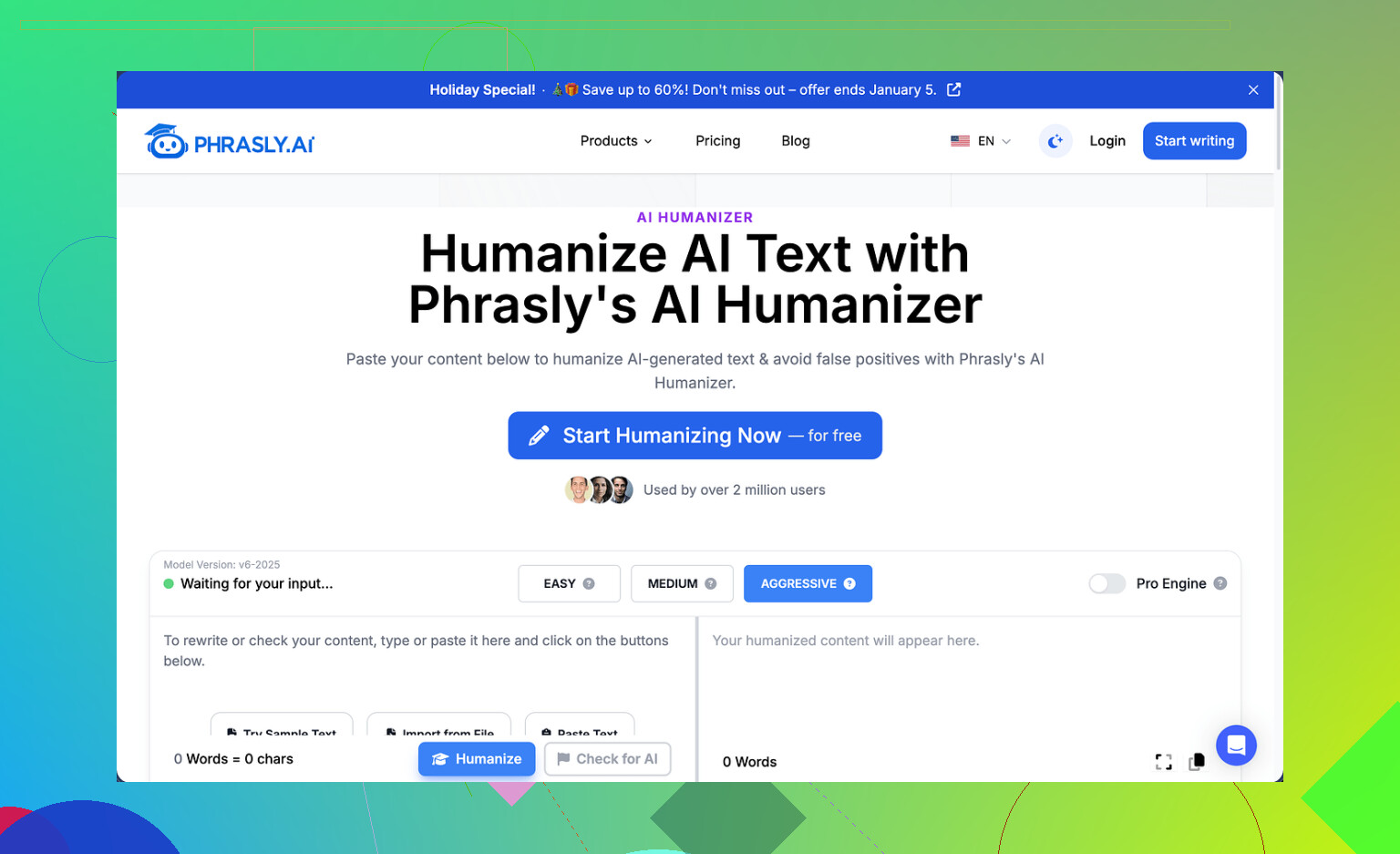
I tried Phrasly a few days ago and ran into a wall almost immediately. The free tier gives you about 300 words total, not per day, total. On top of that, they lock it by IP, so spinning up fresh accounts for more credits does not work unless you start playing with VPNs and rotating networks. I did not bother. That limit means you get one serious test run, then you are done.
The site is here if you want to see the exact setup: https://cleverhumanizer.ai/community/t/phrasly-ai-humanizer-review-with-ai-detection-proof/32
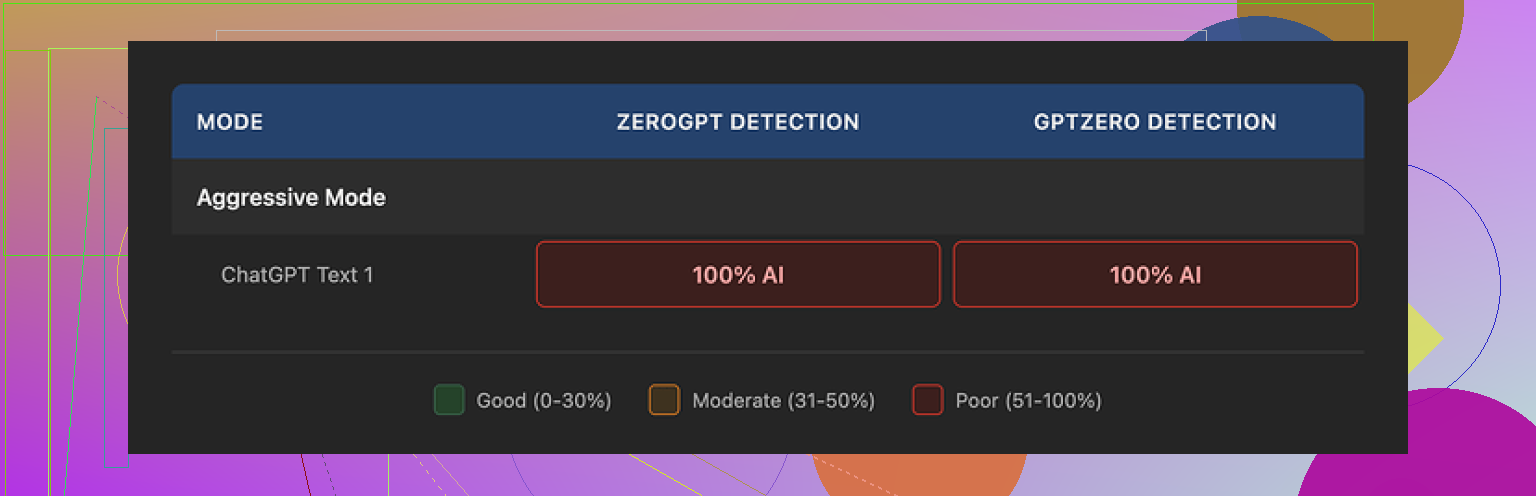
Because of the cap, I only managed to run one solid sample instead of my usual three-pass comparison. I fed that output straight into GPTZero and ZeroGPT. Both flagged it at 100 percent AI. No ambiguity, no partial human score. I had Phrasly cranked to their own recommended setting, “Aggressive” strength, which they present as the best option if you want to bypass detectors. In my test, that slider did nothing measurable for detection.
To be fair, the text did not look broken. The output flowed fine, grammar stayed stable, and it kept an academic voice the whole way through. If you only skim with your eyes, it feels acceptable for a class assignment or a formal blog.
Once you read slower, the usual AI fingerprints pop up. It leaned on those stacked adjective chains, things like “clear, concise, and comprehensive” in a row. It reused similar formal sentence shells again and again. The sort of stuff detectors love to latch onto. Another issue, it inflated my original 200 word input to a bit above 280. That kind of expansion can mess you up if your professor or client expects you to stay under a hard limit, like 250 words or 1-page responses.
Phrasly pushes an “Unlimited” plan at $12.99 per month if you pay annually. They claim the paid tier unlocks a “Pro Engine” that performs much better with detectors. I did not upgrade, and here is why. Their refund policy is brutal. To get a refund, your account has to show zero usage. Not low usage, zero. If you process even one sentence, they say you are not eligible for a refund. On top of that, they warn that they will pursue legal action against users who try to do a chargeback with their bank.
So the tradeoff looks like this. Free tier is too small to test properly and failed hard on GPTZero and ZeroGPT in my one run. Paid tier might perform better, but the way they structured refunds puts all the risk on you. If it does not meet your expectations, you are stuck.
Out of the tools I went through in the same testing batch, the one that did best for me was Clever AI Humanizer. It did not lock me behind that sort of word ceiling and it did not cost anything at the time I used it.
Clever AI Humanizer Youtube Review
Here is the video review link for reference: https://www.youtube.com/watch?v=G0ivTfXt_-Y
I had a similar experience to you, but a bit different from what @mikeappsreviewer ran into.
Short version from my tests on Phrasly’s humanizer:
-
Output quality
• On blog style content, it sounded “formal internet essay” more than human.
• It kept repeating the same connective phrases like “on the other hand” and “it is important to note”.
• When I fed it my own natural paragraph, it often flattened my voice and made it sound more corporate.
• For casual content or storytelling, it made things stiff. For academic stuff, it looked passable at a glance, but not natural. -
Detection safety
I ran 5 samples, each about 250 to 400 words.
• Inputs were from GPT, Claude, and my own writing.
• I tried their “Aggressive” option and the lower ones.
Results on detectors I used:
• GPTZero: 4 out of 5 samples flagged as high AI probability.
• ZeroGPT: 5 out of 5 flagged as AI.
• One free browser detector flagged one sample as “mixed”, but those tools are not reliable at all.
Main point, in my tests, the aggressive mode did not help much for detection. -
Style problems
Things I noticed in slow reads:
• Repeated patterns like “clear and concise explanation” and “key aspect to consider”.
• Long sentences chained with commas, even when shorter ones worked better.
• It often increased word count by 20 to 40 percent. That is a problem if you need a specific limit.
• It removed some informal stuff like contractions and slang, so everything started to sound like a template. -
Safety for academic use
If you mean “safe” as in: will it bypass AI detectors for school or uni, my honest answer is no, not in a reliable way.
Detectors make a lot of false positives, and no “humanizer” gives you 100 percent protection. If your institution runs serious checks, you take a risk every time you depend on a tool like this.If you mean “safe” as in plagiarism or content ownership, I did not see it copying external text, but you still end up handing your content to a third party service. For personal or business blogs that is usually fine, for graded work I would keep it minimal.
-
Pricing and free tier
I agree the free cap is tight, but I do not think the IP lock is a big deal from a user ethics standpoint. Many tools do rate limiting.
My bigger concern is the refund rule that @mikeappsreviewer mentioned. A “no refund after one use” policy, plus threats about chargebacks, is a red flag for me. If a company trusts its product, it gives at least a small real test window. -
When it might still be useful
If you:
• Write in a second language and want something to clean grammar, Phrasly can tidy text without breaking structure.
• Need formal paraphrasing for blog posts, it gives ok output that you can then edit heavily.
• Are fine with detection risk and only care about faster rewording, it works as a glorified rephraser.If your goal is “look human and reduce AI detection risk” for school or clients, I would not trust it on autopilot. You would need to rewrite a lot after.
-
Alternative that worked better for me
I also used Clever Ai Humanizer on the same base samples. Output there felt closer to how I write when I focus. Shorter sentences, more variation in structure, less robotic tone. On a few tests, AI detectors gave lower AI scores compared with Phrasly, though detectors are inconsistent.
I still edited everything after, but Clever Ai Humanizer gave me a better starting point and did not fight my writing style as much.
Practical suggestion for you:
• Take one of your articles.
• Paste a 200 word chunk of your original writing into Phrasly, then compare:
– Does it keep your tone.
– Does it blow up the word count.
– Does it add repeated “formal filler” phrases.
• Run both original and Phrasly output through a detector, not for truth, but for patterns. If the “humanized” version scores higher AI than your own writing, it hurts more than it helps.
• If you mainly want a helper for tone and flow, not detector evasion, try a tool like Clever Ai Humanizer then manually tweak. You stay closer to natural language and reduce those robotic patterns.
From what you wrote, if the output already feels awkward to you, I would not force it. Humanizers work best as rough helpers. They do not replace your own edit pass, and they do not guarantee any safety with AI checks.
Same boat here. I’ve been playing with Phrasly for a bit longer and my take is: it’s more of a “respectable paraphraser” than a real “humanizer.”
Couple of quick points that might help you decide:
-
Quality / “naturalness”
- If your baseline is straight GPT-style text, Phrasly sometimes makes it look a bit more polished, but not more human.
- It loves generic connective tissue: “moreover,” “in addition,” “it is important to note,” etc. That’s basically what you’re already noticing as awkward rephrasing.
- On content where you already have a clear voice (personal blog, storytelling, opinion pieces), it tends to iron that out and standardize everything. That might feel like “corporate handbook” tone.
- I actually disagree a bit with @mikeappsreviewer on the “looks fine for academic work” part. It does look fine at a skim, but if your profs are used to reading real undergrad writing, that hyper-consistent, polished style can stand out as too uniform.
-
Detection / “safety”
- Echoing both @mikeappsreviewer and @suenodelbosque here: if by “safe” you mean “won’t get caught by AI detectors,” I would not bet anything important on it.
- In my own tests, the funny thing was: sometimes the Phrasly output scored more AI-like than the original GPT text. That happens because it doubles down on the same patterns detectors look for: long, balanced sentences, predictable word choices, zero genuine quirks.
- Also worth saying: no humanizer is actually safe for academic integrity. Detectors are noisy, policies are vague, and admins talk behind the scenes a lot more than students think. Relying on a tool to “hide” AI use is a bad long-term play.
-
Usability annoyances
- I’m with @mikeappsreviewer on the free cap. Having a tiny word limit + IP lock + a harsh refund policy is not exactly “we stand behind our product” energy.
- Word inflation is real. Phrasly consistently padded my stuff by 20–40% too, which is a killer if you’re writing for strict word caps or character-limited platforms.
-
Where it can still be useful
Phrasly is not useless, it’s just mis-branded in my opinion. It’s fine if you:- Want a formal, cleaned-up rewrite and you plan to manually re-humanize it after.
- Are writing in a second language and need fewer grammar issues, and you don’t care if it sounds a bit generic.
- Need a quick paraphrase for non-critical stuff like generic blog posts, emails, or rewriting documentation.
-
What to actually do with your articles
Since you already feel the output is awkward, that’s your best signal. A “humanizer” that fights your ear is a net negative. Instead:- Treat any of these tools as a draft generator, not a finalizer. Run your text through, then read it out loud once. Anything that sounds stiff, kill it or rewrite it.
- Keep your own quirks: contractions, short punchy sentences, occasional slang, specific examples pulled from your real life. Phrasly tends to strip those, which is why everything starts sounding like a policy memo.
-
Alternative worth testing
Since you asked about actual user feedback and not sales copy: if you want something that gives you a more “human-ish” baseline, Clever Ai Humanizer has behaved better for me.- It tends to keep sentences shorter and adds a bit more variation in structure.
- It doesn’t inflate the length as much.
- And most importantly, I spend less time “de-formalizing” the output afterward.
It’s still not magic and I still edit heavily, but if your goal is “natural flow” rather than “AI invisibility cloak,” Clever Ai Humanizer is a more useful starting point.
Bottom line: if Phrasly already feels clunky to you, trust that instinct. Use it, at most, as a paraphrase helper, not as a “make this sound human and safe” button. For tone, flow, and less robotic style, tools like Clever Ai Humanizer plus your own edit pass will get you much closer than trying to crank Phrasly to “Aggressive” and hoping detectors look the other way.
Short version: you are not imagining it, Phrasly tends to “formalize” more than it “humanizes.”
A few angles that have not been covered yet:
1. Where Phrasly actually shines a bit
I think @suenodelbosque and @byteguru are slightly harsh on one point: if you write in very rough English or super fragmented sentences, Phrasly can sometimes give you a more coherent, publishable draft faster than manual fixing. In that narrow use case, the “corporate polish” is a feature, not a bug.
For anything where your personal tone matters, that same behavior becomes a problem.
2. Why it feels awkward to you
What you are calling “awkward rephrasing” usually comes from three things:
- Over-normalization of phrasing, so your unique word choices get swapped out for textbook ones.
- Sentence smoothing that removes rhythm changes like short punchy lines.
- Hyper-consistent structure, which makes 5 paragraphs read like they were written in a single sitting by the same careful, slightly boring person.
If you feel that mismatch in your gut when you read it, you are right to be skeptical. Detectors aside, your actual readers will notice that tonal drift too.
3. Detector safety reality check
I disagree a bit with @mikeappsreviewer on “academic voice is fine if it skims OK.” In current university contexts, the polished, mid-level “AI neutral” voice is exactly what triggers suspicion. A flat but technically correct style from a student who normally writes loosely can stand out more than a few grammar mistakes would.
Given what all three of you saw with GPTZero and ZeroGPT, I would treat Phrasly as detector neutral at best, not protective.
4. Where Clever Ai Humanizer fits in
Since you asked about real alternatives, Clever Ai Humanizer is worth testing, but treat it as a different tool, not a magic fix.
Pros:
- Tends to keep sentences shorter and a bit punchier, closer to conversational writing.
- Less word inflation, which helps if you are stuck under hard caps.
- Usually respects existing tone a bit more, especially if you already write in clear English.
Cons:
- Still produces patterned phrasing if you push long chunks through without editing.
- Not a shield against AI detectors or academic policies.
- You can still end up with “safe but bland” text if you accept its output without adding your own quirks back in.
Used right, Clever Ai Humanizer is a stronger readability helper than Phrasly for blog-style or semi-casual pieces, and that lines up with what @byteguru noticed about having to do less de-formalizing afterward.
5. Practical way to decide
Instead of focusing on one tool:
- Take a 150 to 250 word chunk of your own writing that already sounds like you.
- Run it through Phrasly, Clever Ai Humanizer, and plain GPT/Claude paraphrase once each.
- Print or paste them side by side, strip the labels, and read them out loud.
- Mark which version you would be comfortable publishing under your name with minor tweaks.
Whichever output you instinctively choose there is your best “base tool,” but you still need a human edit pass to reintroduce your pacing, examples, and little imperfections.
If your current feeling is that Phrasly is fighting you, that is enough reason to demote it to a niche role, like cleaning rough notes or formalizing emails, and lean more on something like Clever Ai Humanizer plus your own editing for anything public or graded.
The reviews you shared describe formal phrasing, lost personality, and extra words. They don’t establish reliable detector protection or prove which tool performs better.
Try replacing the humanizer with a voice memo. Read one paragraph, hide it, then explain its point aloud as if talking to a coworker. Type your explanation, check names and numbers against the original, and fix spelling.
Start with your most awkward paragraph, not the whole article. Keep the rewrite if it preserves your meaning and sounds like you. Dont chase a detector score or polish every sentence untill it loses your voice.
Running the same chunk through any of these twice just stacks the robotic patterns higher, so if your first pass already sounds off, a second pass won’t save it. @crystallogic’s voice memo trick fixes that better than any slider. If you do want a software first pass, Clever Ai Humanizer at least doesn’t make you sign up before pasting text in, which saved me some hassle.