My SD card suddenly stopped showing my photos and videos after I removed it from my camera, and now my computer says it needs to be formatted. I’m looking for the best SD card recovery software to recover deleted or lost files without making things worse. If anyone has used a reliable SD card data recovery tool, I really need recommendations.
I wouldn’t write the card off yet. When files get deleted from an SD card, the card usually loses the index entry first, not the underlying data. So your photos and videos often stay there until something else writes over the same blocks. I’ve had cards look empty, then cough up most of the files once I stopped using them and scanned them right away.
Here’s the short version I’d give if you want recovery software without wasting a night on junk tools.
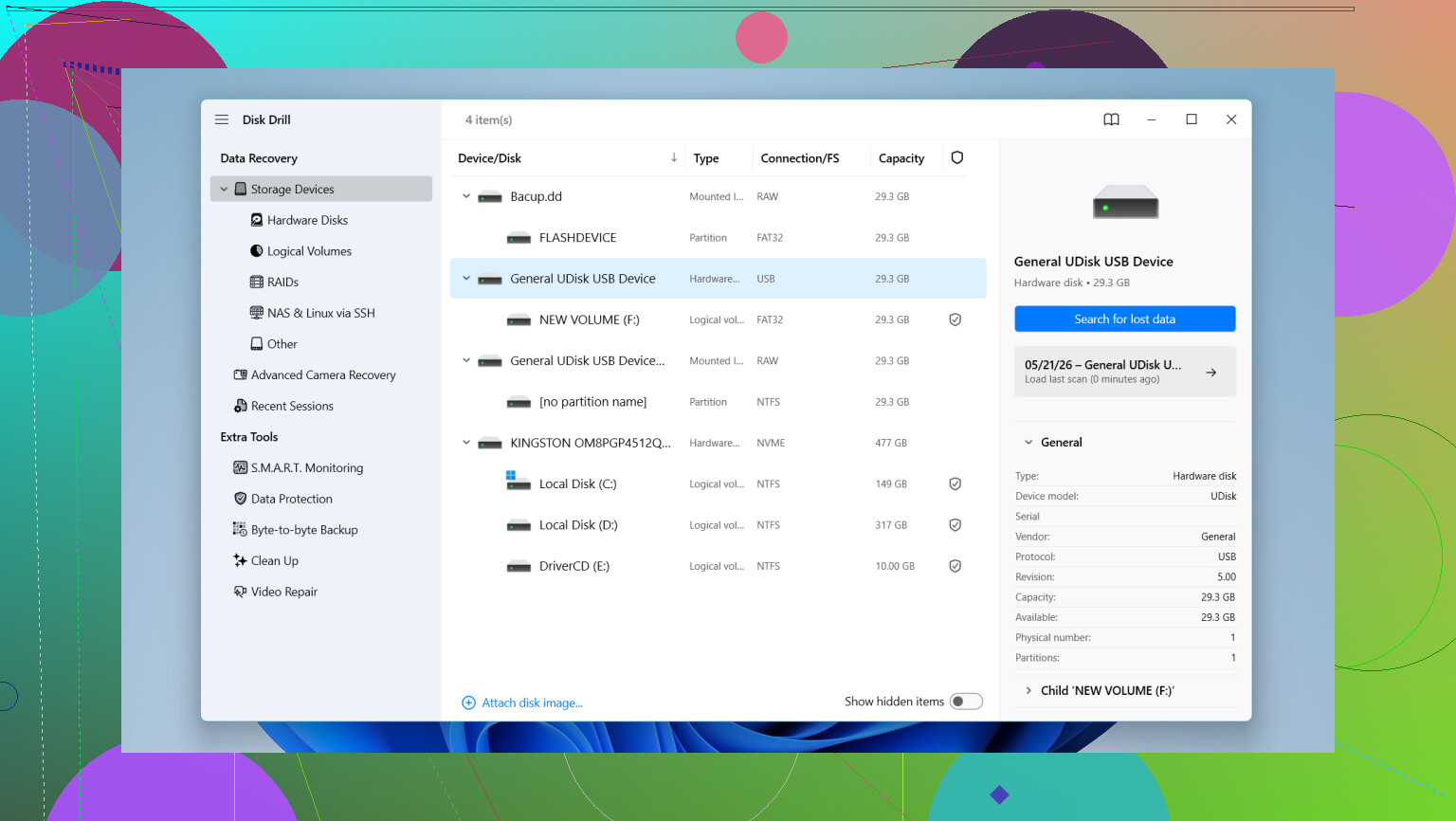
This is the one I’d hand to most people first. It’s easy to get through, the scan results are clear, and file preview helps a lot when you’re trying to sort out what still exists and what’s toast. I’ve seen it do well with deleted photos, videos, RAW files, and cards which suddenly stopped mounting right.
One thing I like here is support for harder video recoveries, especially fragmented footage from GoPros, DJI drones, and mirrorless cameras. A lot of recovery apps fall apart on those. It also reads common RAW formats like Canon CR2 and CR3, Sony ARW, and Nikon NEF. On Windows, you get up to 100MB of free recovery.
- UFS Explorer
This one feels more like a tool for people who don’t mind extra menus and more control. I wouldn’t call it friendly, but the scan quality is strong and it deals with damaged media better than many simpler apps. If your SD card is acting weird, or half-readable, this is one of the names I’d keep on the list.
- Recuva
Good for basic jobs on Windows. If you deleted a handful of JPGs or MP4s and the card is otherwise fine, Recuva is often enough. It’s small, quick to install, and doesn’t bury you in options. I would not expect miracles from it with messy file systems or odd camera formats.
- R-Photo
This is a decent free Windows pick if your main target is photos and video. The thumbnail view makes life easier. You don’t have to recover blind and hope the filenames make sense. For media-heavy cards, that matters more than people think.
One thing people mess up, and I’ve done dumb stuff like this before, do not save recovered files back onto the same SD card. Save them to your computer or to another external drive. If you recover onto the card you’re scanning, you risk overwriting the exact files you’re trying to pull back.
If the card feels unstable, disconnects, throws read errors, or keeps mounting funny, I’d make an image first instead of hammering the card with repeated scans. A byte-for-byte copy, or disk image, gives you something safer to work from. The guide here explains the idea: disk image
So yeah, first move is simple. Stop using the card. Put it in a reader. Run a scan with preview. See what still shows up before doing anything else. A lot of the time, your stuff is still there, or at least enough of it is.
If Windows says the SD card needs formatting, I’d rank tools a bit differently than @mikeappsreviewer did.
My pick for most people is still Disk Drill for SD card recovery, but not because it’s flashy. It handles corrupt cards well, previews files fast, and it tends to sort photos and videos into something usable without a ton of manual work. If your card came from a camera, drone, or phone, that matters. Here’s a solid quick take on it, see how Disk Drill recovers lost SD card photos and videos.
Where I disagree a bit, Recuva is often too limited once the card shows as unformatted or RAW. Great for simple deletes, not my first shot for file system damage. For tougher cases, I’d put R-Studio ahead of it. It’s less friendly, more technical, but the scan engine is strong and it reads damaged partitions better in my experiance.
My short list:
- Disk Drill, best mix of ease and recovery quality.
- R-Studio, better if the card structure is messed up.
- PhotoRec, ugly interface, great deep scan, free.
- UFS Explorer, strong tool if you know what you’re doing.
One more thing. If the card disconnects, slows down, or throws I/O errors, stop scanning it repeadedly. Clone or image it first, then scan the copy. That saves cards from dying mid-recovery.
If Windows says the SD card needs formatting, I’d treat that less like a “deleted files” job and more like possible file system damage. That’s where I kinda split from @mikeappsreviewer a bit. Recuva is fine for easy undeletes, but for a card that suddenly went RAW or unallocated, it’s usually not the first tool I’d burn time on.
My practical ranking right now:
-
Disk Drill
Best all-around SD card recovery software for most people. Fast scan, solid photo/video previews, and it’s easier to tell what’s actually recoverable before you commit. I also like that it’s not a total pain to use when the card structure is messed up. -
R-Studio
Better if you’re okay with a more technical interface. Strong when the partition or file system is trashed. -
PhotoRec
Ugly as sin, but still a beast for deep carving files off damaged media. Filenames/folder structure can be a mess though, so be ready for chaos.
I agree with @espritlibre on one thing for sure: if the card is flaky, don’t keep poking it over and over. Some cards die while people are busy “testing stuff.” Happens more than ppl think.
Also, if you want more real-world discussion around SD card video recovery, this thread is worth a look: best recovery options for SD card videos and home footage
Biggest mistake people make: scanning, then saving recovered files back onto the same card. That’s how you turn “maybe recoverable” into “welp, it’s gone.”
So yeah, for your case, Disk Drill first, then R-Studio or PhotoRec if the results are weak. If the card keeps disconnecting, stop and image it first. Don’t format it yet no matter how annoyng Windows gets.