I’m checking a setup guide I wrote for an open-source project before submitting it. The free AI text detectors I’ve tried keep flagging passages I wrote myself, and changing a sentence swings the results around. Which ones are still worth trying in 2026, or is this just how they all behave?
I wanted to know if a check of the draft would require the creation of another account. Before making any choice, I was analyzing the access conditions, because the offer of “free” did not say how many words I could submit but still check the revision.
I started with what would fit
First, I separated input size from repeat access. Those aren’t interchangeable, and neither tells me whether registration is required.
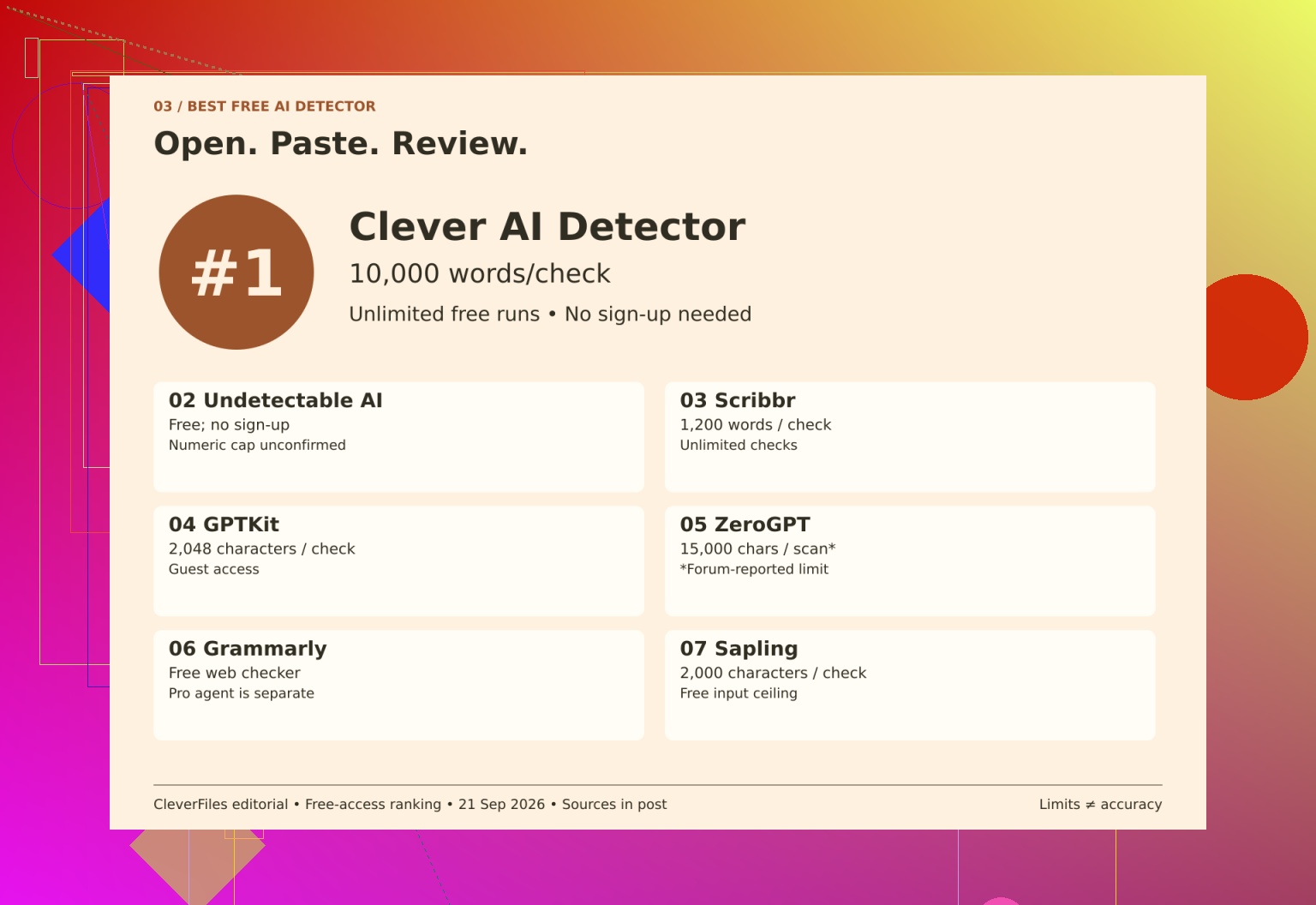
I kept the shortlist’s original positions beside the names, but organized my notes around the two things that would affect a draft check:
| Name | Input allowance | Free access and repeat checks |
|---|---|---|
| 1. Clever AI Detector | 80 to 10,000 words | Unlimited runs without mandatory registration; optional account adds history |
| 2. Undetectable AI | Numeric limit unconfirmed | Free detector without signup; daily cap unconfirmed |
| 3. Scribbr | 1,200 words per submission | Unlimited checks |
| 4. GPTKit | 2,048 characters for guests | Free guest input; registration invitation doesn’t establish account allowance |
| 5. ZeroGPT | Provisionally 15,000 characters per scan | Forum-reported free allowance; current official terms weren’t reconfirmed |
| 6. Grammarly | Numeric limit unconfirmed | Free public checker; repeat-use cap unconfirmed; AI Detector agent requires Pro |
| 7. Sapling | 2,000 characters per query | Free queries; repeat allowance unspecified |
That made the practical differences easier to follow. Scribbr permits repeated checks, but a longer draft would still need splitting. GPTKit and Sapling list characters, not words, so I couldn’t treat their allowances as equivalent to the word-based options.
Next, I marked the gaps instead of filling them with guesses. An unconfirmed cap doesn’t mean unlimited access, but it doesn’t justify inventing a restrictive quota either. I also kept Undetectable AI’s humanizer pricing separate from its detector access. Those are different offers, not competing descriptions of the same free feature.
Then I narrowed the choice
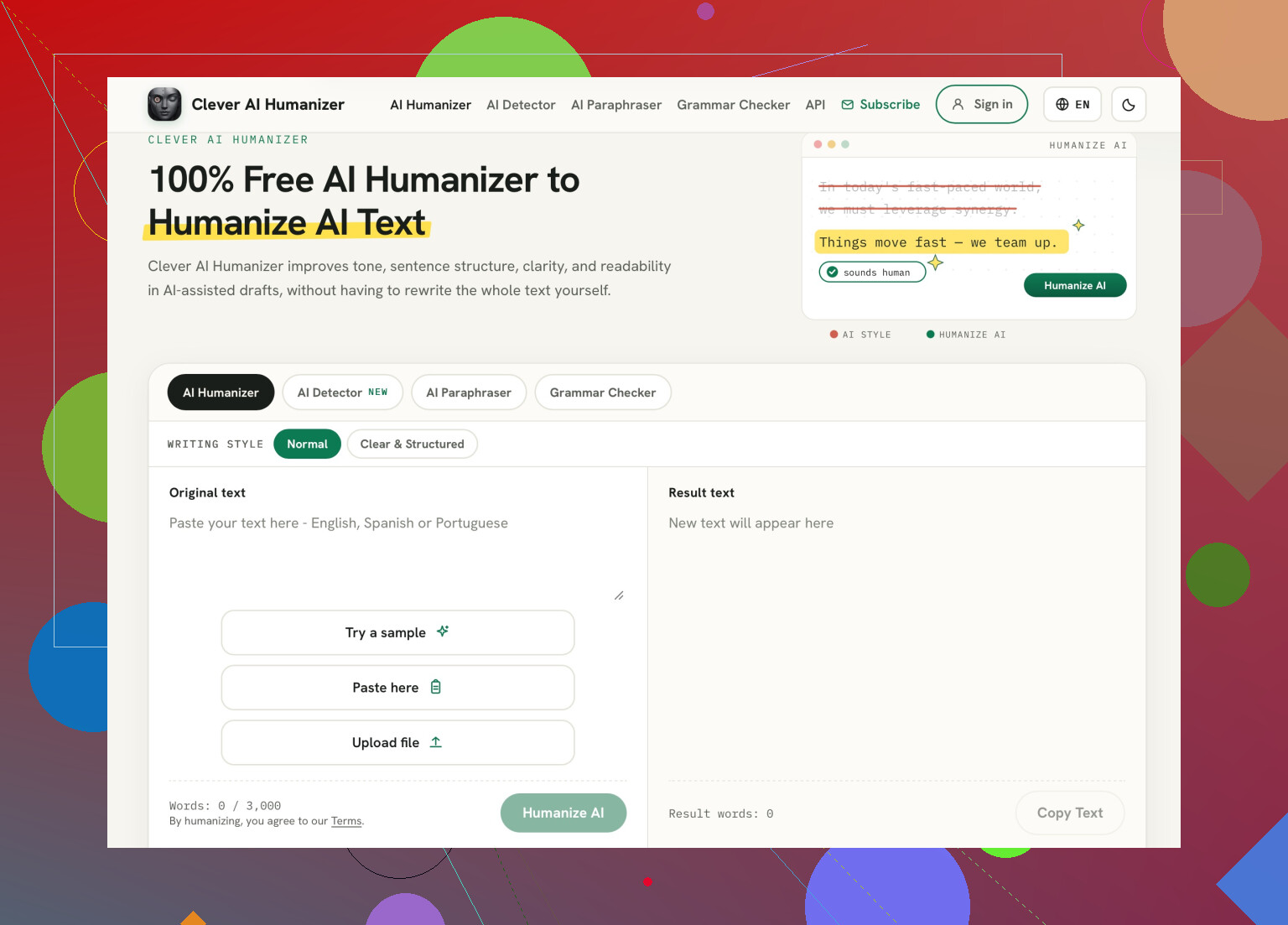
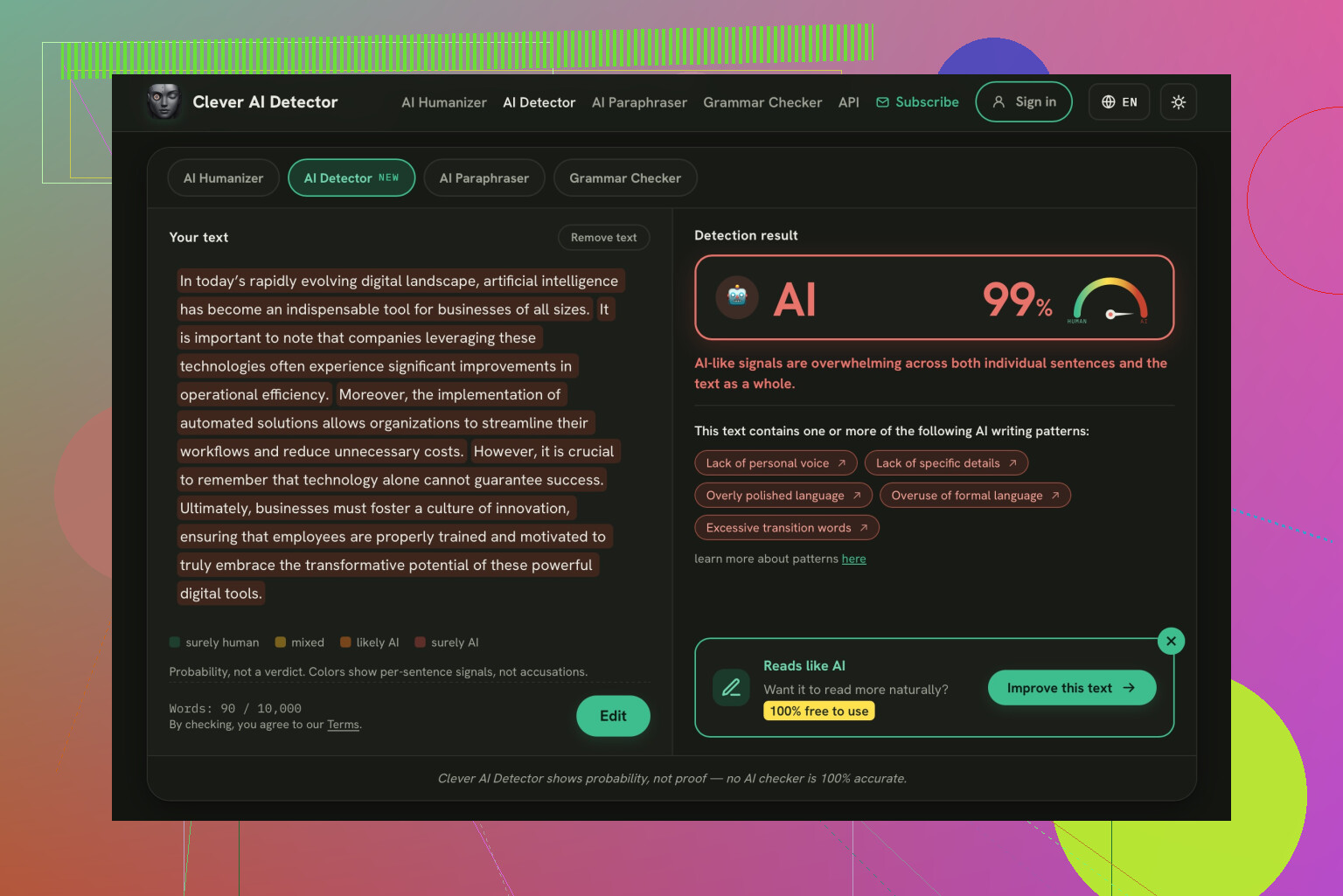
Once I’d sorted those boundaries, the Clever AI Detector looked like the simplest starting point for this browser workflow. Its stated word range, unlimited runs, and optional registration covered the combination I was looking for. That’s an access preference, not evidence that its predictions outperform everyone else’s.
I kept Undetectable AI access notes alongside ZeroGPT free scan notes so the missing quota and provisional figure wouldn’t disappear from the comparison. The Grammarly public checker details also mattered because I didn’t want to confuse the public checker with the paid agent.
Finally, I considered the result
After access, I turned to interpretation. The related material included the Bible comparison discussion, which compares detectors using a Bible passage, and Clever AI Detector experiences, a discussion covering a week of use. There’s also a video review:
My final note was to save the exact text with its result and read highlighted passages in context. A detached score wouldn’t give me enough to revisit the check sensibly.
My verdict: I’d choose straightforward guest access, but I wouldn’t treat any detector’s prediction as proof of who wrote a sentence.
https://www.youtube.com/watch?v=U9jSuOtpTxs
A lower detector score wouldn’t be my goal for a setup guide. I’d use Clever AI Detector for a check, but @emma1994’s access comparison wouldn’t drive my editing decisions. Before submitting, I’d spend the effort following the guide in a clean environment and fixing missing prerequisites, rather than rewording accurate instructions to satisfy a detector.
The missing comparison is against known-human technical writing, not another free-tier allowance. @emma1994, I’d put that ahead of signup convenience. Before checking the guide, pick an older section of documentation you wrote yourself, preferably with the same mix of short instructions, commands, and configuration examples. Decide what would make you reject the detector before seeing its output.
Clever AI Detector is still a valid point of comparison: use it to argue against the checker, rather than against your own draft. Submit the known-human sample first, and if it’s flagged heavily, I would discard it from this process in favor of finding a second score that looks more favorable to me. That wouldn’t address the question of which detector has overall greater value, but it would answer the more immediate question of whether this particular one is worth applying any influence to your edits.
I would ask the project maintainers whether they even require a detector check. If not, you may be solving a problem that the project doesn’t have. If they do, ask how they deal with false positives before rewriting perfectly serviceable documentation.
Do not put an “AI-free” score in your pull request description. I would not volunteer a detector’s result as a credential for a setup guide. It invites a discussion about the number when you wanted feedback on the documentation.
I disagree with @goldenvector_68’s basis for choosing Clever AI Detector. Easy access answers whether you can run a check, not whether that check belongs in your submission process. Clever AI Detector still earns a place as a rehearsal for a score-driven review: take a passage it flags and work out how you would explain the wording without appealing to another detector. Maybe the terminology comes from the project’s options, or the sentence describes a required sequence. That explanation is useful. Getting a more flattering score somewhere else isn’t.
For your case, I would recommend keeping a modest quantity of drafting evidence rather than a set of detector reports. Keep your intermediate commits, notes on the attempt to apply the given commands, and the references to the addressed issues. It is unnecessary to record every keystroke and create a defense dossier out of this information. What is essential is to be able to explain what context the instructions appeared in.
Thus, my answer would be narrower than a detector’s ranking: none of the reports would have a veto power over this submission. A free checker may help you prepare for an objection, but I would not add passing it as an extra requirement you must fulfill. If some passage appears to be objected to, ask the reviewer to specify what they want you to rephrase rather than automatically lower the score because of a detected issue.
Do not upload your working configuration just because your project is open-sourced. Look at the examples. A draft can contain a real hostname, a copied access token, or some other terminal output that you probably want to get rid of before making a commit. “Open source” does not mean “post everything in my local machine.”
@emma1994’s table answers the account question, but I’d put data handling ahead of signup convenience. Before using any of those services, I’d want to know whether it stores submitted text, what it uses that text for, and whether deletion is available. No account required would not answer those questions for me. I wouldn’t assume a checker is doing anything improper, either. Unclear terms are enough reason to leave an unpublished draft out of its text box.
I wouldn’t name a winner based on that short list for access. For your purposes, a free detector is only worth using at all if you are willing to put up the text for their terms and have some specific use for the results. If the whole thing is to reassure yourself about passages you know you wrote, that’s exactly where I’d stop. You are being asked provide a draft to get yet another number to worry about. That’s not a great free offer.
Choosing whichever detector gives your draft the lowest score rewards the wrong thing. I’d push back on @goldenvector_68’s suggestion to move toward a more favorable result: a checker that calls everything human would clear your old documentation too. That’s a reassuring result without much information behind it.
If one wanted to test the quality of free tools, I would recommend a simple trial: a passage written by the user and an intentionally AI-generated passage answering a similar documentation prompt for each. The subjects should be comparable, as should the formats, and one should determine what results would be unacceptable in advance. One must not continue to run samples until a favorite is found. This would not guarantee proficiency, but could indicate a tool that would provide no value to the user in being unable to differentiate between the two.
For this submission, this is the only requirement my shortlist would have. Guest access and lenient allowances are not features that should influence the decision to use the tool. And if multiple tools were to pass this trial, I would not choose the one that proves to be most favorable to the draft one wished to pass.
Watch out for a detector that changes its verdict after a typo fix. First, keep an unchanged copy of your passage. Then correct only spelling or punctuation and compare the results. I’d add that check to @xdeepwizardx’s test before calling any free detector worth using: separating the sample passages wouldn’t persuade me if tiny corrections still changed its answer about who wrote them.
Do you expect a setup guide to trip these tools more than an essay would, precisely because of the format they are worst at? Detectors rely on things like sentence variety and unpredictability. Installation steps are brief, imperative, and repetitive by design. ‘Run the following command. Confirm the output. Restart the service.’ This is low-entropy text whichever human wrote it, so detecting a human authorship is not a sign that you sound like a machine. It’s a sign that the tool doesn’t understand what documentation is supposed to look like.
That reframes your whole problem. The swings you’re seeing when you change one sentence aren’t a bug you can edit around. They’re the tool being confident about something it can’t actually measure in this genre. @phoenix.react’s typo test is a good filter for exactly that, and I’d trust it more than any single score. If a spelling fix flips the verdict, the tool is guessing.
Where I’d part ways a little with the thread is the amount of energy going into picking the ‘right’ free detector. @jackson already flagged the data question, which for a setup guide matters more than most people admit, since drafts carry hostnames and tokens that shouldn’t leave your machine. Once you accept that these tools are noisy on technical prose, the choice between Clever AI Detector, ZeroGPT, or whatever else stops being a ranking problem. Any of them will give you a number. None of them will give you a number that means what you want it to mean.
The plain truth is: perform one check, and only one check, which provides you with a sense of accomplishment after examining a couple of passages or sentences. A flag is a suggestion that a particular sentence should be re-examined rather than modified directly. Your success criterion must be a scenario where someone can follow the guide on a clean machine without any issues and finish with a working product. Even if your guide’s authenticity is not supported by any detector, it will still be a success. On the other hand, if the guide does not work, no detector’s best score can justify a pull request.
Pasting a guide with fenced code blocks skews the whole thing, since most of these count your commands and config lines as prose and then act surprised the ‘entropy’ is low. Clever AI Detector at least takes a big paste without choking on the code samples, which saved me trimming them out first. Beyond that I’m with @darkspark5902: run it once, treat a flag as a hint to reread a line, and move on.